Can Virtual Try-On Work With Made-to-Order Items?
By the ZeDaq.ai team · · 4 min read
On this page
- What does try-on actually show for a made-to-order item?
- What does it not do?
- Which made-to-order products suit try-on best?
- How do you handle sizing on made-to-order items?
- What does a worked example look like?
- How do you set it up?
- Why do made-to-order brands benefit from a preview?
- What should the product page say?
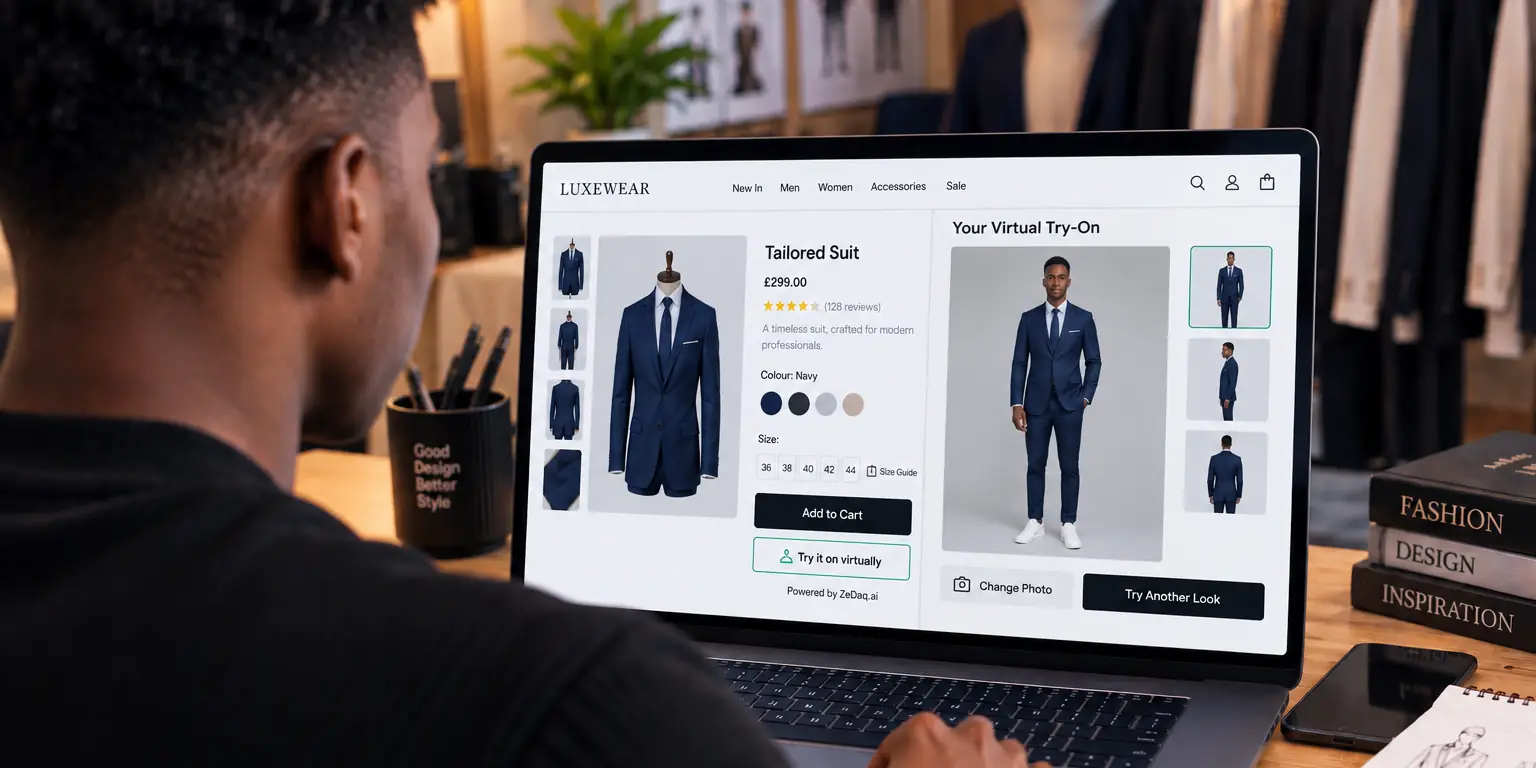
Yes, virtual try-on can work with made-to-order items, as long as you have an image of the design to show. It places that garment image on the shopper's photo, so it previews the look, not the exact bespoke result.
This guide is for brands that make clothes after the customer orders. If you need a refresher first, read how a virtual fitting room for clothing websites works on a normal product page.
What does try-on actually show for a made-to-order item?
Try-on takes two images: a photo of the shopper and an image of your garment. It shows the garment on the shopper's body.
For made-to-order items, the garment image is your sample, a past order or a design photo. The preview shows that design. It does not rebuild the garment to the shopper's measurements.
Try a garment on yourself
Try it on yourself
Live renderUpload a photo, pick a piece, see it rendered on you.
Pick something to try on
What does it not do?
Be clear about the limits so you set the right expectation.
- It does not change the garment to custom measurements. The preview shows the image you provide.
- It does not preview every custom choice. A new neckline or fabric needs its own image.
- It is not a fitting. A made-to-measure garment still needs accurate measurements.
Which made-to-order products suit try-on best?
Try-on is a good match when the design is fixed and the customer chooses size, color or fabric.
| Type of made-to-order | Fit with try-on |
|---|---|
| Fixed design, custom size | Good: one image per design |
| Fixed design, several colors | Good: one image per color |
| Fully custom design | Limited: needs a reference image |
| Alterations on a ready-to-wear base | Good: use the base garment image |
This table is a working guide, not a standard. It reflects how try-on uses a garment image.
How do you handle sizing on made-to-order items?
Sizing is where made-to-order shops spend most of their time. ZeDaq.ai offers a size scan from one photo plus height, matched to your own size chart.
Use it in one of two ways:
- As a quick size pick for brands that make standard sizes to order.
- As a starting point for custom work, followed by a confirmation of measurements before you cut.
For true made-to-measure, collect precise measurements another way. On Shopify, made-to-measure line item properties explains how to capture them with the order.
What does a worked example look like?
This is an illustration, not real data.
A brand sells a wrap dress that is cut to order after the customer picks a size and color. The brand photographs one finished sample in each color.
On the product page, the shopper uploads a photo and sees the sample dress in the chosen color on their body. They then use Find my size, which suggests a size from the brand's own chart. The brand confirms the size by message before cutting.
The preview helps the shopper decide whether they like the style. The size scan and the confirmation step handle the fit.
How do you set it up?
- Photograph a sample of each design, or use a clear design image.
- Add one image per color or fabric you offer.
- Add try-on to the product page. On Shopify, use the ZeDaq.ai app. Other platforms can use a script-tag widget.
- Enter your size chart in the dashboard, one chart per garment type.
- State the lead time and say that the preview is based on a sample.
The guide to how try-on handles variants and colorways covers the color step in detail.
Why do made-to-order brands benefit from a preview?
The shopper cannot see a finished garment until the order is made. That makes the product page do more work than usual.
A preview on their own photo gives the shopper something concrete to react to. The shopper can judge the style for themselves instead of imagining it from a photo of someone else.
What should the product page say?
Short, honest wording does most of the work:
- "Preview based on our sample. Your garment is made to your size."
- "Made to order. Ready in the lead time shown."
- "Choose your size, or use Find my size."
If you offer outfits, trying on several items together may suit sets.
For how try-on compares with model photos, see whether try-on can replace models.
If you build on a site builder such as Webflow, see virtual try-on on Webflow for the options.
Preview your made-to-order designs
FAQs
Does try-on work if I only make an item after it is ordered?
Yes, if you have an image of the design. Try-on does not need stock, only the picture.
Will the preview match the final garment exactly?
Not necessarily. It shows your image on the shopper, so differences in fabric, drape or color can still appear.
Can try-on replace taking measurements?
No. The size scan helps choose a size from your chart. Custom work still needs confirmed measurements.
Do I need a different image for every fabric?
Usually yes, if the fabric changes how the garment looks. One image per color or fabric gives the clearest preview.
Try ZeDaq.ai free
Virtual try-on and Find my size for your store, plus client, order and invoicing tools for tailors, in one subscription.

