Can Virtual Try-On Replace Fashion Models?
By the ZeDaq.ai team · · 4 min read
On this page
- What do model photos do that try-on can't?
- What does virtual try-on do that models can't?
- Is it a better photo or a different job?
- Can you show more body types without more photoshoots?
- What photo do shoppers need to provide?
- What are the limits of virtual try-on?
- Who benefits most from using both?
- How should you tell shoppers what try-on is?
- What does it cost compared with a photoshoot?
- How do you use both well?
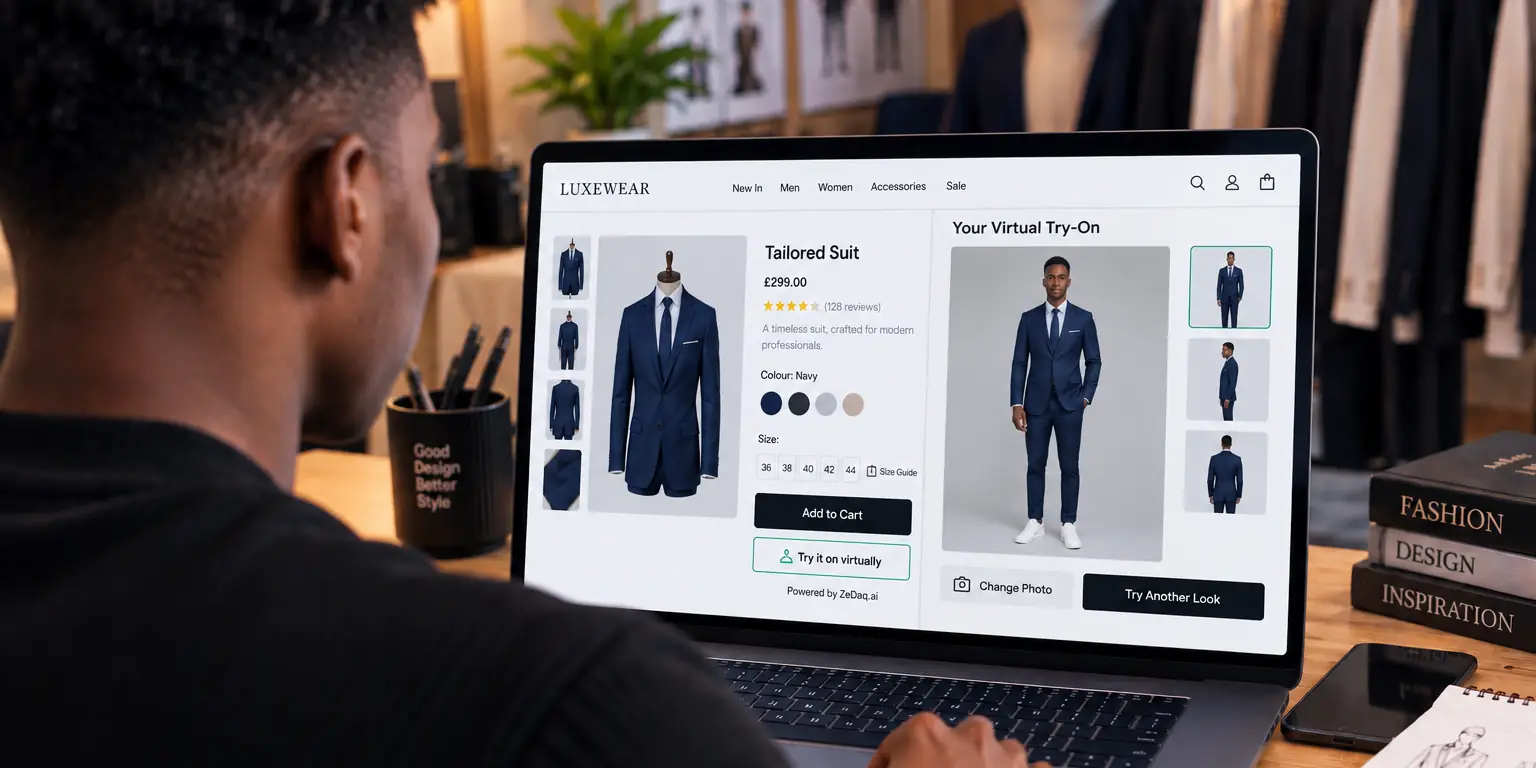
No, virtual try-on does not replace fashion models. Models and virtual try-on do different jobs: model photos set the mood and show styling, while try-on shows a shopper how a real garment might look on their own body. Most stores benefit from using both.
This guide explains the split for store owners, with ZeDaq.ai as the example. A virtual fitting room for clothing websites adds the shopper's view and leaves your campaign imagery in place.
What do model photos do that try-on can't?
Model photography does several things a shopper's own photo can't.
- Sets the brand. Location, lighting and styling tell shoppers who the brand is.
- Shows movement. Video and action shots show drape and flow.
- Builds the outfit. Models show how to style pieces together.
- Works everywhere. A model image works in ads, email and social without any shopper action.
Try-on does not produce campaign material. It only reacts when a shopper uploads their own photo.
What does virtual try-on do that models can't?
A model is one body. Your shoppers have many.
With ZeDaq.ai, the shopper uploads one photo and sees the store's real garment on their own body. That answers the question "how will this look on me?" which a model photo can't answer for every shopper. It also works alongside size help: a 30-second body scan (one photo plus height) matches the shopper to your own size chart.
Is it a better photo or a different job?
It's a different job, so it can't replace the first one. Think of it in two stages:
- Discovery. Model and campaign photos get the shopper interested.
- Decision. Try-on and size recommendation help the shopper decide on one item and size.
Your photography budget stays focused on stage one. Try-on supports stage two.
Can you show more body types without more photoshoots?
Partly. A shoot with several models shows range but costs more. Try-on lets shoppers see the garment on themselves.
Don't treat it as a substitute for inclusive casting, though. Shoppers still want to see people like them in your campaign. Do both when you can.
What photo do shoppers need to provide?
Photo quality affects the result. A clear, full-length photo in good light works best. The guide on what photo works best for virtual try-on gives practical tips you can share with shoppers.
Try it on yourself
Try it on yourself
Live renderUpload a photo, pick a piece, see it rendered on you.
Pick something to try on
What are the limits of virtual try-on?
Be honest about what try-on cannot do, with shoppers and with yourself.
- It depends on the shopper's photo. A cluttered or poorly lit photo gives a weaker result.
- It is a preview, not a promise of how fabric will move or feel.
- It does not replace sizing information. Shoppers still need a size chart and fit notes.
- It does nothing for shoppers who skip it. Many will only look at your main photos.
For these reasons, keep your main product photography strong. Treat try-on as an optional extra, not the primary image.
Who benefits most from using both?
Stores with wide size ranges gain the most, because one model can't show every body. Stores that sell fitted garments gain too, since fit is the main doubt.
Stores with simple, loose items may need it less. Start with the products that have the most fit questions, and add others if shoppers use it.
How should you tell shoppers what try-on is?
Be clear on the product page. A short line such as "See this on you" tells shoppers the preview uses their own photo. Say that it is a preview, so expectations stay realistic.
Keep the model photos above the try-on button. Shoppers see the styled look first, then choose to check how it might look on them.
What does it cost compared with a photoshoot?
They are not like-for-like. A shoot is a one-time production cost per collection. Try-on is a monthly service.
ZeDaq.ai has a Free plan with 3 try-ons, 3 measurements and 5 invoices a month, and paid plans start with Micro at $14 a month. First-month prices apply to monthly plans only, once per store, on its first paid plan. For how providers charge, see virtual try-on pricing models explained.
How do you use both well?
Use a simple split.
- Keep model photos as your main images.
- Add try-on and "Find my size" on product pages.
- Tell shoppers what to upload with a short note.
- Make sure your size chart is accurate, since that drives the size result.
If your store isn't on Shopify, the widget works on other platforms. See virtual try-on on Wix for one example.
See try-on on a real garment
FAQs
Will virtual try-on make my product photos unnecessary?
No. Shoppers still need product images to see the garment, its details and its styling. Try-on adds a personal view on top.
Does it work for every garment?
Results depend on the garment and the photo. Test it on your own products before you roll it out.
Do shoppers need to download an app?
No. Try-on runs on the store's own site. There is no shopper app to download.
Is the shopper's photo shared?
For sizing, the photo is analyzed in the shopper's browser and only measurements are sent. If the shopper also runs a try-on, the photo is sent to render the image.
Try ZeDaq.ai free
Virtual try-on and Find my size for your store, plus client, order and invoicing tools for tailors, in one subscription.

