What Is the Difference Between a Virtual Fitting Room and Virtual Try-On?
By the ZeDaq.ai team · · 4 min read
On this page
- What does "virtual fitting room" usually mean?
- What does "virtual try-on" usually mean?
- Which is bigger, a fitting room or a try-on?
- Why does the difference matter to a store owner?
- How does ZeDaq.ai describe it?
- How do you add one to your store?
- What does a shopper actually do in each case?
- How should you pick between them?
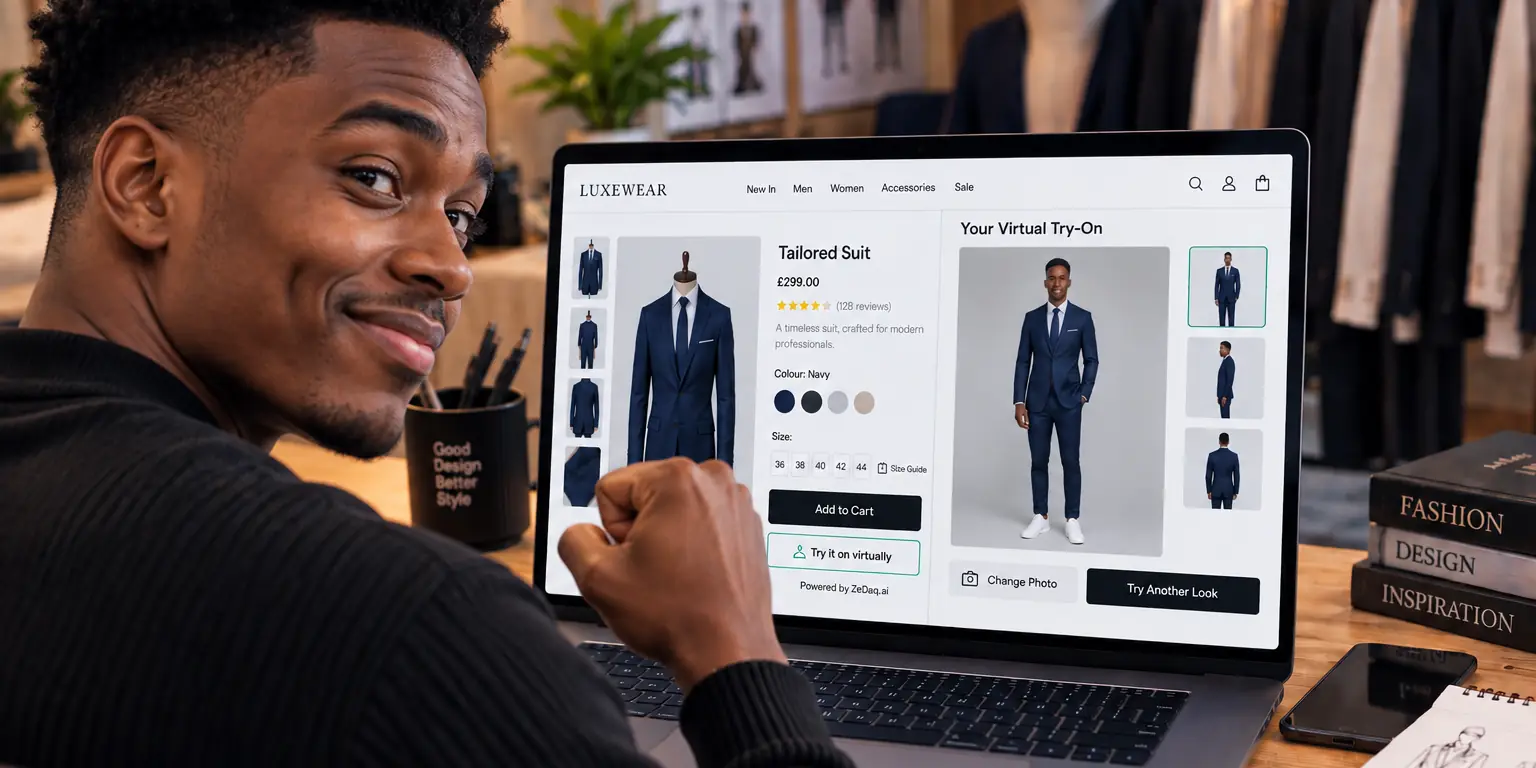
"Virtual fitting room" is the broad term for any online tool that helps shoppers judge fit before they buy. "Virtual try-on" is a narrower term for one kind of tool, which shows a garment or accessory on the shopper. In practice, many vendors use the two names for the same thing.
If you run a store, the useful question is not the label but what the tool does for your shopper. Our guide to a virtual fitting room for clothing websites covers the options in more depth. This article explains how the terms are used.
What does "virtual fitting room" usually mean?
It is an umbrella phrase. A virtual fitting room can include any of these:
- A size recommendation that suggests a size from measurements or a short quiz.
- A visual preview that shows the garment on the shopper or on a model.
- A combination of both inside one experience.
Some people also say "virtual dressing room" or "online fitting room". These are other names for the same idea, not separate products.
What does "virtual try-on" usually mean?
Virtual try-on usually means a visual preview. The shopper sees how a product looks on them, whether that is a shirt, a dress or a pair of glasses.
For clothing, the shopper often uploads a photo. For eyewear, tools commonly use a live camera. ZeDaq.ai offers both: a photo-based try-on for garments, and a live-camera try-on for eyewear.
Which is bigger, a fitting room or a try-on?
A fitting room is the bigger idea, and try-on is a feature that can sit inside it. A store might call its whole experience a virtual fitting room, and the picture of the garment on the shopper is the try-on part.
| Term | What it covers | Typical output |
|---|---|---|
| Virtual fitting room | The whole fit-checking experience | A size, a picture, or both |
| Virtual try-on | The visual preview | An image of the item on the shopper |
| Size recommendation | The sizing part | A size label from your size chart |
Why does the difference matter to a store owner?
Because the problems they solve are different.
A shopper who cannot tell if a garment looks right needs a preview. A shopper who cannot tell what size to order needs a recommendation. Many shoppers need both.
If you only add one, you only solve half of the problem. Our article on whether you need both try-on and a size recommender goes through how to decide.
How does ZeDaq.ai describe it?
ZeDaq.ai is AI virtual try-on for fashion stores. The shopper uploads one photo and sees the store's real garment on their body.
It also gives a size recommendation from a 30-second body scan, using one photo plus the shopper's height. Measurements are matched to the store's own size chart, with a generic UK, US, EU and AU chart as a fallback.
So in the terms above, it covers the try-on and the sizing parts of a virtual fitting room. It runs on the store's own website, and shoppers do not need a separate app.
Try the experience yourself
Try it on yourself
Live renderUpload a photo, pick a piece, see it rendered on you.
Pick something to try on
How do you add one to your store?
It depends on your platform.
- Shopify: install the ZeDaq.ai Shopify app.
- WooCommerce, Wix, Squarespace, BigCommerce and custom sites: paste a script tag into the product template, with an API key locked to your domain.
- Developers: use the REST API, documented at /en/docs/api.
If you are comparing apps on Shopify, the guide to Shopify virtual fitting room setup questions answers the common ones. Stores with narrow categories may also ask whether a tool suits them, such as in virtual try-on for sunglasses stores or for maternity brands.
What does a shopper actually do in each case?
Walking through the shopper's steps shows the difference.
In a size-focused fitting room, the shopper enters a few details or has their body scanned. The tool returns a size label such as "M" or "UK 12".
In a try-on, the shopper uploads a photo. The tool returns an image of the garment on them. They judge the look, such as color, length and drape.
In a combined experience, they do both in one flow. They see the garment and get a size, so the question "will it suit me and will it fit me" is answered in one place.
How should you pick between them?
Skip the label and check three things:
- What does the shopper see at the end: a size, a picture or both?
- Does the size come from your own size chart?
- Does it work on your platform and on mobile?
Test it on yourself before you commit. A free plan or trial helps with that.
See a virtual try-on on a real garment
FAQs
Is a virtual fitting room the same as a virtual dressing room?
Yes, in most cases. Both names describe tools that help shoppers check fit or look online.
Is virtual try-on only for clothes?
No. It is also used for eyewear, and the tool may work differently, for example with a live camera.
Does a virtual fitting room replace a size chart?
No. A size chart is the data behind a size recommendation. A good tool uses your chart to give the shopper a size.
Do shoppers need to download an app?
Not for ZeDaq.ai. Shoppers use it on the store's own site.
Try ZeDaq.ai free
Virtual try-on and Find my size for your store, plus client, order and invoicing tools for tailors, in one subscription.

