Should Bridal Boutiques Offer Virtual Try-On?
By the ZeDaq.ai team · · 6 min read
On this page
- What can virtual try-on do for a bridal boutique?
- Where does it fall short for wedding dresses?
- Which bridal products suit it best?
- Can it help with sizing?
- How would a boutique set it up?
- What should you tell brides about privacy?
- How do you decide if it is worth it?
- How should you present it so brides trust it?
- What are the signs it is not right for you yet?
- What does it cost to test?
- What if you build sites for boutiques?
Bridal boutiques should offer virtual try-on only if they sell online, or want brides to narrow their choices before booking an appointment. It will not replace the fitting room, so treat it as a way to start the conversation, not to finish the sale.
Below, you will find where it helps, where it does not, and a short test to decide. For the basics, the guide to a virtual fitting room for clothing websites explains how the technology works.
What can virtual try-on do for a bridal boutique?
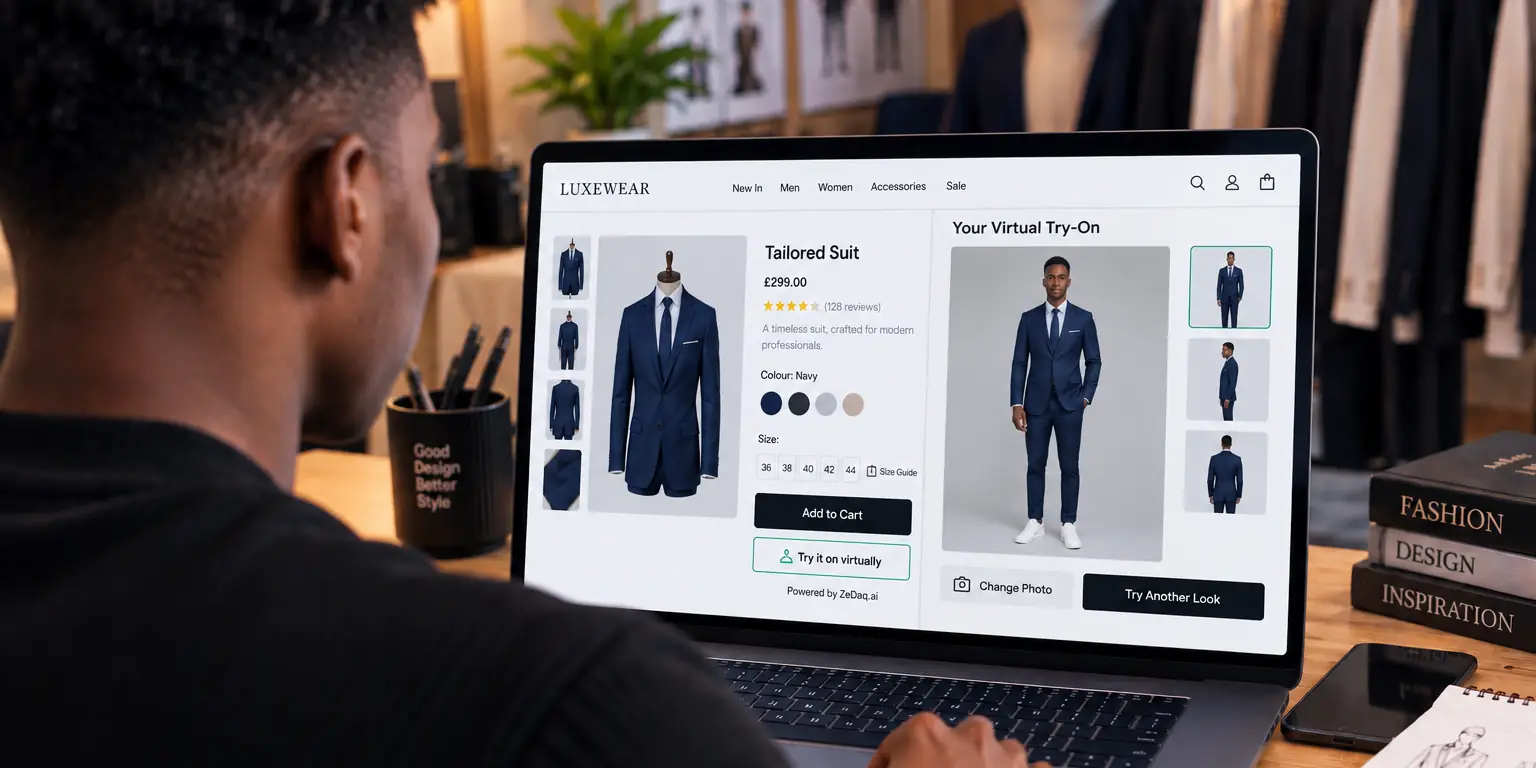
ZeDaq.ai's virtual try-on lets a shopper upload one photo and see the store's real garment on their body. The shopper does this on the store's own website, so there is nothing for the bride to download.
For a boutique, that can serve three jobs:
- Pre-appointment browsing. A bride sees a few styles on herself before she books.
- Remote brides. Someone planning from another city or country can narrow a shortlist.
- Online sales of off-the-rack pieces. Bridesmaid dresses, guest dresses and accessories are easier to sell online.
You can try the shopper side with the live demo below.
See what a bride would see on your site
Try it on yourself
Live renderUpload a photo, pick a piece, see it rendered on you.
Pick something to try on
Where does it fall short for wedding dresses?
Be honest about the limits so you do not oversell it.
- Fabric and structure. A photo cannot show how heavy satin holds a shape or how a corset supports.
- Fit details. Gowns are often altered, so size at purchase is only part of the answer.
- The emotional moment. Many brides want a person in the room.
- Veils, trains and layers. Complex pieces are hard to show in a single image.
For these reasons, make clear on the page that the image is a preview and the fitting is the final check.
Which bridal products suit it best?
Start with simpler pieces, then expand.
| Product | Fit for virtual try-on |
|---|---|
| Bridesmaid dresses | Good, as they are often sold by size online |
| Guest and mother-of-the-bride dresses | Good |
| Simple, off-the-rack gowns | Possible, with a clear preview note |
| Custom or heavily structured gowns | Use with care |
| Eyewear and accessories | Live-camera try-on exists for eyewear only |
Only eyewear has live-camera try-on. Other items use the photo method described above.
Can it help with sizing?
Yes, and for many boutiques this matters more than the image. A 30-second body scan uses one photo and the shopper's height, and matches measurements to your own size chart. Brides can then see which label in your range is closest.
The article on size recommendation for bridal boutiques covers how this works with bridal size charts, which often run differently from everyday sizes. Bridal sizes also differ between designers, so your own chart should be the reference.
How would a boutique set it up?
The setup is short if your products are already online. Here is a sensible order:
- Pick a few products. Start with bridesmaid or guest dresses with clean, front-facing photos.
- Enter your size chart. Add one chart per garment type in the dashboard, using body measurements.
- Add the try-on to your site. On Shopify, install the app. On other platforms, paste the widget script into the product template.
- Test it yourself. Upload a photo of a team member and check the preview and the size.
- Tell brides what it is. Add a short line saying the preview is a guide and the fitting is the final check.
Good product photos matter. Garments shot flat on a plain background give the cleanest result, and heavy styling can distract from the dress itself.
What should you tell brides about privacy?
Brides may hesitate to upload a photo, so explain what happens to it. For sizing, the photo is analyzed in the shopper's browser and only the measurements are sent. If the shopper also runs a try-on, that photo is sent to render the image.
Put a short note beside the button, and link to your privacy policy. The guide on shopper privacy and virtual try-on covers what to explain.
How do you decide if it is worth it?
Ask yourself these questions:
- Do you sell any pieces online, or plan to?
- Do brides contact you from far away?
- Do you get many fit questions before appointments?
- Do you have a size chart you can enter in a few hours?
Three or more "yes" answers mean a trial is worthwhile. Fewer than that means you may be better off improving photos and your booking page first.
Run the trial on a few products, so the effort stays small. Independent shops should also read whether independent boutiques should offer try-on, and menswear shops can read the same question for menswear brands.
How should you present it so brides trust it?
Honest framing wins. Call it a preview, not a promise. Brides who understand that the image is a guide are less likely to be disappointed at the fitting.
Three habits help:
- Put a one-line note by the button, such as "A preview to help you shortlist. Final fit is confirmed at your fitting."
- Keep your real photos first. The preview supports them and does not replace them.
- Offer a booking link beside it, so a bride who likes a preview can book an appointment straight away.
Over time, notice which styles brides try on most, and which they book after. That tells you which gowns to feature on your site and in your window.
What are the signs it is not right for you yet?
Wait if your catalog photos are poor, your size chart is incomplete, or most of your sales happen in the shop and never online. Fix those first. Try-on works best on a site that already presents the product clearly, and it adds little to a page that does not.
What does it cost to test?
The Free plan costs $0 and includes 3 try-ons, 3 measurements and 5 invoices a month. Every paid plan has a 3-day free trial with no card required. Plans start with Micro at $14 a month. See the live pricing page for current details.
What if you build sites for boutiques?
Web agencies can add try-on to client sites with a script tag on Shopify, WooCommerce, Wix, Squarespace, BigCommerce and custom sites. The article on how web agencies can offer virtual try-on describes the approach.
Try it on your own boutique's styles
FAQs
Will virtual try-on replace bridal appointments?
No. It helps a bride narrow her options, but fabric, structure and alterations still need an in-person fitting.
Does the bride need to download an app?
No. She uses it on your store's own website. ZeDaq.ai has no consumer app for shoppers.
Can I use it if I only have a brochure website?
Try-on needs product pages with garment images. If your site does not sell or list products, start with the product pages.
Can I use my own size chart?
Yes. Enter your own size guide in the dashboard, one chart per garment type, and the scan recommends your own labels.
Try ZeDaq.ai free
Virtual try-on and Find my size for your store, plus client, order and invoicing tools for tailors, in one subscription.

