Why Shoppers Ask "How Will This Look on Me?" in Live Chat
By the ZeDaq.ai team · · 4 min read
On this page
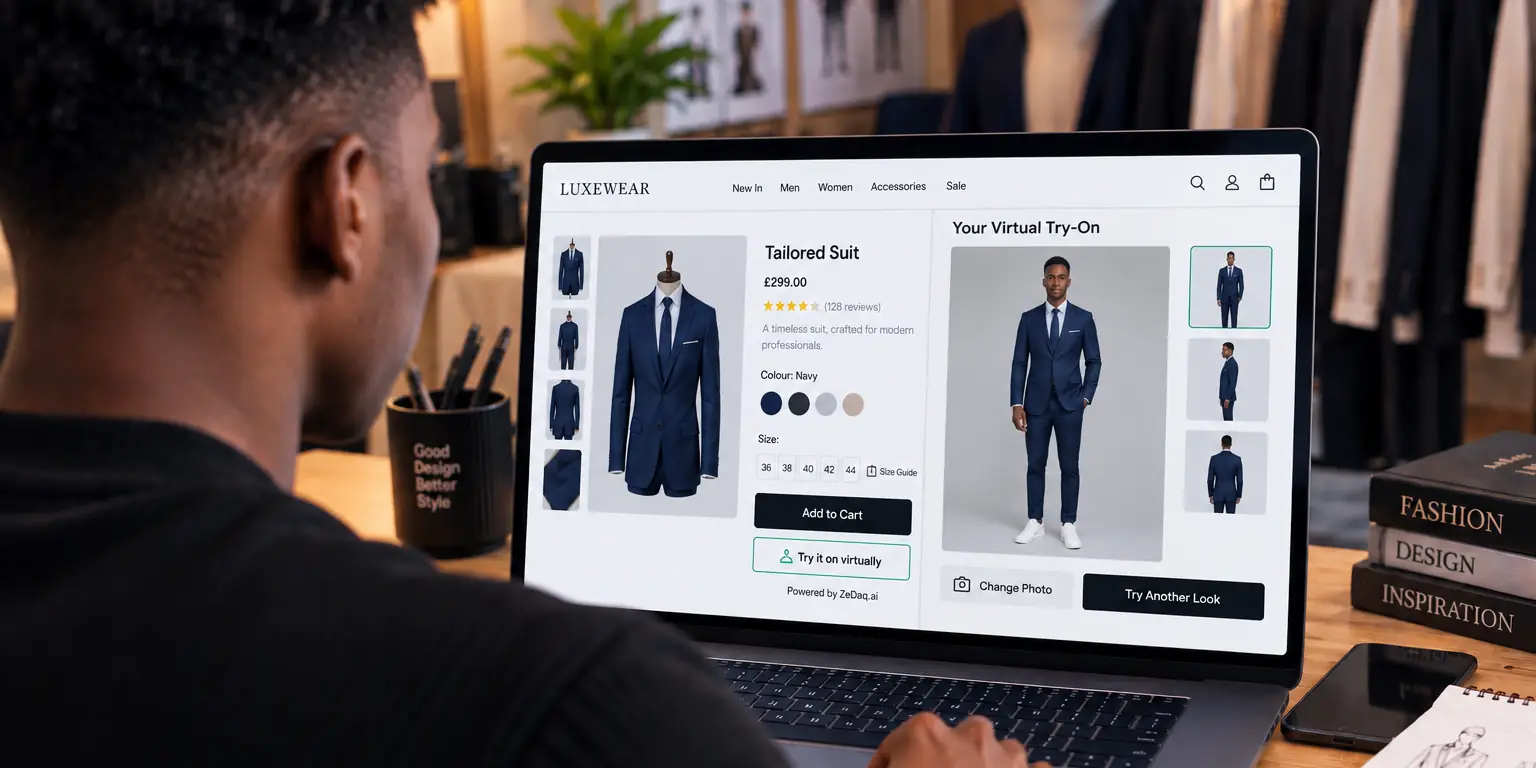
Shoppers ask "how will this look on me?" because a product photo shows the garment on someone else, and they can't tell if it will work on their own body. The question is rarely about the garment alone. It is about fit, proportion and confidence, and it is a sign the shopper is still interested.
For store owners, each of these chat messages points to a gap on the product page. This guide explains what shoppers mean, how to answer in chat, and how a virtual fitting room for clothing websites can answer the question before anyone has to ask.
What are shoppers really asking?
"How will this look on me?" bundles several worries into one sentence. Reading it closely helps you reply well.
- Fit: "Will it be tight across my hips or too loose at the shoulders?"
- Length: "Where will the hem fall on someone my height?"
- Proportion: "Will this cut suit my body shape?"
- Color and style: "Will this shade work with my skin tone and the rest of my wardrobe?"
Often the shopper can't say which worry it is. A good reply asks a short follow-up to find out.
Why can't a model photo answer the question?
A model photo shows one body in one size, styled and lit by a professional. The shopper has to guess how that carries over to them.
The more different the shopper is from the model, the bigger the guess. The article on why shoppers don't trust model photos looks at this gap in more detail.
See how a garment looks on your own photo
Try it on yourself
Live renderUpload a photo, pick a piece, see it rendered on you.
Pick something to try on
How should you answer in live chat?
You can't show the shopper on the garment in a text box, but you can give them useful, honest information.
- Ask what worries them. "Are you most unsure about fit, length or color?" narrows the question.
- Give the model's details. "She is 5'9" and wears a size small." Add this to the product page as well so it's there before the shopper asks.
- Describe the cut in plain words. "It's relaxed through the body and falls just above the knee."
- Link to your size chart and say which measurement matters most for that garment.
- Offer the next step. If the shopper is between sizes, say which way the fabric forgives. For ready-made scripts on sizing questions, see live chat scripts for sizing questions.
Avoid vague praise such as "it will look great on everyone". Shoppers notice, and it doesn't answer what they asked.
What should you track from these chats?
Treat the questions as free research. Keep a simple tally for a few weeks:
| What to note | Why it helps |
|---|---|
| Which products draw the question | Shows where photos or details are weakest |
| Whether it's about fit, length or color | Shows which info to add to the page |
| Whether the shopper bought after the reply | Shows whether your answer helped |
| Sizes the shopper mentions | Shows gaps in your size range or chart |
Update the product pages that come up most. Add model height, garment length and a fit note first.
What is an example of a good chat exchange?
Here is a short example of a reply that helps a hesitant shopper.
Shopper: How will this dress look on me? I'm not sure about the length.
Store: Good question. Are you looking for knee length or longer? The dress is 110 cm from shoulder to hem, which is just below the knee on someone around 5'6". If you tell me your height, I can say where it will likely fall.
Notice the pattern: it asks a question, gives a real measurement, and links the number to a body. It does not push the shopper to buy.
Can live chat and try-on work together?
Yes. Chat is good for reassurance and for shoppers who want a person. Try-on lets shoppers answer the question themselves, any time of day.
With ZeDaq.ai, the shopper uploads one photo and sees your real garment on their body. They can also run a 30-second body scan for a size recommendation matched to your own size chart. That removes a common reason to open a chat window.
Some shoppers will still want a person, and that is fine. Staff can point to the try-on as part of the reply. The guide to pairing try-on with live chat shows how to blend the two.
How do you get started on Shopify?
If your store runs on Shopify, the setup guide for adding virtual try-on to Shopify walks through installing the app and turning it on. The Free plan includes 3 try-ons a month, so you can test it on your own products first.
Let shoppers see it on themselves
FAQs
Does asking this question mean the shopper won't buy?
No. It usually means they are interested but unsure. A clear, specific answer often moves them forward.
What details should I add to product pages to cut these questions?
Add model height and the size worn, garment length, fabric stretch and a short fit note. Details like these answer many chat questions before they are typed.
Can a chatbot answer "how will this look on me?"
A chatbot can share size charts and fit notes. It can't show the shopper on the garment, so pair it with a way for them to see the item on their own body.
Do I need a person on chat all day?
Not necessarily. Many stores combine self-serve tools on the page with chat during their busiest hours.
Try ZeDaq.ai free
Virtual try-on and Find my size for your store, plus client, order and invoicing tools for tailors, in one subscription.

