What Order Status Updates Do Clients Want?
By the ZeDaq.ai team · · 4 min read
On this page
- Why do clients want updates at all?
- Which stages deserve an update?
- What should each message include?
- Which channel do clients prefer?
- What tone works best?
- How do you handle delays?
- How does the final message get clients to collect on time?
- Can you reuse the same wording each time?
- Can software send these updates for you?
Clients want a short message at each key stage of their order: confirmed, fabric received, fitting ready, nearly finished and ready to collect. Each update should say what happened, what comes next and when.
Silence is what makes clients nervous, not slow work. A tailor who sends a few clear messages gets fewer "where is my outfit?" calls. The ZeDaq.ai tailor tools include orders and a delivery calendar, which give you the dates to put in those messages. This guide lists the updates worth sending.
Why do clients want updates at all?
A bespoke order is a promise made weeks ahead, often for an event with a fixed date. Clients can't see the work, so they imagine problems.
A brief message turns that worry into trust. It also protects you, because a record of what you told the client is useful if there is a disagreement about dates.
Which stages deserve an update?
You don't need to message at every step. Send one at each point where the client expects news or needs to act.
- Order confirmed. Repeat the style, price, deposit received and the promised date.
- Fabric received or purchased. Say the material is in hand, or ask the client to bring theirs.
- Cutting or sewing started. One line is enough.
- Fitting ready. Give the date and time, and say how long it takes.
- Alterations in progress. Tell the client what you are changing after the fitting.
- Nearly done. A heads-up a few days before the finish date.
- Ready to collect or deliver. Give the pickup times or delivery plan and any balance due.
Skip stages that are quick and don't need a reply. If you work with client-supplied fabric, a log helps, and the guide to tracking fabric delivered by clients shows one.
What should each message include?
Keep every update to a few lines. A good update has four parts:
- What happened. For example, "Your jacket is cut."
- What is next. For example, "First fitting is next."
- A date. Say when, or say when you will confirm the date.
- Any action needed. For example, "Please confirm Friday at 3 pm."
Avoid long explanations. Plain language works best, especially over a chat app.
Which channel do clients prefer?
It varies by client, so ask at the start of the order. Many tailors use a messaging app because clients already check it. Others use calls or SMS for older clients.
Whatever you choose, use the same channel for the whole order and write down the client's preference in their record. A client CRM keeps this next to their measurements and past orders.
What tone works best?
Be warm, brief and specific. Use the client's name and avoid jargon like "toile" unless they already use it. Confirm the next step in the same message so they never have to ask.
Write as you would speak to the client in your shop, and keep promises small enough to meet.
How do you handle delays?
Tell clients early. A delay that you announce is a small problem, while a delay discovered on the day is a large one.
State the reason in one sentence, give a new date, and ask whether it still works. If the client has an event, offer options, such as a rush finish or a simpler detail.
How does the final message get clients to collect on time?
The last update does the most work. It should include pickup hours, any balance due, and what to bring. Clients who forget to collect create storage and cash-flow problems.
The article on order-ready notifications goes deeper on this step. Another useful habit is to collect inspiration at the start, as described in mood boards for bespoke clients, so the client knows what the finished piece should look like.
Can you reuse the same wording each time?
Yes, and you should. Write a short template for each stage and keep them in a notes app or your chat app's saved replies. Change only the name, the garment and the date.
Templates save time and keep your tone steady. Add one personal line when you can, such as a comment on the fabric the client chose. That small touch makes a standard message feel attentive.
Can software send these updates for you?
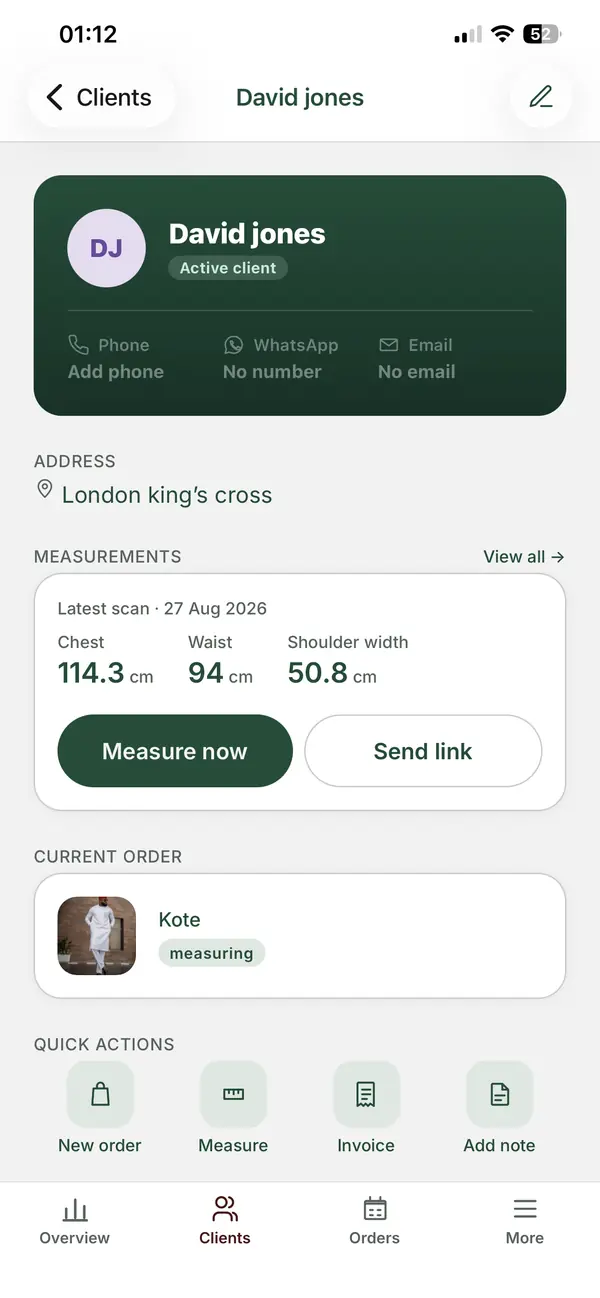
Software can store orders, dates and client details so you can write updates faster. ZeDaq.ai's tailor tools offer a client CRM, measurements through a link the client opens on their phone, orders with a delivery calendar, and invoicing in multiple currencies including NGN, GBP and USD. There is also the ZeDaq Business mobile app for iOS and Android.
If you are comparing tools, see the best software for tailors and fashion designers for what to weigh.
Keep orders and dates in one place
FAQs
How many updates are too many?
More than one a day is usually too many unless the client asks. Send a message when something changes or the client needs to act.
Should I send photos with updates?
Photos of work in progress can reassure clients, but ask first. Some clients prefer a surprise.
What if a client never replies?
Send one follow-up with a clear deadline. Note the attempt in their record so you have proof you asked.
Do I need to send updates for small alterations?
A single message when the alteration is ready is enough. Keep it short and include the pickup details.
Try ZeDaq.ai free
Virtual try-on and Find my size for your store, plus client, order and invoicing tools for tailors, in one subscription.

