Should Workwear and Uniform Suppliers Offer Virtual Try-On?
By the ZeDaq.ai team · · 6 min read
On this page
- Why is sizing the main problem in uniform ordering?
- What can a size scan do for staff orders?
- Is virtual try-on useful for workwear?
- When does it make sense for a supplier?
- What are the platform options?
- What does it cost?
- How do you test whether it suits your business?
- What does the ordering flow look like for a business buyer?
- What should you tell customers about accuracy?
- Which uniform products benefit most?
- What are the limits of the technology?
- What should you ask before you commit?
Workwear and uniform suppliers should consider a size scan first and virtual try-on second. Staff orders fail mostly on size, so a tool that recommends a size from your own chart helps more than a picture of the garment on a body.
This guide is for suppliers who sell uniforms online to businesses and individuals. It builds on the overview of a virtual fitting room for clothing websites and looks at what is different about uniforms.
Why is sizing the main problem in uniform ordering?
A company often orders for many people at once, and the buyer rarely sees each person. Wrong sizes mean exchanges, delays and unhappy staff.
Uniform orders add extra pressure:
- One buyer, many bodies. The person ordering may guess for others.
- Strict deadlines. A start date or event date leaves little time to swap.
- Fit for the job. Workwear must allow movement and safety.
- Few styles, many sizes. Small ranges still carry broad size runs.
What can a size scan do for staff orders?
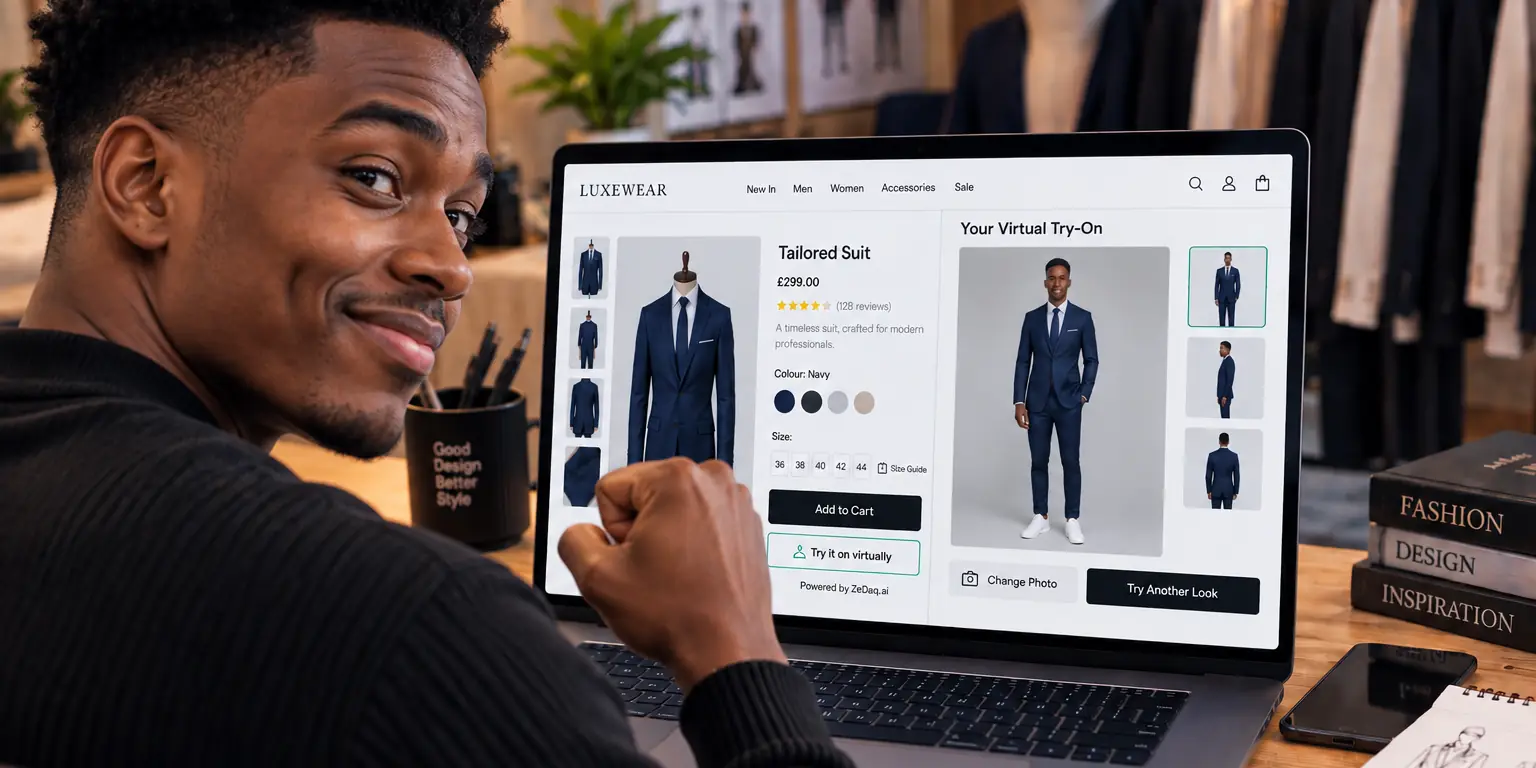
With ZeDaq.ai, a person uploads one photo and enters their height, and the scan returns a size from your own size chart. A manager can ask each employee to do this on a phone and send back the result.
You enter your size chart once per garment type, such as tops, outerwear and bottoms. If a person falls between sizes, the recommendation goes to the largest relevant measurement, which suits garments that need room to move. More on this approach is in size recommendation for uniform suppliers.
Try the size scan on yourself
Try it on yourself
Live renderUpload a photo, pick a piece, see it rendered on you.
Pick something to try on
Is virtual try-on useful for workwear?
It can be, for some products. A shopper can upload a photo and see your actual garment on their body, which helps with items where look matters, such as hospitality shirts, retail aprons or front-of-house jackets.
It helps less for safety gear, where fit standards and certifications decide suitability. A picture does not replace a safety check. Use the render for appearance and your size chart for fit, and follow the rules that apply to your type of equipment.
When does it make sense for a supplier?
It tends to fit when:
- You sell to many small businesses that order online.
- Individual employees choose their own sizes.
- You have clear size charts for each garment type.
- Your catalog photos show garments clearly.
It fits less when you only sell to a few large contracts with on-site fitting days. In that case, a fitting day and a good order sheet may be enough.
What are the platform options?
ZeDaq.ai is available as a Shopify app. For WooCommerce, Wix, Squarespace, BigCommerce and custom sites, a script-tag widget adds "Try it on" and "Find my size" to the product page. Developers can also use the REST API. The key must be locked to your store's domain.
For setup on an open-source shop, see virtual try-on for WooCommerce.
What does it cost?
The Free plan includes 3 try-ons, 3 measurements and 5 invoices a month, enough to test. Paid plans start with Micro at $14 a month, and every paid plan has a 3-day free trial with no card required. See the pricing page for current details.
How do you test whether it suits your business?
- Pick your three best-selling garments.
- Enter a size chart for each garment type.
- Ask five staff or friends to try the scan.
- Compare the results with their usual size.
- Decide whether to enable it more widely.
Other sectors face similar questions, as shown in whether sustainable fashion brands and luxury fashion brands should offer try-on.
What does the ordering flow look like for a business buyer?
A good flow keeps the manager in control while letting each employee choose a size. Here is one way to run it:
- The manager shares the product link with staff.
- Each employee opens the page on a phone and runs the size scan.
- Employees send back the size label shown.
- The manager collects the labels in one sheet.
- The manager places the order, with quantities per size.
This keeps the order in your normal checkout. You do not need a special portal to try the idea.
What should you tell customers about accuracy?
Be honest. A scan gives a recommended size, not a promise of perfect fit. Say that people between sizes will be given the roomier option, and show how to exchange.
Add a short note to garments with special cuts, such as stretch, boxy or tapered fits, so staff know what to expect. If your chart lists body measurements, shoppers can double check the recommendation against a tape measure.
Finally, keep your own data on exchanges by size. If one garment is swapped often, review its chart.
Which uniform products benefit most?
Think about where appearance and fit both matter and where staff choose for themselves:
- Shirts, polos and blouses for hospitality and retail.
- Jackets, blazers and aprons for front-of-house roles.
- Trousers and skirts, where waist and hip sizes vary a lot.
- Branded casual wear sold to staff or visitors.
Garments with simple, loose cuts matter less. For those, a clear size chart may be enough.
What are the limits of the technology?
Be realistic about what a photo can do. A render shows how a garment might look on a person, and it depends on photo quality, pose and lighting. A full-length photo in simple clothes works best.
Some people will not want to upload a photo at work or on a shared device. Offer a normal size chart for them, so nobody is forced to use the tool.
For sizing, the scan matches measurements to your chart. If your chart is wrong, the answer will be wrong. Review your chart before you enable the tool, and test it with people of different builds.
Finally, remember that uniforms often have rules about cut and color. Make sure the try-on is used for preview only and that your normal order checks still apply.
What should you ask before you commit?
Before enabling the tool across your range, ask yourself:
- Do I have a reliable size chart for every garment type?
- Are my product photos clear enough for a render?
- Who will answer shopper questions about a result?
- How will I handle people who prefer not to upload a photo?
If you can answer all four, a test is low risk. If not, fix those gaps first.
See how the size scan works
FAQs
Can employees use it without an account?
Shoppers do not need an account on a product page. They upload a photo and enter their height.
Does it work for hi-vis or safety clothing?
Use it for size guidance only. Safety standards and certifications still apply to the garment.
Can I use my own size chart?
Yes. Merchants enter their own size guide, one chart per garment type, in the dashboard or the Shopify app.
Is it worth it for large contracts?
If you do on-site fitting, you may not need it. For online ordering by many small accounts, it can be useful.
Try ZeDaq.ai free
Virtual try-on and Find my size for your store, plus client, order and invoicing tools for tailors, in one subscription.

