AI-Generated Model Photos vs Shopper Try-On: What's the Difference?
By the ZeDaq.ai team · · 8 min read
On this page
- What are AI-generated model photos?
- What is shopper try-on?
- How are they different at a glance?
- How do the technologies behind them differ?
- What does a worked example look like?
- Which one answers the question the shopper actually has?
- What are the limits of each approach?
- What should you check before publishing AI model photos?
- Can you use both?
- How do you decide which to invest in first?
- Does this change if you don't use Shopify?
AI-generated model photos show your garment on a synthetic model that you pick, while shopper try-on shows the garment on the shopper's own body. The first is a way to make product images. The second is a way to help a buyer decide.
Both use AI, so people mix them up. If you want the shopper side in detail, start with how a virtual fitting room for clothing websites works, then come back here to decide where each tool fits in your store.
What are AI-generated model photos?
An AI-generated model photo is an image of a person who does not exist, wearing your product. You supply a flat-lay, a mannequin shot or a sample photo, and software renders it on a synthetic model.
Stores use these images for several reasons:
- They need more images per product than a photo shoot allows.
- They want a wider range of models without hiring each one.
- They want consistent lighting and backgrounds across a catalog.
The result is a marketing image. It looks the same to every visitor, because it is made once and published like any other photo.
What is shopper try-on?
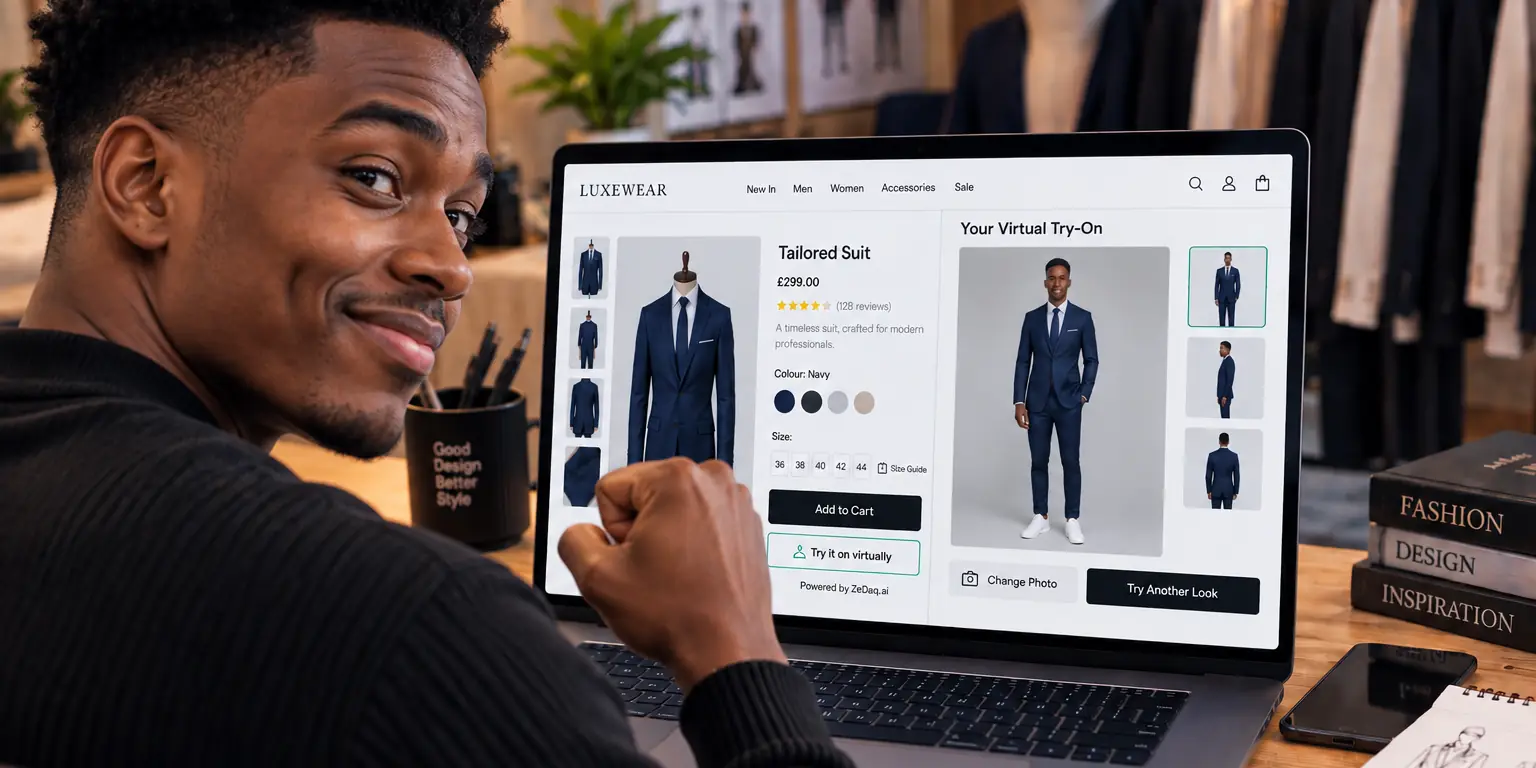
Shopper try-on creates an image for one visitor at a time. The shopper uploads a photo of themselves, and the store's real garment is shown on their body.
With ZeDaq.ai, the shopper uploads one photo and sees your garment on their own body. It runs on your store's own site, and the shopper doesn't download anything. For stores that also want size help, a 30-second body scan uses one photo plus height to suggest a size from your size chart.
See what the shopper sees: try it with your own photo
Try it on yourself
Live renderUpload a photo, pick a piece, see it rendered on you.
Pick something to try on
How are they different at a glance?
This table shows the main differences. It describes the two approaches in general, not any single product.
| Question | AI-generated model photos | Shopper try-on |
|---|---|---|
| Who is shown? | A synthetic model you choose | The shopper |
| When is the image made? | Before publishing | When the shopper asks |
| Who sees it? | Everyone, as a normal photo | One shopper |
| Main job | Marketing and product pages | Helping one buyer decide |
| Answers "how will it look on me?" | No | Yes |
| Answers "which size?" | No, unless you add a sizing tool | Not by itself. Sizing is a separate step |
| Where it lives | In your image gallery | In a button or widget on the page |
How do the technologies behind them differ?
Both use image generation, but they run at different times and for different people.
AI model photos are created in bulk by the store, reviewed by a person, and published. Someone on your team can reject a bad result before any shopper sees it. That review step is a real advantage for brand control.
Shopper try-on runs live, on a photo you have never seen. You can't review each result in advance, so the quality depends on your product images and on the photo the shopper uploads. To understand where this sits among other approaches, read about 2D, 3D and AI virtual try-on.
What does a worked example look like?
Picture a small dress label with a modest catalog and a single photographer who is booked for only part of the year.
The owner has two problems. The newest dresses have only flat-lay photos, and shoppers keep asking whether a style will suit their shape.
- For the first problem, the owner could create labeled AI model photos for the new dresses and use them as extra gallery images. They would review each one for accuracy against the real dress before publishing.
- For the second problem, AI model photos won't help, because the shopper still sees someone else. The owner adds a try-on button on the dress pages, so shoppers can see the dress on themselves.
- For the size question, the owner enters a dress size chart, so the size suggestion uses the label's own sizes.
Each tool is used for the job it fits. Neither is asked to do the other's work.
Which one answers the question the shopper actually has?
Most shoppers hesitate over two questions. Will it look right on me? Will it fit?
A model photo can't answer either one. It shows a stranger, and the stranger's body is not the shopper's body. It can help with a different question: what does this garment look like when worn? That matters for dresses, jackets and anything where drape is hard to picture.
Try-on speaks directly to the first question, since the shopper sees the garment on themselves. Fit is a separate matter. A picture of a garment on a body does not tell anyone which size to order, so pair try-on with a size chart or a size recommendation. The guide on virtual try-on versus size charts explains how the two work together.
What are the limits of each approach?
Neither approach is perfect, and honest product pages say so.
Limits of AI model photos
- They can mislead. A synthetic model may hide how a fabric really drapes or how tight a seam is. If shoppers feel misled, the photos can cause returns rather than prevent them.
- They show a narrow set of bodies. Unless you choose models carefully, every image may show a similar shape.
- Rules about disclosure vary. Some marketplaces and ad platforms have their own policies on AI-generated images. Check the ones you sell on before you publish.
Limits of shopper try-on
- It depends on the photo. A clear, full-length photo with good light gives a better result than a dark or cropped one.
- It depends on your product images. Flat-lay and model shots both work differently as inputs. The comparison of flat-lay and model shots for try-on covers what to prepare.
- It is not a guarantee. A render shows an approximate look. It doesn't replace a size chart or honest fit notes.
What should you check before publishing AI model photos?
A short review protects your shoppers and your returns.
- Compare with the real garment. Check color, length, neckline and print against the product on a table.
- Look at hands, seams and edges. Generated images can distort small details.
- Watch the fit. Make sure the garment does not look tighter or looser than it is.
- Keep one real photo. At least one image should be an honest photo of the actual item.
- Label the images where policy requires. Follow each marketplace's rules.
Time spent here is cheaper than handling a "not as described" complaint later.
Can you use both?
Yes, and many stores should. They do different jobs and don't compete for the same space on the page.
A reasonable setup looks like this:
- Use standard photography, or carefully labeled AI model photos, as your main gallery images.
- Add a try-on button near the size selector, so shoppers can see the garment on themselves.
- Add your own size chart so the size suggestion uses your labels and fit.
- Write a plain fit note on each product page.
The only real conflict is cost and time. If you must choose one, ask which question your shoppers ask most. If they ask "what does it look like?", better images help. If they ask "how will it look on me?", try-on helps.
How do you decide which to invest in first?
Use this short checklist.
- Few product images today? Fix the gallery first, with real photos or labeled AI model photos.
- Good images but shoppers still hesitate? Add try-on to your best-selling garments first.
- Many "wrong size" returns? Fix your size chart and add a size recommendation before anything else.
- A wide customer base with different bodies? Try-on shows each shopper themselves, so it covers that range without extra shoots.
Pick a handful of products, set one up, and watch how shoppers use it before you roll it out wider. You can test the Free plan, which includes 3 try-ons a month, at no cost.
Does this change if you don't use Shopify?
The idea is the same on any platform. A store can use AI model photos in its gallery on any platform, because they are just images.
Try-on needs a way to reach the shopper's photo, so it depends on the platform. ZeDaq.ai is available as a Shopify app, a REST API and a script-tag widget. For a store on another platform, the guide to virtual try-on for WooCommerce shows how the widget works without a plugin.
Let shoppers see your garments on themselves
FAQs
Are AI-generated model photos the same as virtual try-on?
No. Model photos are images you publish for everyone, made with a synthetic model. Virtual try-on makes an image for one shopper, using that shopper's own photo.
Can AI model photos replace a photo shoot?
For some catalogs they can fill gaps, but they don't answer fit questions and may hide fabric behavior. Many stores keep real photography for key products and use AI images as a supplement. The article on whether try-on can replace fashion models covers this in more depth.
Do I need to tell shoppers an image is AI-generated?
Rules differ by country, marketplace and ad platform. Check the policies of each place you publish, and consider a short label so shoppers know what they are seeing.
Does try-on tell the shopper which size to buy?
Not by itself. Size advice comes from a separate step, such as a body scan matched to your own size chart. Showing the garment and choosing the size are two different questions.
Try ZeDaq.ai free
Virtual try-on and Find my size for your store, plus client, order and invoicing tools for tailors, in one subscription.

