Wave Invoicing for Tailors: How It Compares to a Tailoring App
By the ZeDaq.ai team · · 7 min read
On this page
- What is Wave?
- What does Wave cost?
- What does Wave do well for a tailor?
- Where does Wave fall short for tailoring?
- How does Wave compare with a tailoring app?
- Which tailors should use Wave?
- Which tailors need a tailoring app?
- How do you handle deposits on custom work in either tool?
- Can you use Wave and a tailoring app together?
- How should a tailor's invoice look, whichever tool you use?
- What does ZeDaq.ai cost?
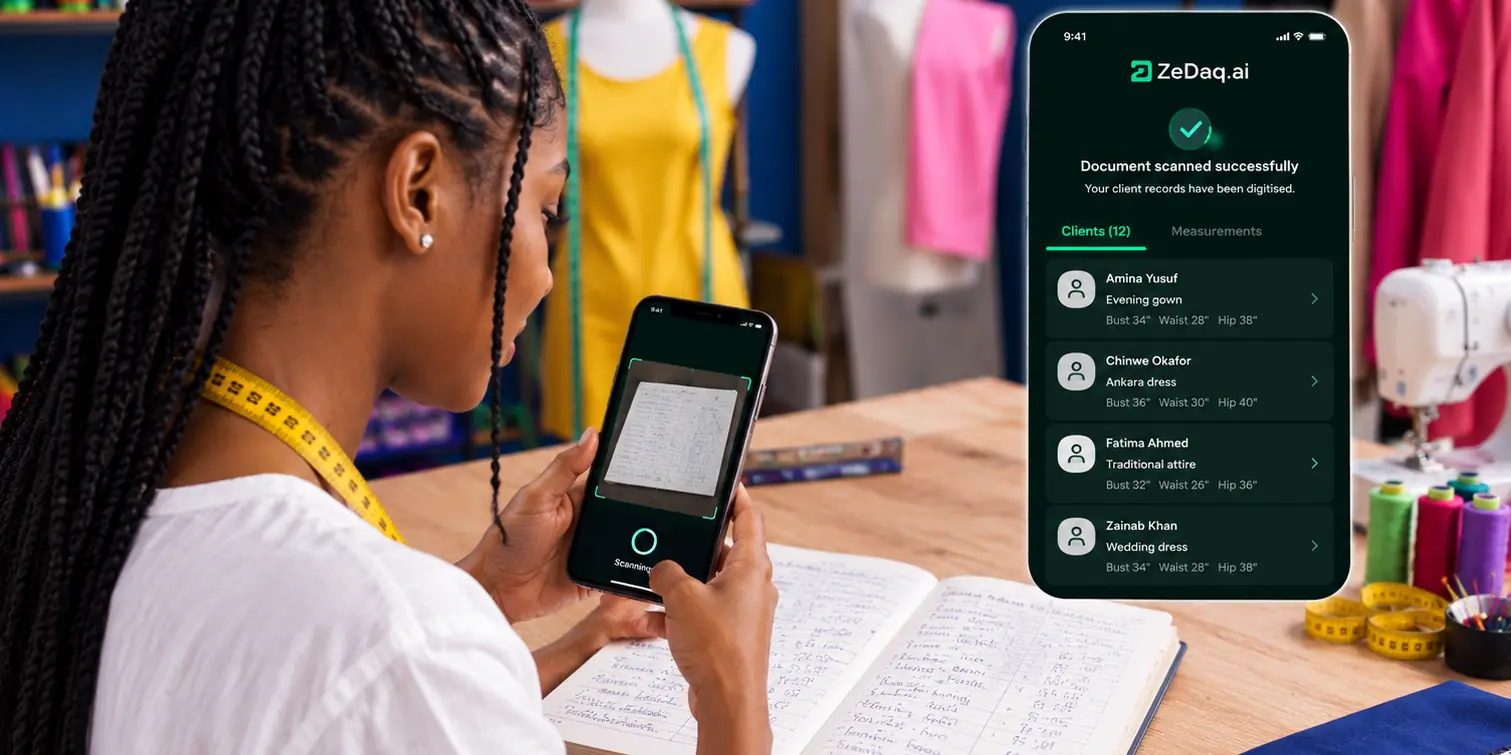
Wave invoicing for tailors is a solid free option if all you need is to send invoices and keep simple books, because its Starter plan includes unlimited invoices at no monthly cost. A tailoring app goes further by tying each invoice to the client's measurements, the order and its delivery date, which is where most of a tailor's admin time actually goes.
This guide compares the two on what tailors do every week: quoting, taking deposits, chasing balances and tracking orders. For the tailoring side, see how ZeDaq.ai's tools for tailors handle clients, measurements and invoices together.
What is Wave?
Wave is online accounting and invoicing software for small businesses. You can create estimates and invoices, record income and expenses, and accept online payments.
It's general-purpose. A plumber, a photographer and a tailor all use the same invoice screens. That simplicity is part of its appeal.
What does Wave cost?
Here's what Wave's pricing page listed, checked November 2026.
| Plan | Price | Invoicing features |
|---|---|---|
| Starter | $0 | Unlimited estimates, invoices, bills and bookkeeping records; invoicing in the mobile app |
| Pro | $19 USD/month, or $190 USD/year ($25 CAD/month, or $250 CAD/year) | Adds automated late payment reminders, your logo and brand colors, removal of Wave branding, attachments on invoices and estimates, reusable message templates, and sending invoices automatically through Wave |
The page says "The subscription fee for the Pro Plan is per business, not per owner." It also lists a paid Wave Advisors service for bookkeeping help.
Card payment fees
When clients pay an invoice by card, Wave charges a processing fee, per its pricing page.
| Plan | Visa, Mastercard, Discover | Amex |
|---|---|---|
| Starter | 2.9% + $0.60 per transaction | 3.4% + $0.60 per transaction |
| Pro, first 10 transactions each month | 2.9% + $0 | 3.4% + $0 |
| Pro, after the first 10 | 2.9% + $0.60 | 3.4% + $0.60 |
The page notes that Discover processing is only available to US customers. It doesn't list fees for bank payments or a full list of supported countries, so check availability for your country before you rely on online payments.
A worked example
A client pays a $200 balance for a tailored suit by Visa on the Starter plan. Using Wave's listed rate of 2.9% + $0.60 from its pricing page, the fee is $5.80 + $0.60 = $6.40, so you receive $193.60.
On Pro, if it's one of your first 10 card payments that month, the fee is $5.80. Run the same sum on your typical invoice to see whether Pro's monthly fee pays for itself.
What does Wave do well for a tailor?
- Free, unlimited invoices. No cap on how many you send on Starter.
- Estimates. Send a quote for a suit or a bridal order before the client commits.
- Bookkeeping in the same place. Record fabric and trim purchases as expenses.
- Mobile invoicing. Create an invoice from your phone on Starter.
- Automated reminders on Pro. Late payment reminders save awkward follow-up messages.
For a tailor who mainly needs to look professional and get paid, that covers a lot.
Where does Wave fall short for tailoring?
Wave is built around money, not garments. For a tailoring business, the gaps show up in the daily work.
Measurements
Wave doesn't list measurement records. You'd keep measurements in a notebook, a spreadsheet or your phone, separate from the invoice.
Orders and deadlines
An invoice has a due date for payment, not a delivery date for the garment. Wave doesn't list an order board or delivery calendar, so fittings and deadlines live somewhere else.
Client history
Wave keeps customers for invoicing. It doesn't hold style notes, fit preferences or past measurements.
Deposits and balances on custom work
You can invoice a deposit and then a balance, but connecting both to one garment order is up to you.
How does Wave compare with a tailoring app?
| Job | Wave | ZeDaq.ai tailor tools |
|---|---|---|
| Invoices | Unlimited on Starter | 5 a month on Free; more on paid plans |
| Estimates | Yes | Not covered here |
| Bookkeeping | Yes | Not a bookkeeping tool |
| Currencies | Not detailed on the pricing page | Invoicing in multiple currencies, including NGN, GBP and USD |
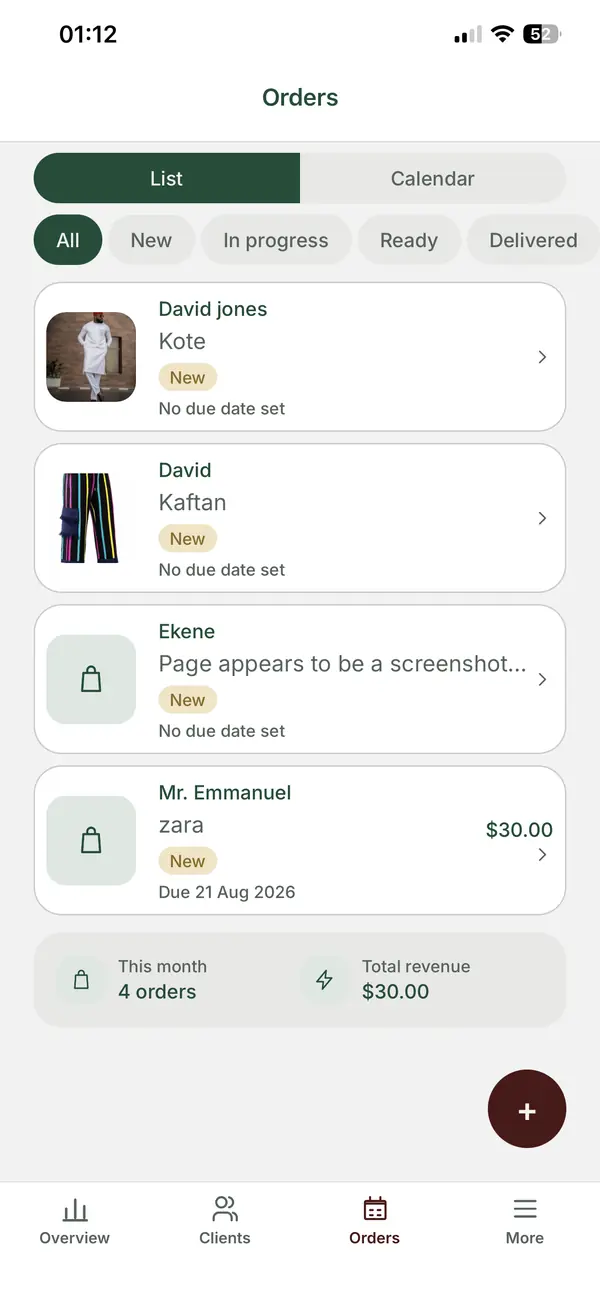
| Client records | Customer list for invoicing | Client CRM |
| Measurements | Not listed | Collected through a link the client opens on their phone |
| Orders and delivery dates | Not listed | Orders and a delivery calendar |
| Mobile | Invoicing in the mobile app | ZeDaq Business app for iOS and Android |
The trade-off is clear. Wave is stronger on bookkeeping and gives more free invoices. A tailoring app connects the invoice to everything else about the order.
For a wider look at invoice tools, our list of the best invoicing software for tailors compares more options.
Which tailors should use Wave?
Wave fits well if:
- You make mostly simple alterations, with little need to store measurements.
- You want free invoicing and basic bookkeeping in one tool.
- You keep measurements and orders somewhere that already works for you.
- Your clients pay in the currency and by the methods Wave supports where you are.
Which tailors need a tailoring app?
A tailoring app fits better if:
- Most of your work is made to measure, and you reuse measurements.
- You juggle many fittings and delivery dates at once.
- Clients send measurements by chat, and you lose track of them.
- You invoice in more than one currency, such as naira for local clients and pounds or dollars for the diaspora.
Some tailors track orders on a general board app instead. Our look at whether Trello can run a tailoring order board covers that route.
How do you handle deposits on custom work in either tool?
Most made-to-measure tailors ask for a deposit before cutting fabric. Handling it the same way every time avoids disputes later.
Set a deposit rule
Decide on one rule and write it on every estimate. For example, "Half on order, balance on collection." Apply it to every client so nobody feels singled out.
Send the deposit invoice right after measuring
Send it while the client is still excited about the order. Name the garment and the expected delivery date on the invoice, so the client knows exactly what they're paying for.
Don't start cutting until it clears
Mark the order as "awaiting deposit" and move it forward only when the money arrives. This protects your fabric and your time.
Show the deposit on the balance invoice
When you send the final invoice, show the full price, the deposit already paid and the balance left. Clients trust a bill they can check line by line.
Keep a record of refunds
If a client cancels, note what you refund and why. Whatever tool you use, keep that note with the order so you can answer questions months later.
In Wave, you'd do this with two separate invoices and your own order notes. In a tailoring app, the deposit and balance sit on the same order as the measurements and delivery date.
Can you use Wave and a tailoring app together?
Yes. One common split:
- The tailoring app holds clients, measurements, orders and client invoices.
- Wave holds your bookkeeping: expenses, bank records and reports.
- Each month, you record your total sales from the tailoring app in Wave.
That keeps each detail in one place. If you want to invoice from Wave instead, keep a simple order ID on each invoice that matches your order records.
How should a tailor's invoice look, whichever tool you use?
A clear invoice gets paid faster. Include:
- The client's name and contact.
- The garment and style, such as "Navy three-piece suit, peak lapel".
- Deposit received, and the date.
- Balance due, and the date it's due.
- Delivery or collection date.
- Payment methods you accept.
- Your policy on alterations after delivery.
For how to send invoices over email and WhatsApp without looking unprofessional, see invoicing tailoring clients by email and WhatsApp.
What does ZeDaq.ai cost?
ZeDaq.ai's Free plan includes 5 invoices and 3 measurements a month, along with 3 try-ons. Paid plans are Micro at $14/mo, Starter at $49/mo, Growth at $129/mo and Scale at $299/mo. Every paid plan has a 3-day free trial with no card required.
If you send many invoices but rarely need measurements, Wave's free unlimited invoicing may suit you better. If measurements and deadlines cause most of your stress, a tailoring app is the better fit.
Connect every invoice to the client and the order
FAQs
Is Wave really free for invoicing?
Wave's Starter plan is $0 and lists unlimited estimates and invoices, per its pricing page checked November 2026. Card payments from clients carry a processing fee.
Can I add my logo to Wave invoices?
Wave lists your logo and brand colors on invoices as a Pro feature. Check the pricing page for what Starter includes.
Can Wave store client measurements?
Measurements aren't listed among Wave's features. Tailors usually keep them in a separate record or a tailoring app.
Does ZeDaq.ai do bookkeeping?
No. ZeDaq.ai covers clients, measurements, orders and invoices. Use an accounting tool or an accountant for your books.
Try ZeDaq.ai free
Virtual try-on and Find my size for your store, plus client, order and invoicing tools for tailors, in one subscription.

