
Can Trello Run a Tailoring Order Board?
By the ZeDaq.ai team · · 7 min read
On this page
- What is a kanban order board?
- How would a tailoring board look in Trello?
- What does each Trello plan include?
- What does a week on a Trello tailoring board look like?
- Where does Trello fit tailoring well?
- Where does Trello fall short for tailors?
- How does Trello compare with a tailoring tool?
- Can you use Trello and a tailoring tool together?
- How do you set up a Trello board this afternoon?
- When is it time to move beyond Trello?
Yes, Trello can run a tailoring order board: each order becomes a card that moves from "Measured" to "Cutting" to "Delivered", and the whole team can see where every garment is. What Trello can't do on its own is store measurements in a structured way, collect them from clients or send invoices, so tailors who use it usually pair it with other tools.
This guide shows how to set up a Trello board for tailoring, what each Trello plan includes, and where a tailoring tool such as ZeDaq.ai for tailors covers the gaps. It's written for tailors and fashion designers with a workshop team.
What is a kanban order board?
Kanban is a simple way to track work. You draw columns for each stage, and each job is a card that moves left to right as it progresses.
For tailoring, that maps neatly onto how a garment is made. A wall board with sticky notes works the same way. Trello is a digital version you can see on a phone, share with apprentices and update from anywhere.
How would a tailoring board look in Trello?
Lists (the columns)
Create one list for each stage of your process. A typical set:
- New inquiry
- Measured, awaiting deposit
- Fabric ready
- Cutting
- Sewing
- Fitting booked
- Alterations
- Ready for collection
- Delivered
Keep it to the stages you actually use. Too many lists makes the board hard to read on a phone.
Cards (the orders)
Each card is one garment or one order. Use a consistent card title, such as "Client name – Garment – Due date", for example "A. Bello – Kaftan – 14 Dec".
Inside the card, add:
- Due date, so it shows on the card front.
- Checklist of steps, such as "lining cut", "buttons sourced", "hem finished".
- Photos of the fabric and the style reference.
- Labels for priority or occasion, such as "Wedding" or "Rush".
- Members, to show which apprentice is working on it.
A card template for every order
Create one card called "TEMPLATE – new order" with the checklist and the description layout already filled in. Copy it for each new order so every card looks the same.
What does each Trello plan include?
Here's what Trello's pricing page listed, checked November 2026.
| Plan | Price | Key limits and features for a tailor |
|---|---|---|
| Free | $0 | Up to 10 collaborators per Workspace; unlimited Power-Ups per board; 10MB per file; 250 Workspace command runs a month; no Custom Fields; no Calendar view |
| Standard | $5 per user/month billed annually ($6 billed monthly) | 250MB per file; 1,000 Workspace command runs a month; Custom Fields included |
| Premium | $10 per user/month billed annually ($12.50 billed monthly) | Calendar, Timeline, Table, Dashboard and Map views; unlimited Workspace command runs |
| Enterprise | $17.50 per user/month billed annually | Everything in Premium plus unlimited Workspaces |
Trello's page also says "Powerful no-code automation is built into every Trello board", and notes that some partner Power-Ups need their own subscription.
Which plan does a tailor need?
- A solo tailor or a small team can run the board on Free.
- If you want a measurements field on each card, Custom Fields need Standard or above.
- If you want a calendar of due dates, Calendar view needs Premium.
Price it per person. A team of four on Premium billed annually is 4 × $10 = $40 a month, before any paid Power-Ups.
What does a week on a Trello tailoring board look like?
Here is a worked example for a small workshop with one tailor and two apprentices during a busy wedding season.
Monday
Three new inquiries arrive by phone. Each becomes a card in "New inquiry". After fittings that afternoon, two move to "Measured, awaiting deposit". The measurements are written on the card description in centimeters.
Tuesday
Both deposits arrive. The cards move to "Fabric ready" because the clients brought their own fabric. One apprentice is added to each card.
Wednesday
The morning check shows four cards sitting in "Sewing" with due dates this week. The tailor moves one apprentice from cutting to sewing to clear the backlog.
Thursday
Two garments move to "Fitting booked". One client needs the sleeves shortened, so that card goes to "Alterations" with a note.
Friday
Three cards reach "Ready for collection". The tailor messages each client, then sends invoices for the balance from a separate invoicing tool.
What the example shows
The board made the bottleneck on Wednesday visible, which is Trello's strength. But measurements were typed by hand and invoices were sent from somewhere else, which is where the gaps appear.
Where does Trello fit tailoring well?
Trello is strong at the visual, shared part of running a workshop:
- Seeing the whole workload at once. You can tell at a glance that six garments are stuck in "Sewing".
- Handing work to apprentices. Assign a card, and they see it on their phone.
- Spotting late orders. Cards show due dates, and overdue cards stand out.
- Keeping photos with the job. Fabric and style photos sit on the card instead of in a chat.
Where does Trello fall short for tailors?
Measurements
Trello cards hold text, checklists and attachments. You can type measurements into a card description, or use Custom Fields on Standard and above, but that isn't the same as a measurement record you can reuse. When a client orders again, you'd need to find the old card and copy the numbers.
Collecting measurements from clients
Trello doesn't send clients a form built for body measurements. You'd still collect them in person, by phone or by chat, then type them in.
Client history
Each card is a job, not a person. To see everything a client has ordered, you'd search card titles and hope they're consistent.
Invoices and payments
Trello doesn't make invoices. You'd track deposits as a label or checklist item and send invoices from another tool. Our look at Wave invoicing for tailors compares one popular free option with a tailoring app.
How does Trello compare with a tailoring tool?
| Job | Trello | ZeDaq.ai tailor tools |
|---|---|---|
| Visual order tracking | Strong, with lists and cards | Orders with a delivery calendar |
| Client records | Not built in | Client CRM |
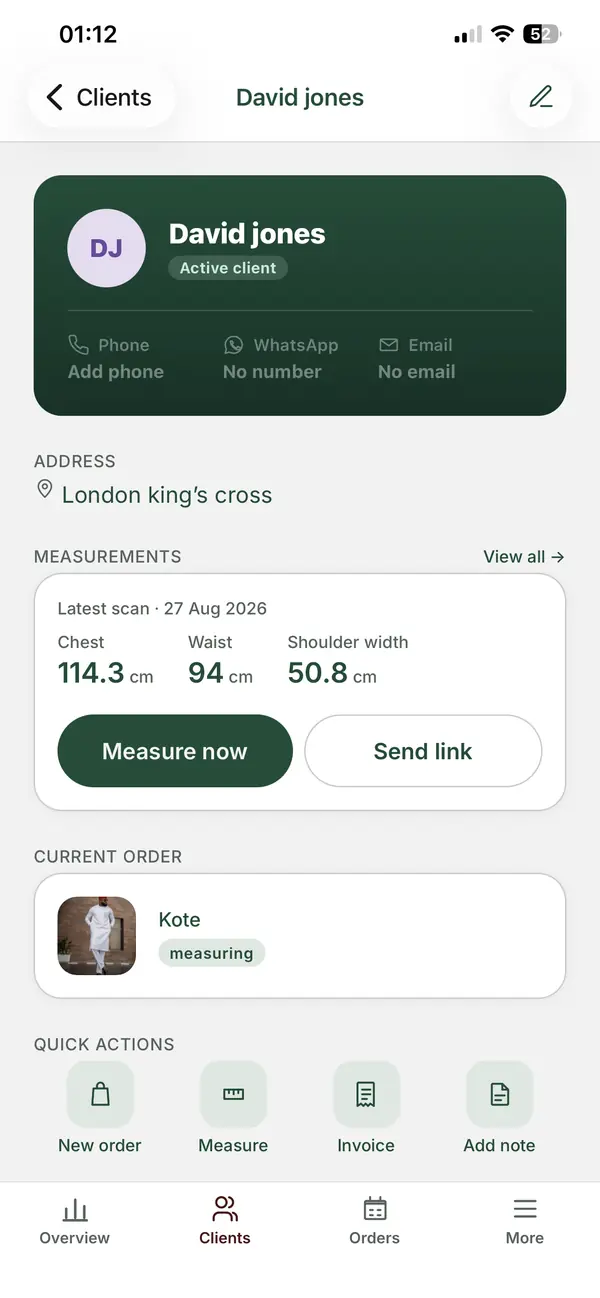
| Measurements | Text on a card, or Custom Fields on paid plans | Measurements collected through a link the client opens on their phone |
| Invoices | Not built in | Invoicing in multiple currencies, including NGN, GBP and USD |
| Mobile app | Yes | ZeDaq Business app for iOS and Android |
| Built for tailoring | No, general-purpose | Yes |
Many tailors also run orders through WhatsApp. If that's you, compare it directly in ZeDaq.ai versus WhatsApp Business for tailoring.
Can you use Trello and a tailoring tool together?
Yes. Some workshops keep a Trello board as the "wall" everyone looks at, and keep client records, measurements and invoices in a dedicated tool. The risk is double entry: every new order is typed twice.
If you go this route, set a rule. The tailoring tool is the source of truth for client details, measurements and money. Trello only holds the card title, due date and stage. That keeps the board light and avoids two versions of the same numbers.
How do you set up a Trello board this afternoon?
- Create a Workspace and a board named "Orders".
- Add your stage lists from left to right.
- Create the template card with a checklist and description layout.
- Add labels for occasions and priority.
- Invite your team, up to 10 collaborators per Workspace on Free, per Trello's pricing page.
- Add every current order as a card, with a due date.
- Agree on one rule: whoever finishes a step moves the card.
Then review the board every morning for five minutes as a team.
When is it time to move beyond Trello?
Look for these signs:
- You search old cards to find a returning client's measurements.
- Measurements on cards are in different units or formats.
- Deposits and balances are tracked in a different place from orders.
- You spend time copying details from Trello into invoices.
At that point, it's worth moving client and measurement records into a system built for them. The guide to running a tailoring business without paper measurement books walks through that change.
ZeDaq.ai's Free plan includes 3 measurements and 5 invoices a month, plus 3 try-ons. Paid plans are Micro at $14/mo, Starter at $49/mo, Growth at $129/mo and Scale at $299/mo, each with a 3-day free trial and no card required.
Keep clients, measurements and invoices together
FAQs
Is Trello free for a small tailoring shop?
Trello's Free plan is $0 for up to 10 collaborators per Workspace, per its pricing page checked November 2026. It doesn't include Custom Fields or Calendar view.
Can Trello remind me about due dates?
Cards can hold due dates, and Trello lists built-in automation on every plan. Check Trello's own help pages for how reminders work on your plan.
Should each card be an order or a garment?
Use one card per garment if pieces move through stages at different times. Use one card per order if the whole order moves together.
Can clients see my Trello board?
Only if you invite them. Keep the board internal and share updates with clients through your usual channel.
Try ZeDaq.ai free
Virtual try-on and Find my size for your store, plus client, order and invoicing tools for tailors, in one subscription.

