Shipping Protection and Returns Insurance Apps
By the ZeDaq.ai team · · 6 min read
On this page
- What do shipping protection apps do?
- What does shipping protection not cover?
- How do you compare these apps?
- Should a clothing brand add shipping protection?
- What types of protection exist?
- What happens when a parcel goes missing?
- What should you tell customers?
- Where do returns policy and protection overlap?
- What should you ask before installing?
- How do you measure whether it is working?
- How do you cut the returns protection can't touch?
Shipping protection apps cover parcels that are lost, damaged or stolen in transit, and some also manage returns and claims. They do not stop a customer from returning clothes that simply don't fit.
That distinction matters for fashion stores. Most clothing returns come from size and fit, which is why AI size recommendation for fashion stores sits next to these apps rather than being replaced by them.
What do shipping protection apps do?
These apps add an optional protection charge at checkout or let you cover shipments yourself. If a parcel goes missing or arrives damaged, the app handles the claim.
As an example, the Shopify listing for Route (checked November 2026) describes these features:
- Package protection, with licensed coverage offered at checkout.
- A returns and exchanges portal with automated approvals and refund management.
- Branded package tracking pages with estimated delivery dates.
- Claims resolution, which the listing says is "instant".
- Cash-back loyalty discounts toward a customer's next purchase.
The listing says the app is free to install, and that additional charges may apply, with details on the developer's pricing page. Other apps in this category differ, so read each listing yourself.
What does shipping protection not cover?
Protection covers shipping events. It generally does not cover:
- A customer who ordered the wrong size.
- A customer who changed their mind.
- Items that look different from the photos.
Cover terms vary by app and provider, so confirm the exact terms on the vendor's site before you promise anything to customers. Do not assume a policy covers returns.
How do you compare these apps?
Use this checklist when you evaluate options:
| Question | Why it matters |
|---|---|
| Who pays: the customer, you, or both? | Changes your checkout and your margins |
| Who handles claims? | Affects your support workload |
| Is returns management included? | May replace a separate returns app |
| What is excluded? | Avoids surprises with fit returns |
| How are charges billed? | Some bill outside Shopify's invoice |
| Does it work with your checkout? | Check the compatibility on the listing |
Route's listing, for instance, notes that external charges may be billed separately from the Shopify invoice. Check this for any app you consider.
Should a clothing brand add shipping protection?
It can make sense if you ship high-value pieces, ship internationally or have had parcels go missing. It matters less for low-cost items shipped with tracked service.
Think about the customer view too. A protection fee at checkout adds a line to the cart. Some shoppers like it, and others abandon the order. Test it rather than assuming.
What types of protection exist?
Apps in this space tend to fall into three models. Which one a given app uses is stated on its own listing, so read it.
| Model | How it works | Main trade-off |
|---|---|---|
| Customer-paid at checkout | The shopper adds a protection fee to the cart | Adds a line to checkout, but you don't carry the cost |
| Merchant-paid | You pay per order or per shipment | Protects every order, but costs margin |
| Claims service only | You cover losses, and the app handles the paperwork | No fee to shoppers, but you carry the loss |
This is a general framework, not a list of what any one vendor offers.
What happens when a parcel goes missing?
Walk through the flow before you install anything, because this is where apps differ.
- The customer reports a missing or damaged parcel.
- Someone, either you or the provider, checks tracking and evidence.
- A claim is approved or declined.
- The customer gets a replacement or a refund.
Ask these questions about each step:
- Does the customer contact you or the provider?
- Who decides whether the claim is valid?
- How long does it take?
- Who pays for the replacement stock?
A slow claims process hurts the customer experience, even if the cost is covered. Place a test order and read the claim flow as a customer would.
What should you tell customers?
Be clear and short on the product page and at checkout.
- Say what the protection covers, in one sentence.
- Say what it does not cover, such as size changes.
- Link to your returns policy right next to the protection option.
- Make it easy to find your support address.
Vague wording leads to disputes. If the app shows its own text at checkout, check that it matches your policy.
Where do returns policy and protection overlap?
Protection covers carrier problems. Your returns policy covers everything else. If you charge for returns, a protection fee can feel like a second charge. The article on free or paid returns for clothing brands helps you decide on the policy first.
Disputes are another overlap. If a card payment is challenged, clear records of shipping and tracking help. See returns and chargebacks: reducing disputes.
What should you ask before installing?
Put these questions to the vendor, or find the answers on the listing and the vendor's site:
- What exactly is covered: loss, damage, theft or all three?
- Which carriers and countries are supported?
- Are there exclusions for certain goods or order values?
- How do I see the claims my customers have made?
- What happens to my customers' data, and where can I read the privacy terms?
- Can I turn it off without losing my orders or settings?
Keep the answers in one document. If you later compare a second app, you can use the same list.
How do you measure whether it is working?
Pick a few simple numbers and track them yourself, using your own order data:
- How many parcels are reported lost or damaged each month.
- How long it takes to resolve a claim.
- How many customers opt in, if the fee is optional.
- Whether support messages about missing parcels go up or down.
Review after a few months. If the app costs more in time or fees than it saves, remove it.
How do you cut the returns protection can't touch?
Fit is the larger lever. Better product pages cut the "wrong size" returns that no insurance will pay for.
- Show body measurements for every size.
- Add fit notes and model details.
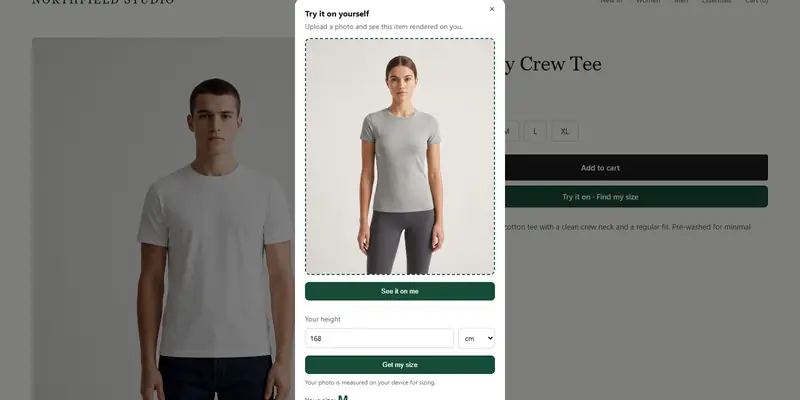
- Offer a size recommendation from the shopper's own measurements.
The product page checklist for fashion stores covers photos, fit notes and try-on.
ZeDaq.ai gives size recommendations through a 30-second body scan. The Free plan includes 3 measurements a month, so you can test it. Every paid plan has a 3-day free trial with no card required. See the pricing page.
Test size recommendations on your store
FAQs
Does shipping protection cover wrong-size returns?
Usually not. It is designed for lost, damaged or stolen parcels. Read the provider's terms to be sure.
Who pays for shipping protection?
It depends on the app. Some charge the customer at checkout, and others bill the merchant. Check the listing and the vendor's pricing page.
Can one app handle both protection and returns?
Some can. Route's listing, for example, includes both package protection and a returns portal. Compare features before you choose.
Is returns insurance the same as a returns policy?
No. A returns policy is your own rule for what customers may send back. Insurance or protection is a product from a provider that covers specific losses.
Try ZeDaq.ai free
Virtual try-on and Find my size for your store, plus client, order and invoicing tools for tailors, in one subscription.