Returns Portal vs Email Returns
By the ZeDaq.ai team · · 7 min read
On this page
- What is an email returns process?
- What is a returns portal?
- How do the two compare?
- How much work does each approach create?
- What does a portal give you that email does not?
- Which return reasons should the form offer?
- What should your return emails say?
- How should you handle exchanges?
- When is email still the better choice?
- What should a returns portal page include?
- What are the risks of each approach?
- How do you set up a simple returns portal?
- How can you cut returns before they reach the portal?
- How do you move from email to a portal without disruption?
- Which should you pick today?
A returns portal is better once you handle more than a handful of returns a week, because it collects the order, reason and item in one form. Email returns work well for a very small store, since they cost nothing and feel personal, but they get slow and error-prone as volume grows.
This guide compares the two on setup, workload, data and customer experience. It also shows a simple way to decide. Returns often start with a size problem, so AI size recommendation for fashion stores is worth reading alongside it.
What is an email returns process?
In an email process, the customer writes to your support address. You reply, confirm the order, check your policy and send instructions.
It needs no software. A shared inbox and a saved reply are enough to start.
The weak point is missing information. Customers forget the order number, skip the reason or send a photo you cannot match to an order.
What is a returns portal?
A returns portal is a web page where the customer enters an order number and email, picks the items and chooses a reason. The store then approves the request and sends instructions or a label.
Some portals are apps for your store platform. Others are pages you build yourself with a form and a spreadsheet. The idea is the same: the customer gives you structured information up front.
How do the two compare?
| Email returns | Returns portal | |
|---|---|---|
| Setup | None | Some setup, sometimes a paid app |
| Cost | Staff time only | Staff time plus any tool cost |
| Information collected | Varies by customer | Same fields every time |
| Customer effort | Write and wait | Fill a form, often self-serve |
| Reasons for return | Hard to count | Easy to count |
| Good for | Low volume, high touch | Growing volume |
Check the price of any portal app on its own listing before you decide. Fees change.
How much work does each approach create?
Count the touches per return. With email, a typical return needs several messages: the request, a reply asking for the order number, the customer's answer, your instructions and a refund confirmation.
With a portal, the customer fills one form, you approve it, and an automatic message sends instructions. The work shifts from typing to reviewing.
Here is a rough way to compare, using your own numbers:
- Count the returns you handle in a typical week.
- Time how long one email return takes you, start to finish.
- Multiply the two to see your weekly hours.
- Estimate the time a form-based return would take.
- Compare the saving with any monthly fee for a tool.
If the saving is small, stay with email. If you lose half a day a week, a portal pays for itself in time.
What does a portal give you that email does not?
The biggest gain is data. When every return has a reason code, you can see which products and sizes come back most.
For fashion stores, "too small" and "too large" are the reasons to watch. They point to sizing information you can fix. The guide on the true cost of a clothing return shows what each return costs you.
A portal also cuts back-and-forth messages. The customer cannot submit without the order number.
Which return reasons should the form offer?
Keep the list short, so customers pick one quickly. For clothing, a useful set is:
| Reason | What it tells you |
|---|---|
| Too small | Check the size chart and fit notes |
| Too large | Same, and check the model's size note |
| Not as expected | Photos or descriptions may mislead |
| Faulty or damaged | A quality or shipping problem |
| Wrong item sent | A fulfillment error |
| Changed my mind | Often outside your control |
Review the counts each month. If one product has many "too small" returns, fix that product's chart before you change anything else.
What should your return emails say?
If you stay with email, a saved reply keeps things quick and consistent. Include:
- A thank-you and the order number you found.
- The return window and any conditions, such as unworn items with tags.
- The address or label, and who pays postage.
- The refund method and when to expect it.
- A reply address for questions.
Write it in plain language, in three short paragraphs. Update it whenever your policy changes.
How should you handle exchanges?
Exchanges are the return you most want to keep. A customer who swaps a size is still a customer.
A portal can ask "refund or exchange?" at the start and show size options. With email, offer the exchange in your first reply, before you process a refund. Either way, make the new size obvious, and check stock before you promise it.
When is email still the better choice?
Email is a good fit when:
- You handle only a few returns a week.
- Your customers expect a personal reply, such as with made-to-measure or high-end pieces.
- You are still deciding your policy and want to see real cases first.
You can also run both. Keep email as the fallback for unusual cases and put the portal link in your policy.
What should a returns portal page include?
Whatever tool you use, the page should make the next step obvious. Include these parts:
- A short heading, such as "Start a return."
- Two fields to find the order: the order number and the email used.
- A list of items from the order, with a checkbox for each.
- A reason menu and a notes box.
- A photo upload for damaged or faulty items.
- A link to your full returns policy.
- A confirmation message that says what happens next.
Test the page on a phone. Many customers will start a return from their phone, so check that every field is easy to tap.
What are the risks of each approach?
Both have weak points, and it helps to know them in advance.
Email risks: lost messages, slow replies and inconsistent answers from different team members. A shared inbox with saved replies fixes most of this.
Portal risks: a confusing form that customers abandon, a tool fee that grows with volume, and a rigid flow that cannot handle odd cases. Keep a contact link on the page for exceptions.
Review your process every few months. What suited you at the start may not suit you after a busy season.
How do you set up a simple returns portal?
You do not need a paid app to start.
- Write your returns policy in plain language and publish it on a page.
- Add a form with order number, email, item, size, reason and a photo field.
- Send submissions to a spreadsheet or shared inbox.
- Reply with an approval message and clear next steps.
- Review reasons every month.
The policy question comes first. Whether returns are free or paid affects what your portal shows. See free or paid returns for clothing brands before you finalize it.
How can you cut returns before they reach the portal?
Reduce the cause. A clear product page with fit notes, good photos and a size recommendation prevents many fit returns.
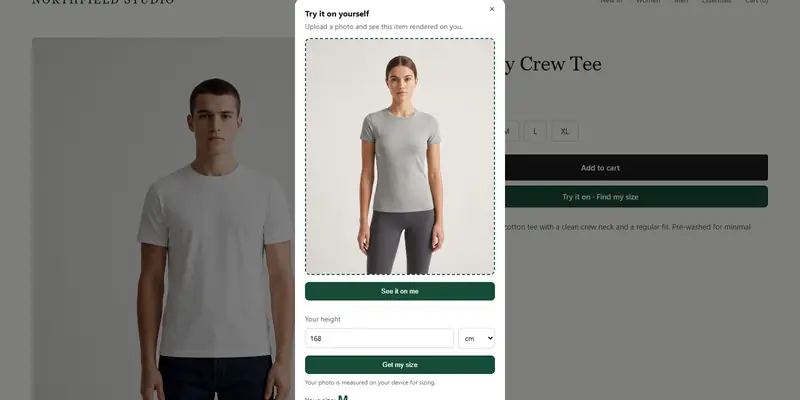
Our product page checklist for fashion stores covers what to include. ZeDaq.ai offers AI virtual try-on and a size recommendation from a 30-second body scan, matched to your own size chart. You can try the Free plan, which includes 3 try-ons and 3 measurements a month, to see how it looks on your products.
How do you move from email to a portal without disruption?
Change in small steps, so customers do not get confused.
- Keep your email address active and mention it on the portal page.
- Launch the portal link in your returns policy and order emails.
- Run both for a few weeks and compare how long returns take.
- Move the saved email replies into the portal's confirmation messages.
- Review the return reasons after the first month and fix the biggest cause.
Tell your team what changes and who handles exceptions. A short written guide for staff prevents most early mistakes.
Which should you pick today?
Pick email if returns are rare and personal replies are part of your brand. Pick a portal if you spend real time chasing missing details or you want return data. Either way, write the policy first, since both rely on it.
Help shoppers pick the right size first
FAQs
Do I need a returns portal if I sell on Shopify?
No. Shopify does not require one. You can start with email or a simple form and add a portal when volume grows.
Can a returns portal replace customer service?
It handles routine requests, but customers still need a way to reach you for odd cases. Keep a contact address on the portal page.
What should a returns form ask?
Ask for the order number, email, item, size, reason and a photo if the item is damaged. Keep it short so customers finish it.
Can I switch from email to a portal later?
Yes. Keep your policy the same and add the portal link to it. Existing email threads can finish as normal.
Try ZeDaq.ai free
Virtual try-on and Find my size for your store, plus client, order and invoicing tools for tailors, in one subscription.