How to Display Your Return Policy on Product Pages
By the ZeDaq.ai team · · 4 min read
On this page
- Why should the policy be on the product page?
- What should the summary say?
- Where exactly should it go?
- How do you handle products with different rules?
- Can fit information reduce return disputes?
- How do you know if the policy display works?
- What does a sample summary look like?
- How do you keep the wording consistent?
- What mistakes should you avoid?
To display your return policy on product pages, put a two-line summary near the add-to-cart button, link to the full policy, and repeat any rules that are specific to that product. Shoppers who see the terms before they buy are less likely to be surprised later.
This guide is for fashion store owners. Clear policies work best alongside good sizing, so read AI size recommendation for fashion stores if fit is behind most of your returns.
Why should the policy be on the product page?
Shoppers decide at the product page, not on a footer link. If the return terms are hidden, a hesitant shopper may leave, and one who buys may feel misled when the terms turn out different from what they expected.
A visible policy also cuts support questions. It tells people what to do before they have to ask.
What should the summary say?
Keep it short and plain. Cover only what shoppers need at the moment of purchase:
- How long they have to return an item.
- Who pays for return shipping.
- What condition the item must be in.
- How refunds are paid, for example to the original payment method or as store credit.
- Any items that cannot be returned.
Use your own real terms. Do not copy another store's terms or promise anything you can't support.
Where exactly should it go?
Place it where the buy decision happens.
- Under or beside the add-to-cart button. This is the highest-value spot.
- In an accordion below the description. Use a title like "Returns and exchanges".
- In the cart and at checkout. Repeat the one-line summary.
- On a full policy page. Link to it from every summary.
Make the text readable on a phone, since that is where many shoppers browse.
How do you handle products with different rules?
Some items need exceptions, such as made-to-order pieces, final-sale items or custom sizes. Show these on the product page, not only in the policy.
- Add a clear line in the details section.
- Use a visible label, for example "Final sale", near the price.
- Repeat it in the cart so nobody misses it.
If you accept exchanges more readily than refunds, say so. It nudges shoppers who are unsure of their size toward an exchange.
Can fit information reduce return disputes?
Yes, because many returns begin with a size problem. A policy line is stronger when paired with fit notes and a size chart on the same page. The product page checklist for fashion stores lists what to include.
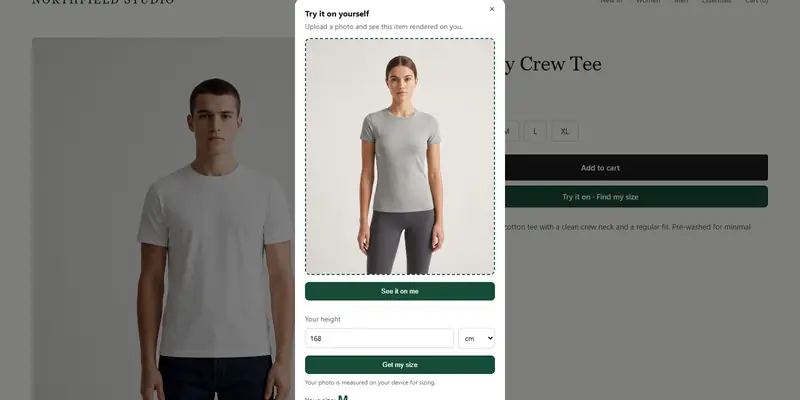
With ZeDaq.ai, a shopper can upload one photo, type their height and get a size from your own chart. That gives them a reason to trust the size before they read the return terms.
Try a size recommendation on yourself
Try it on yourself
Live renderUpload a photo, pick a piece, see it rendered on you.
Pick something to try on
How do you know if the policy display works?
Review your data. Look at which products get returned and why. The guide to analyzing return reasons by product shows a simple method.
Then check whether some products need a stricter or clearer note. For items with repeated problems, product-level return rates can tell you whether to fix the page or remove the product.
Check policy rules in your country. Consumer law about returns differs, so confirm your terms against your local authority's guidance.
What does a sample summary look like?
Here is an example wording only. Replace every term with your real policy.
Returns and exchanges. Return unworn items in their original packaging within your stated window. Exchanges for a different size are free. Refunds go to the original payment method. Final-sale items can't be returned. Read the full policy.
Link that last line to your own policy page. Notice what the sample does: it answers time, cost, condition and refund in four short sentences.
How do you keep the wording consistent?
Write the policy once, in plain language, and reuse the text. Store it in a single document that your team can find.
Then list every place it appears: product pages, cart, checkout, confirmation emails and the footer. When the policy changes, work through that list. A short audit each quarter catches pages that were missed.
What mistakes should you avoid?
- Hiding the policy in the footer only.
- Using legal wording the shopper can't follow.
- Using different terms on the product page and the policy page.
- Forgetting to update every page when the policy changes.
Keep one master text and reuse it everywhere. When the policy changes, change it in one place.
The Free plan lets you test sizing with 3 measurements a month before you pick a paid plan.
Help shoppers pick the right size first
FAQs
Should the full policy appear on every product page?
No. Show a short summary and link to the full policy. A long block of text pushes the buy button down.
Do I need to mention return shipping costs?
Yes, if shoppers might pay them. Surprise costs are a common reason for complaints.
Can I use a returns badge or icon?
Yes, if it reflects your real policy. Keep the wording honest and match it to your terms.
How often should I review the policy text?
Review it whenever your terms change, and at least once a year. Check every place it appears.
Try ZeDaq.ai free
Virtual try-on and Find my size for your store, plus client, order and invoicing tools for tailors, in one subscription.