Helping Cross-Border Shoppers Judge Fit With Try-On
By the ZeDaq.ai team · · 4 min read
On this page
Cross-border shoppers judge fit best when they can see the garment on their own body and get a size in your store's labels, not their local ones. A try-on preview plus a size recommendation from your own chart answers both questions on the product page.
International buyers cannot try things on and often face a harder return. A virtual fitting room on your clothing website gives them a way to check before they pay.
Why is fit harder for overseas shoppers?
They are guessing in two ways. First, size labels differ by country, so "M" or "12" may mean something different in their home market.
Second, returns are slower and may cost more across borders. A wrong size is a bigger risk, so uncertain shoppers often hold back.
Both problems come down to missing information, and information is what you can add to the page.
What do international shoppers need to see?
Give them three things on every product page:
- A size chart with the unit. Body measurements in both centimeters and inches.
- A conversion note. A row that shows how your labels relate to UK, US, EU and AU sizes, taken from your own chart or a named standard.
- A fit note. Does it run small, large or true to size, and is it relaxed or fitted?
Do not show a conversion table you cannot stand behind. If you publish one, label it as an example and tell shoppers to follow your own chart.
See how the shopper experience works
Try it on yourself
Live renderUpload a photo, pick a piece, see it rendered on you.
Pick something to try on
How does try-on help a shopper abroad?
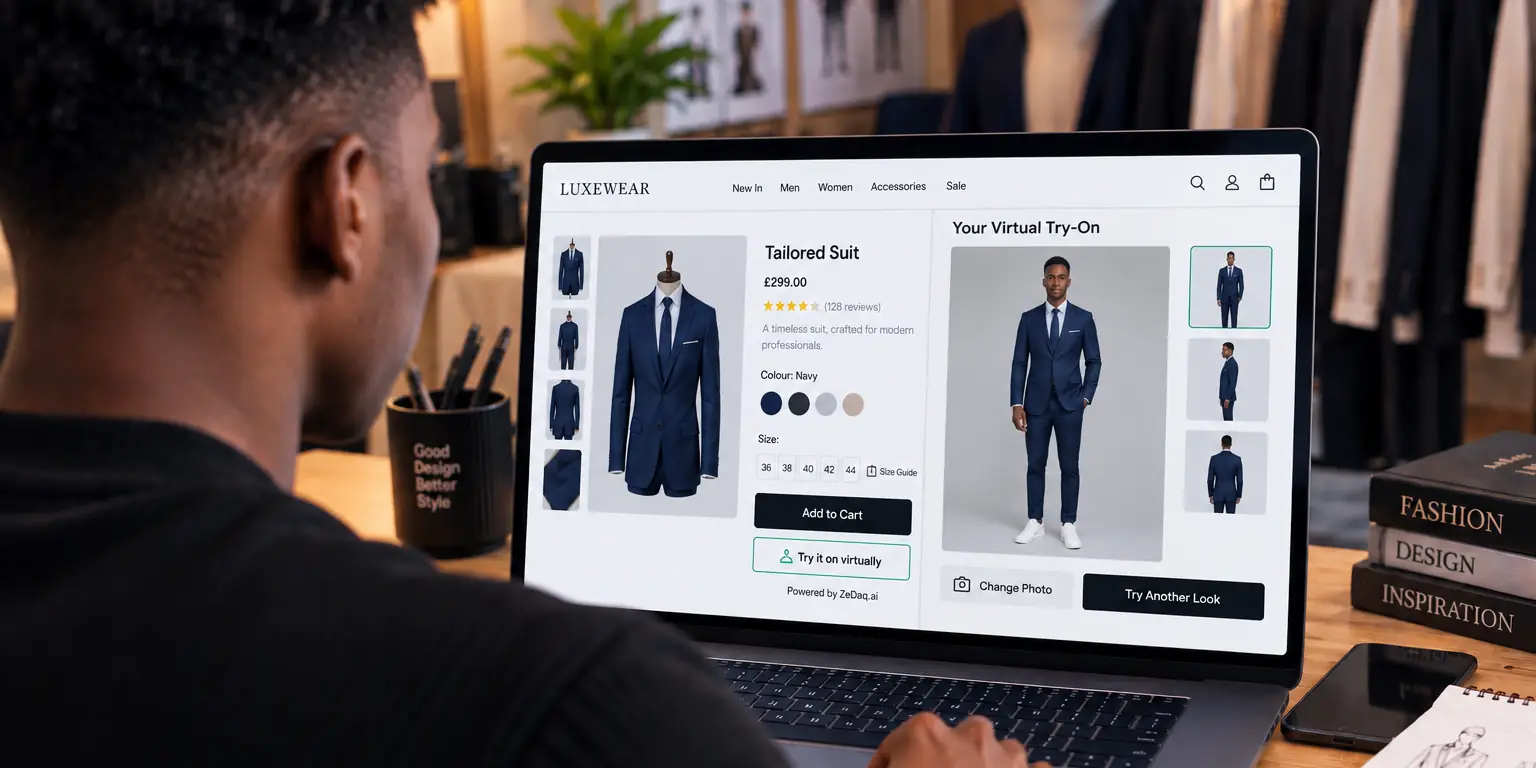
The shopper uploads one photo and sees your real garment on their body. This shows drape, length and proportion, which a chart cannot.
It is a preview, not a promise of exact fit. Say so near the button, using the wording ideas in how to label try-on results as previews.
Try-on works on your own site, so there is no app for the shopper to download. Everything happens on your product page.
How do you give a size from the shopper's body?
ZeDaq.ai can also give a size recommendation from a 30-second body scan: one photo plus the shopper's height. The measurements are matched to the size chart you entered, and the result is one of your own labels, such as "M" or "UK 12".
That removes the translation step. The shopper does not need to know what a UK 12 is in their country. They just see what to order from you.
If you have not entered a chart for a garment type, the scan falls back to a generic UK, US, EU or AU chart. Entering your own is better, because it reflects how your brand fits.
How should you set it up on your store?
The setup depends on your platform.
- Shopify. Install the ZeDaq.ai app and enable it in your theme.
- WooCommerce, Wix, Squarespace, BigCommerce or custom sites. Paste the widget script into the product template and lock the key to your domain. The widget setup details walk through it. A fuller overview of one platform is in virtual try-on for WooCommerce.
- Your own build. Use the REST API, documented in the API reference.
Then add your size charts, one per garment type, and test on your own products.
What does a worked example look like?
Say a shopper abroad is looking at a dress and sees a size "UK 12" in your chart. They do not know if that matches their usual size at home.
With a size step, they upload one photo, type their height and get your label back. They also see the dress on themselves, so they can judge length and shape. If the scan lands between two sizes, the tool picks the larger relevant one, which is easier to alter than a tight garment.
The shopper never had to convert anything. They read one label from your chart and decided.
What else helps overseas buyers feel safe?
Fit is one part of confidence. Pair it with clear shipping times, duties information and returns terms. Slow phones and weak networks matter too, and our article on making try-on work on slow connections has practical tips.
Different shoppers use fit tools differently. Menswear buyers, for example, may use them in a particular way, as shown in how male shoppers use fit tools.
Keep language plain. Avoid local slang in size notes, and give measurements in both units.
Give overseas shoppers a way to check fit
FAQs
Do international shoppers need an account to use try-on?
No. They use it on your product page by uploading a photo. They do not need to download an app.
Can I show sizes in more than one country format?
You can show your own labels and add a note for how they relate to other systems. Label any conversion table as an example, and say that your own chart decides.
Does try-on replace a size chart?
No. They answer different questions. The chart gives numbers, and the preview shows how the garment looks on the shopper.
What if the shopper does not have a full-length photo?
Ask for one clear full-length photo in good light. Put a short photo tip next to the button.
Try ZeDaq.ai free
Virtual try-on and Find my size for your store, plus client, order and invoicing tools for tailors, in one subscription.

