Fabric Swatch Approvals Over WhatsApp
By the ZeDaq.ai team · · 4 min read
On this page
- Why do fabric approvals go wrong on WhatsApp?
- How do you photograph a swatch so the color is true?
- How do you ask the client to choose?
- How do you handle clients who can't see the fabric in person?
- How do you record the approval so it can't be lost?
- What should you do about fabric you have in stock?
- What does a good approval message look like?
To get a fabric approved over WhatsApp, send photos taken in daylight, ask one clear question per message, and save the client's written "yes" before you cut. A fabric choice made in a busy chat is easy to lose, so the approval needs a fixed place in your process.
This guide is for tailors and designers who already chat with clients on WhatsApp. It shows how to make the fabric decision clear and findable later. It is one part of running a tailor and fashion designer business with fewer mix-ups.
Why do fabric approvals go wrong on WhatsApp?
Most problems come from three things: color, scale and memory.
- Color shifts on screen. Phone screens and photo compression change how a fabric looks. A deep green can look navy.
- Scale is hidden. A close-up of a print hides how large the pattern is on a finished garment.
- The decision gets buried. The client says "the second one is fine" and many messages later, nobody knows which one was second.
Fixing these three is most of the work.
How do you photograph a swatch so the color is true?
Use the same simple setup every time, so clients learn what to expect.
- Shoot by a window in daylight. Avoid yellow indoor bulbs and flash.
- Place the fabric on a plain white or light gray surface.
- Take one flat shot of the whole swatch and one close-up of the weave.
- Add a coin, ruler or your hand beside prints so the pattern size is clear.
- Take a draped shot, with the fabric folded over your arm, to show how it hangs.
Keep the same background for every fabric. Then the client compares fabrics, not lighting.
How do you ask the client to choose?
Ask a closed question. "What do you think?" gets a vague answer. "Option A or option B for the jacket?" gets a decision.
Number or letter every option in the photo caption. Send each fabric as its own photo so the caption stays attached to the right image. Avoid sending a grid of twelve fabrics with no labels.
A simple template works well:
Option A: navy wool crepe, medium weight, holds a sharp shape. Option B: charcoal twill, softer drape. Which one should I use for your jacket? Please reply with A or B.
How do you handle clients who can't see the fabric in person?
For distant clients, you can ship small swatches, but many orders move faster with photos and a short video.
A short video where you move the fabric in the light shows sheen and drape better than a still photo. Say plainly that screens differ, and invite the client to ask for another photo in different light. That honesty prevents "it looked different" complaints.
If the client is local, ask them to touch the fabric at a fitting. A fabric that feels stiff or scratchy is a common reason for a late change.
How do you record the approval so it can't be lost?
A "yes" in a long chat is not a record. Once the client replies, take these steps:
- Reply with a confirmation: "Confirmed: Option A, navy wool crepe, for the jacket. I will start cutting on Monday."
- Wait for a second reply, such as "Yes, confirmed."
- Copy the fabric name, supplier and the confirmation date into the client's order.
- Set the point after which fabric changes cost extra, and say so in the confirmation.
The same steps help with design drawings. The guide on getting design sign-off covers sketches and style details.
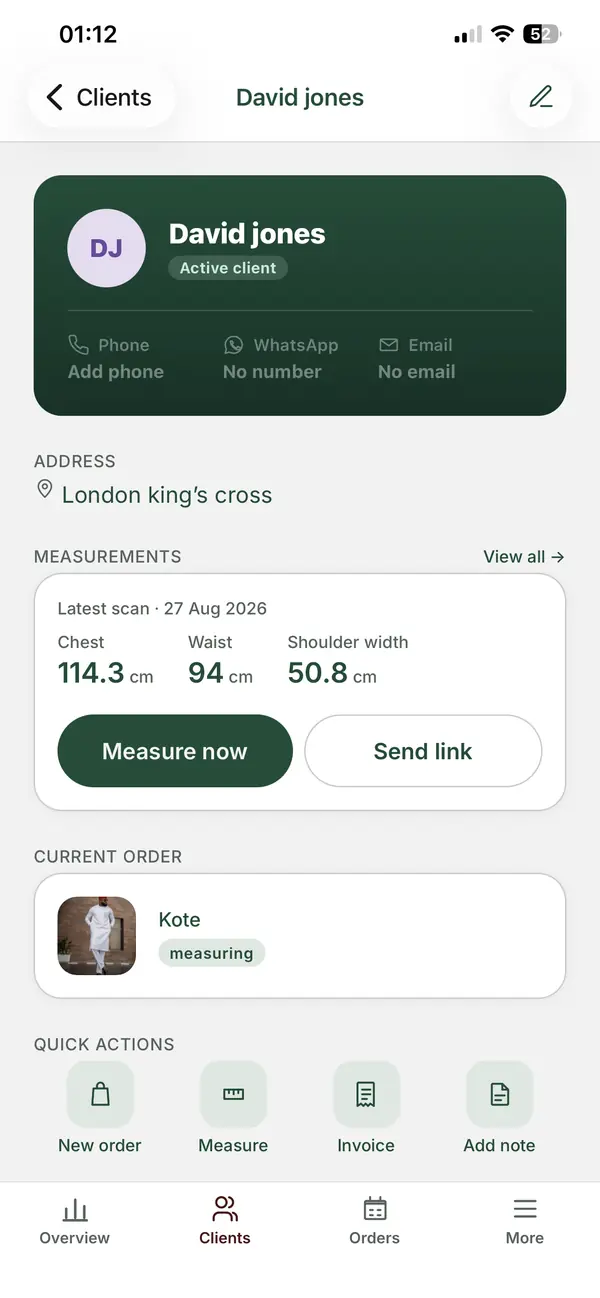
ZeDaq.ai's tailor tools keep client records, orders and a delivery calendar in one place, so the fabric decision sits with the order rather than in a chat thread. You can read more about the tradeoffs in ZeDaq.ai vs WhatsApp Business.
What should you do about fabric you have in stock?
Know what you have before you offer it. If you promise a fabric you can't get again, you will have to reopen the approval.
Keep a short list of what each fabric is, how much is left and where it came from. The guide to fabric inventory for tailors shows a simple way to do this. Offer only fabrics that are in stock or can be reordered in time.
What does a good approval message look like?
A good approval message names the fabric, the garment, the price effect and the next step. If the fabric changes the price, say so in the same message.
Fabric A costs more per meter than your first choice, so the total rises. Reply "A" to confirm and I will update your invoice.
Keep prices in the invoice, not only in chat. If you invoice in more than one currency, state the currency in the message.
For gathering measurements without back-and-forth, see measurement capture tips for clients at home.
Keep fabric choices with the order
FAQs
Is a WhatsApp message enough as proof of approval?
It is useful evidence, but only if the message is clear and easy to find. Copy the confirmation into the client's order record so you don't need to search the chat.
Should I send real swatches instead of photos?
Real swatches are best for large orders or color-sensitive fabrics. For smaller orders, good daylight photos and a short video are usually enough.
What if the client changes their mind after cutting?
State your cutoff before the work starts. After cutting, a change usually means buying more fabric, so agree who pays for it in the confirmation message.
How many fabric options should I send?
Two or three. More choices slow the decision and increase mix-ups.
Try ZeDaq.ai free
Virtual try-on and Find my size for your store, plus client, order and invoicing tools for tailors, in one subscription.

