
Canva Invoice Templates vs Invoicing Software
By the ZeDaq.ai team · · 7 min read
On this page
- What does Canva offer for invoices?
- Why do tailors and designers like Canva invoices?
- Where do Canva templates fall short?
- How do Canva templates compare with invoicing software?
- When is a Canva template enough?
- How do you make a Canva invoice less error-prone?
- When should you move to invoicing software?
- Can you keep your look and still use software?
- Does the same logic apply to online stores?
- What does ZeDaq.ai cost?
A Canva invoice template is a good choice when you send a few invoices a month and care most about how they look. Invoicing software is the better choice once you need totals, deposits, balances and a searchable record of who owes what, because a designed template is a picture of an invoice rather than a system that tracks it.
This guide compares the two for tailors and fashion designers, using what Canva says on its own invoice page. If you want invoicing joined to clients and orders, see ZeDaq.ai's tools for tailors.
ZeDaq.ai publishes this blog. Canva details come from Canva's invoice maker page, checked November 2026.
What does Canva offer for invoices?
When we checked Canva's invoice maker page in November 2026, it described these features:
- A "free invoice maker" with ready-made invoice templates.
- A drag-and-drop editor to customize the design.
- Downloads as PDF, PNG or JPEG, including a print-ready PDF.
- A secure, view-only link you can share with clients.
- The option to add secure payment links for customers.
- Folders to store past invoices.
- Some related features marked as Pro, such as Brand Kit.
The page did not describe automatic totals, tax calculations or tracking whether an invoice has been paid. Those are the main things invoicing software adds.
Why do tailors and designers like Canva invoices?
They look good
Fashion is a visual business. A bill that matches your logo, colors and style says something about your brand before the client reads a single number.
Canva is already familiar
Many designers already use Canva for flyers, lookbooks and Instagram posts. Making an invoice in the same tool feels natural.
It costs nothing to start
Canva describes its invoice maker as free. For a new tailor sending a handful of invoices, that matters.
Easy to share
You can download a PDF for WhatsApp or email, or send a view-only link, according to Canva's page.
Where do Canva templates fall short?
You do the math by hand
Canva's page doesn't mention automatic totals. If you add a line for a matching gele or change a price, you recalculate the total yourself. A typo in a total is easy to miss and awkward to fix after the client has paid.
No record of who has paid
A designed invoice doesn't change when money arrives. You need a separate list, spreadsheet or notebook to track paid, part-paid and overdue.
Deposits and balances are manual
Bespoke work is often paid in two or three parts. With a template, you edit the design each time to show the deposit and new balance, and keep the versions straight.
Invoice numbers are up to you
Each invoice needs a unique number. With templates, you type it in and hope you didn't reuse one.
Searching old invoices is slow
Folders help organize files, but finding "every unpaid invoice from last quarter" means opening them one by one.
No link to measurements or orders
The invoice lives apart from the client's measurements and the garment's due date. When a client queries a bill, you check several places to piece the story together.
How do Canva templates compare with invoicing software?
| Need | Canva invoice template | Typical invoicing software | ZeDaq.ai for tailors |
|---|---|---|---|
| Custom design | Strong | Limited to settings | Not the focus |
| Automatic totals | Not mentioned on Canva's page | Yes | Check during your trial |
| Track paid and unpaid | Not mentioned | Usually | Check during your trial |
| Download or share | PDF, PNG, JPEG or a view-only link | Usually PDF and email | Check during your trial |
| Payment links | Can be added | Varies | Not listed |
| Multi-currency | Type any currency yourself | Varies | Yes, including NGN, GBP and USD |
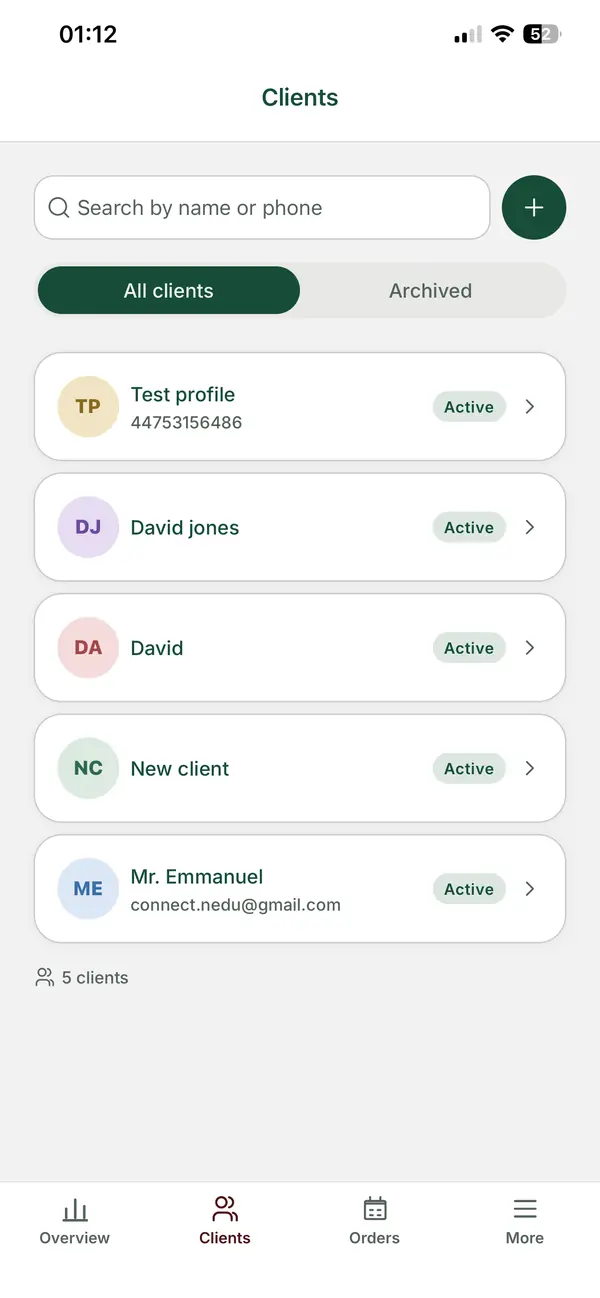
| Clients, measurements and orders | No | Clients only, usually | Client CRM, measurement links, orders and a delivery calendar |
| Mobile app for the tailor | Check Canva's site | Varies | ZeDaq Business for iOS and Android |
For a full rundown of billing tools, our guide to the best invoicing software for tailors compares several options by plan and price.
When is a Canva template enough?
A template is enough when all of these are true:
- You send fewer than about ten invoices a month.
- Most jobs are paid in full, not in parts.
- You already keep a reliable list of who has paid.
- You rarely change prices after the invoice goes out.
- Your brand image is a big part of how you win clients.
If that is you, a well-built template is a sensible, low-cost choice. Our free tailor invoice template guide lists the fields every tailoring invoice should carry, whichever tool you use.
How do you make a Canva invoice less error-prone?
If you stay with a template for now, a little structure prevents most mistakes.
Build one master template
Make a single master design and duplicate it for every new invoice. Never edit the master itself. That way a typo on one client's bill can't spread to the next.
Keep a simple invoice log
Next to your templates, keep a short list with five columns: invoice number, client, total, amount paid and date paid. Update it the moment money arrives. This log becomes your record of who owes what.
Number invoices in a fixed pattern
Use a pattern such as year, month and a running number, for example 26-11-014. Write the next free number at the top of your log so you never reuse one.
Check totals with a calculator
Add up every line on a calculator before you export, even for short invoices. Then compare it with the total you typed. It takes 30 seconds and catches most errors.
Save the final PDF, not just the design
Once an invoice is sent, download the PDF and save it in a folder by month. If you later edit the design by accident, the copy the client received is still safe.
Show deposits clearly
Add a fixed block near the bottom with three lines: total, deposit paid and balance due. Update all three every time a payment comes in, and send the new version so the client sees the same figures you do.
When should you move to invoicing software?
The signs usually show up in your week, not in the invoice itself.
- You have sent an invoice with the wrong total.
- You can't say at a glance how much clients owe you right now.
- You edit the same invoice two or three times to show deposits.
- You've reused an invoice number by mistake.
- You spend more than an hour a week on invoices.
- You bill clients in more than one currency and keep rewriting formats.
If two or more apply, the time you save with software will likely outweigh the design control you give up.
Can you keep your look and still use software?
Yes, mostly. You lose some design freedom, but you can keep your brand in the parts that matter.
- Use the same business name and contact details on every invoice.
- Keep your wording. Thank-you lines, care instructions and policies can stay the same.
- Move the design effort elsewhere. Put your styling into lookbooks, packaging and the garment label. Clients remember those more than the invoice layout.
A worked example
Ify is a womenswear designer who makes custom occasion dresses. She uses a beautiful Canva template that matches her Instagram.
Last month she sent 22 invoices. Six were part-paid, three had price changes after a fitting, and one total was wrong by a typo. She spent an evening reconciling a spreadsheet against her bank app.
For Ify, the template's look isn't worth that evening. Moving to invoicing software would calculate totals and keep the invoice beside each client's measurements and due date. She can keep using Canva for her lookbook.
Does the same logic apply to online stores?
For designers who also sell ready-to-wear online, the same "looks good versus works well" question applies to the storefront. Some stores now let shoppers preview garments on themselves. Our guide to virtual fitting room software explains the options.
What does ZeDaq.ai cost?
ZeDaq.ai's Free plan costs $0 and includes 3 try-ons, 3 measurements and 5 invoices a month. That is enough to compare a few real invoices with your Canva template.
Paid plans are Micro at $14 a month, Starter at $49, Growth at $129 and Scale at $299. Every paid plan has a 3-day free trial with no card required. See the ZeDaq.ai plan prices for details.
Invoice clients from the same place as their orders
FAQs
Is Canva's invoice maker free?
Canva's invoice page described a free invoice maker when we checked in November 2026. Some related features, such as Brand Kit, were marked as Pro.
Can I send a Canva invoice as a PDF?
Yes. Canva's page says you can download invoices as PDF, PNG or JPEG, or share a view-only link.
Does Canva calculate invoice totals?
Canva's invoice page did not mention automatic totals or tax calculations when we checked. Double-check every total before you send it.
Can I use Canva and invoicing software together?
Yes. Many designers keep Canva for brand materials and use invoicing software for bills, so totals and payment records stay accurate.
Try ZeDaq.ai free
Virtual try-on and Find my size for your store, plus client, order and invoicing tools for tailors, in one subscription.

