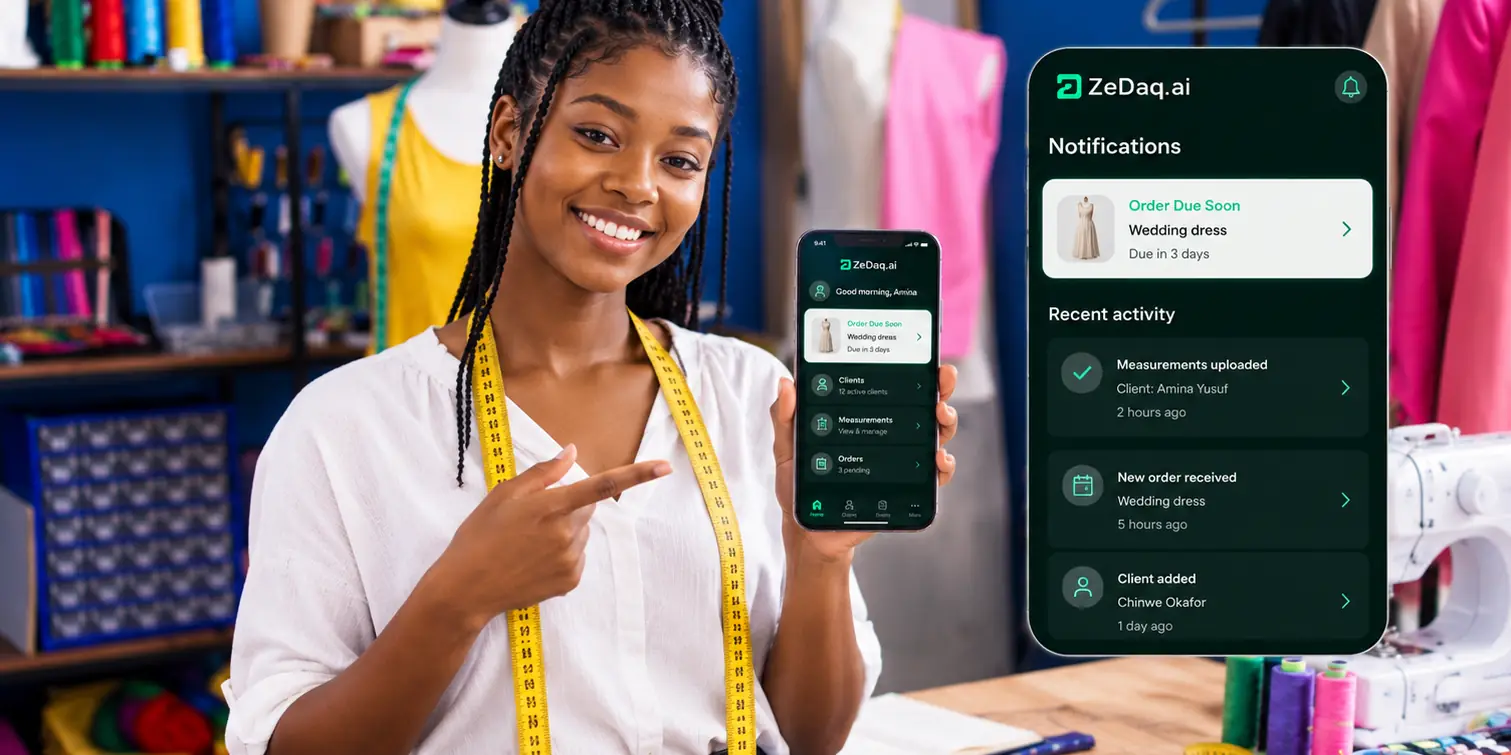
Best CRM for Fashion Designers
By the ZeDaq.ai team · · 8 min read
On this page
The best CRM for fashion designers depends on who your clients are. If you sell to stores, buyers and brands, a sales CRM such as HubSpot or monday CRM fits, because it tracks deals and pipelines; if you make garments for private clients, a CRM built for tailoring fits better, because it keeps measurements, orders and due dates on each client's record.
Below we compare the main options, with prices from each company's own site, and give a simple way to choose. For a CRM built around made-to-measure work, see ZeDaq.ai's tools for tailors and designers.
ZeDaq.ai publishes this blog and is one of the options below. Competitor facts come from their own websites, checked November 2026.
What does a fashion designer need from a CRM?
CRM stands for customer relationship management. In plain terms, it is one place to keep everything about each client, so nothing lives only in your head or your WhatsApp.
What "everything" means depends on your business model.
Designers who sell to businesses
If you sell wholesale to boutiques, pitch collections to buyers or design for brands, you need:
- A list of companies and contacts.
- A pipeline of deals, from first pitch to signed order.
- Email history and follow-up reminders.
- Notes on what each buyer liked last season.
Designers who make for private clients
If you make bespoke bridal, eveningwear, menswear or traditional outfits, you need:
- Each client's contact details and preferences.
- Their body measurements, and when they were taken.
- Their current orders, fittings and delivery dates.
- What they have paid and what they still owe.
Our guide to what a proper tailoring CRM should include goes deeper on that second list.
Which CRMs should fashion designers compare?
Here are four common routes, from general sales CRMs to a tailoring-focused tool. Each one suits a different kind of designer.
1. HubSpot: a free sales CRM for B2B designers
When we checked the HubSpot CRM page in November 2026, it described the free CRM as "100% free with no expiration date" with no credit card required. The page's FAQ said the free tier covers up to two users and 1,000 contacts.
Free features listed include contact management, deal pipelines, task management, email tracking, email templates, meeting scheduling, sales quotes and reporting dashboards. Paid tiers were listed as Starter from $15 per seat a month, Professional from $50 and Enterprise from $75.
Good for: designers selling to boutiques and brands, who need deal pipelines and email tracking.
Less suited to: bespoke work, because there is no built-in place for body measurements or garment orders.
2. monday CRM: boards for teams that like to customize
monday.com sells monday CRM as a separate product from its work management boards. When we checked the monday.com pricing page in November 2026, monday CRM was shown in British pounds for our location: £10 per seat a month on Basic, £14 on Standard and £24 on Pro, billed annually, with a custom-priced Ultimate plan.
The same page's FAQ says plans start from 3 users, and it offered a 14-day free trial of Pro.
Good for: design studios with a team who want to build their own sales boards.
Less suited to: solo designers, because of per-seat pricing with a minimum, and bespoke studios who need measurement records.
3. An accounting tool's client list
Many designers start with the client list inside an invoicing or accounting tool. It holds names, emails and what each client has been billed.
Our review of FreshBooks for fashion designers covers one such tool, including its limits on billable clients. We also look at QuickBooks for fashion designers as an accounting suite.
Good for: designers whose main need is billing.
Less suited to: anything beyond billing, such as measurements, fittings or follow-ups.
4. ZeDaq.ai: a CRM built for tailoring and made-to-measure
ZeDaq.ai's tailor tools are built around the private client:
- A client CRM for contact details and notes.
- Measurements through a link the client opens on their phone.
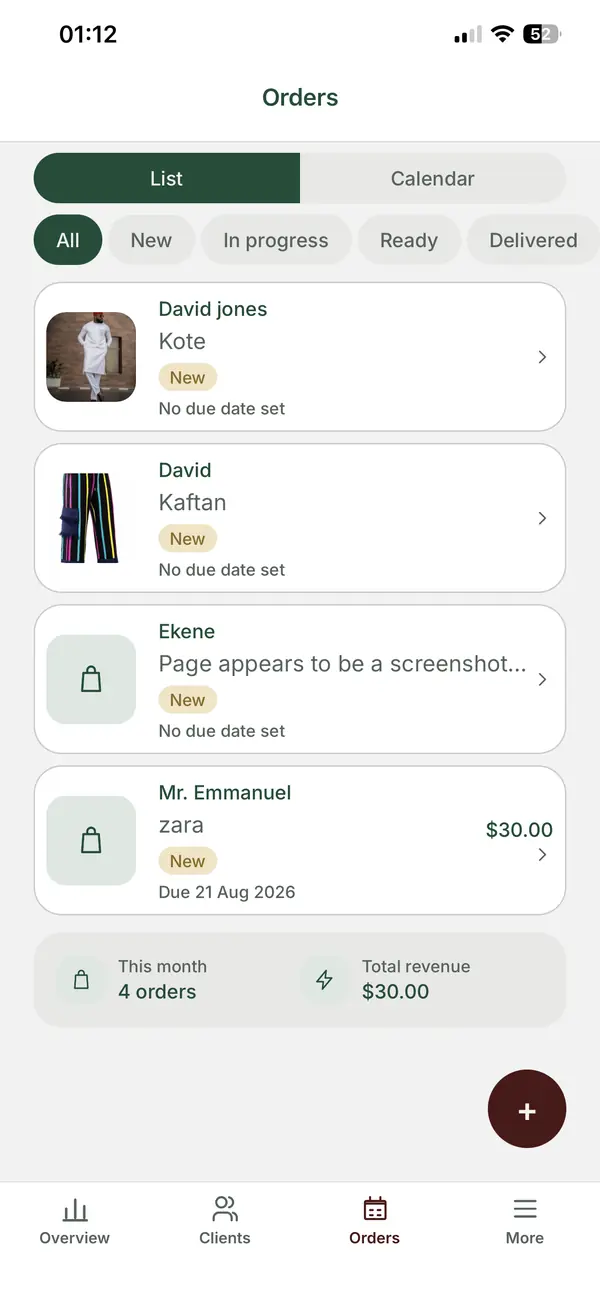
- Orders and a delivery calendar.
- Invoicing in multiple currencies, including NGN, GBP and USD.
- The ZeDaq Business app for iOS and Android.
The Free plan costs $0 with 3 try-ons, 3 measurements and 5 invoices a month. Paid plans are Micro at $14 a month, Starter at $49, Growth at $129 and Scale at $299, priced per plan rather than per seat.
Good for: bespoke and made-to-measure designers, tailors and studios serving clients at home and abroad.
Less suited to: B2B sales pipelines, email tracking and wholesale deal management, which are not part of its listed features.
How do these CRMs compare at a glance?
| Need | HubSpot free CRM | monday CRM | Accounting tool client list | ZeDaq.ai |
|---|---|---|---|---|
| Contacts and notes | Yes | Yes | Basic | Client CRM |
| Deal pipelines | Yes | Yes | No | Not listed |
| Email tracking | Yes | Check monday's site | No | Not listed |
| Body measurements | No | Build your own | No | Measurement link on the client's phone |
| Orders and due dates | No | Build your own | No | Orders and a delivery calendar |
| Invoices | Quotes listed on free plan | Check monday's site | Yes | Multi-currency invoices |
| Pricing model | Free tier, then per seat | Per seat, from 3 users | Varies | Per plan |
| Free option | Yes, 2 users | 14-day Pro trial | Varies | Yes |
HubSpot and monday CRM details are from their own pages, checked November 2026.
How do you choose the right CRM for your design business?
Work through these four questions in order.
- Are most of your clients businesses or individuals? Businesses point to a sales CRM. Individuals point to a tailoring CRM.
- Do you need measurements on the client record? If yes, a general sales CRM will need heavy customizing.
- How many people will use it? Per-seat pricing adds up for teams. Per-plan pricing can be cheaper for a small studio.
- Do you bill in more than one currency? If yes, check invoicing support before you commit.
If you do both B2B and bespoke work
Some designers sell a ready-to-wear line to boutiques and also take private commissions. In that case, two tools can make sense: a sales CRM for buyers, and a tailoring CRM for private clients. Keep the two client lists separate so each stays clean.
What mistakes do designers make when choosing a CRM?
A few patterns come up again and again. Avoiding them saves weeks of setup you later throw away.
- Choosing for features you won't use. Pipelines, email sequences and lead scoring sound useful, but a bespoke studio may never open them.
- Ignoring the phone. Most designers update records between fittings, not at a desk. Test the mobile experience before you decide.
- Importing everything on day one. Ten years of old contacts bury the clients you serve today.
- Skipping the team. If your assistant finds the tool confusing, client details drift back into chats.
- Forgetting where measurements will come from. A field for "waist" is only useful if clients can send their numbers easily.
- Counting only the subscription. Add the hours of setup and the other tools you still need, such as invoicing.
What should you set up in the first week?
Whichever CRM you choose, a good first week makes the difference between a tool you use and one you abandon.
- Day 1: add your 20 most active clients, not your whole history.
- Day 2: decide which fields are required for every client, such as phone number and city.
- Day 3: add every open order or deal with its next date.
- Day 4: move any notes still living in WhatsApp onto client records.
- Day 5: show your assistant or partner how to find a client in under a minute.
- Weekend: look at what felt slow, and fix one thing.
Older clients can be added when they next get in touch. That keeps setup short and the data fresh.
A worked example
Tomi designs menswear. She sells a small seasonal line to three boutiques and makes about 25 bespoke suits a month for private clients.
She tried running everything in a free sales CRM. The boutique deals fit well. The bespoke clients didn't: she added custom fields for chest, waist and sleeve, but had no way to collect measurements remotely or see suit due dates on a calendar.
Tomi now keeps the boutiques in the sales CRM and runs bespoke clients in a tailoring CRM. Each tool does the job it was designed for.
A client CRM built around measurements and orders
FAQs
What is the best free CRM for fashion designers?
For B2B sales, HubSpot's free CRM covered up to two users and 1,000 contacts when we checked in November 2026. For private clients, ZeDaq.ai's Free plan includes 3 measurements and 5 invoices a month.
Can I store client measurements in a general CRM?
You can add custom fields in many CRMs, but you design and maintain them yourself. They usually don't include a way for clients to send measurements in.
Do I need a CRM if I only have a few clients?
Not always. A careful notebook can work at first. A CRM starts to pay off once you have repeat clients, a team, or orders running in parallel.
Is ZeDaq.ai a sales CRM?
No. ZeDaq.ai's client CRM is built for tailoring work, with measurements, orders, a delivery calendar and invoices. It doesn't list sales pipelines or email tracking.
Try ZeDaq.ai free
Virtual try-on and Find my size for your store, plus client, order and invoicing tools for tailors, in one subscription.

