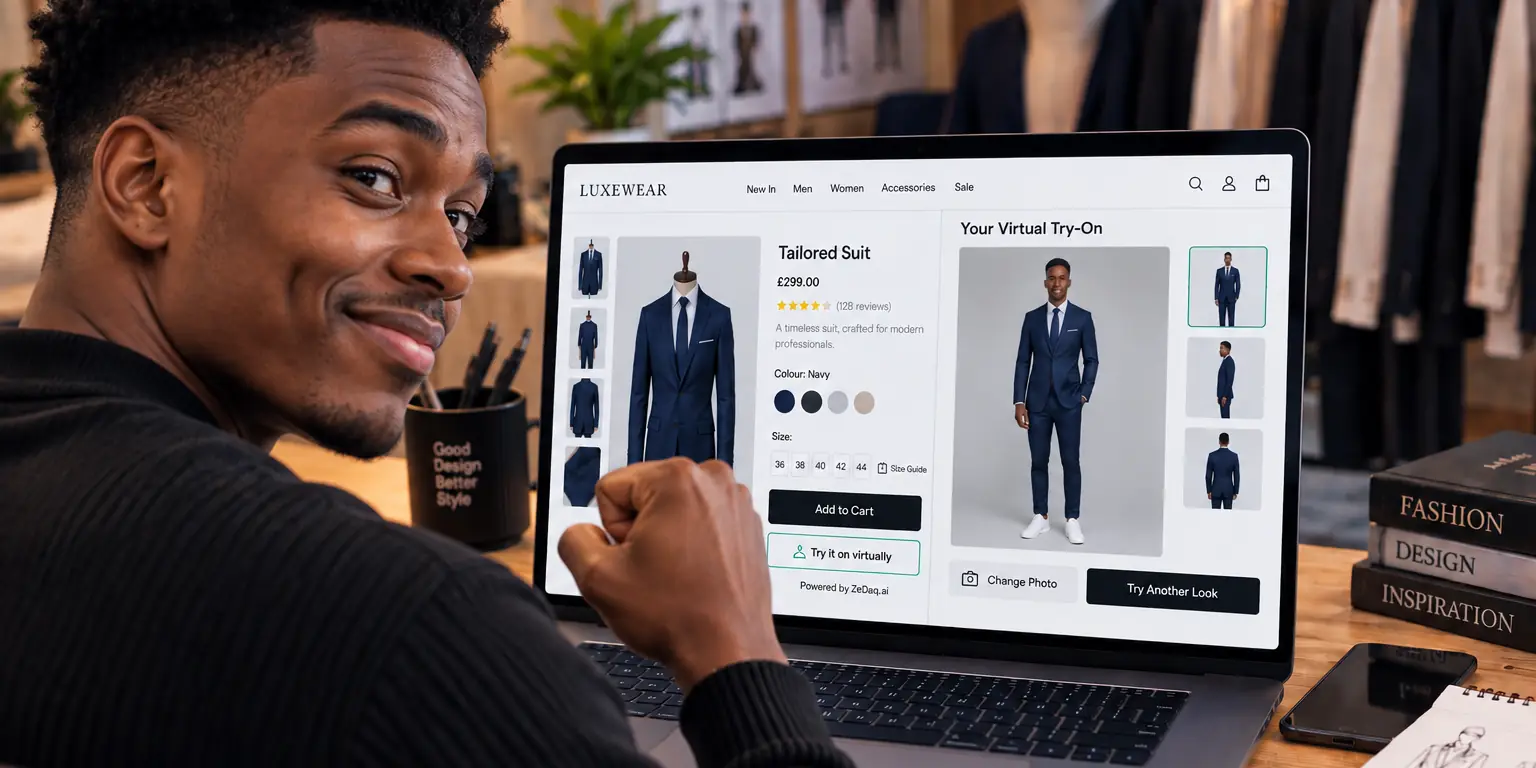
AR Try-On vs AI Photo Try-On: Which Suits Clothing Stores?
By the ZeDaq.ai team · · 7 min read
On this page
- What is AR try-on?
- What is AI photo try-on?
- How do the two compare?
- What are the limits of AR for clothing?
- What are the limits of AI photo try-on?
- How does ZeDaq.ai fit into this?
- What does each approach ask of your team?
- What does the shopper experience on a phone?
- Which one fits which type of store? A worked example
- How should you set shopper expectations?
- What questions should you ask a vendor?
- How should you choose?
For most clothing stores, AI photo try-on is the more practical choice, because it shows a garment on the shopper's own photo and does not need a 3D model of every item. AR try-on works best where a live camera view is the point, such as eyewear. The right pick depends on what you sell.
This guide compares the two approaches for store owners. If you want the wider picture first, start with our overview of a virtual fitting room for clothing websites.
What is AR try-on?
AR stands for augmented reality. An AR try-on opens the shopper's camera and draws a digital item over the live video. The item moves as the shopper moves.
This suits products that sit on a small, well-tracked part of the body. Glasses on a face are the classic example, because the face is easy to track and the product is rigid.
Clothing is harder. Fabric drapes, folds and stretches, and it covers a large, moving body. Showing it convincingly in live video usually needs a prepared digital version of each garment.
What is AI photo try-on?
AI photo try-on starts from a still photo. The shopper uploads one picture, and the system generates an image of that person wearing your real garment.
The approach is image-based. It builds on research into diffusion models for try-on, such as the TryOnDiffusion paper. That paper describes generating a view of how a garment might look on a person from two images. Our explainer on how AI virtual try-on works covers the steps in plain language.
How do the two compare?
| Question | AR live try-on | AI photo try-on |
|---|---|---|
| Input from the shopper | Live camera view | One uploaded photo |
| What you prepare per product | Usually a digital version of the item | Your normal product photo |
| Best for | Rigid items such as eyewear | Clothing worn on the body |
| Fabric drape | Hard to show convincingly | Generated in the image |
| Shopper effort | Allow camera, hold still, move | Upload a photo, wait for the result |
This is a general comparison of the two approaches, not a ranking of any specific vendor. Always test a tool on your own products.
What are the limits of AR for clothing?
Three limits come up often:
- Product preparation. Each garment may need a digital version, which takes time every time you add a new style.
- Realism. Cloth behaves differently from rigid objects, so overlays can look flat or stiff.
- Camera friction. Some shoppers will not grant camera access, and live tracking depends on lighting and the device.
None of these rule AR out. They explain why many clothing stores look at photo-based tools first.
What are the limits of AI photo try-on?
Photo try-on has its own trade-offs:
- A good photo helps. A clear, full-length photo gives a better result than a cropped or dark one.
- It is an image, not a live view. The shopper does not see the garment move.
- It does not replace sizing. A picture shows style and color on the body, so you still need accurate size guidance.
That last point is why pairing try-on with a size recommendation matters. Our guide to writing size guides that reduce returns shows how to make the numbers match the picture.
How does ZeDaq.ai fit into this?
ZeDaq.ai offers AI virtual try-on for fashion stores. The shopper uploads one photo and sees the store's real garment on their body. It also offers a size recommendation from a 30-second body scan, plus a live-camera try-on for eyewear.
So the live-camera approach is used where it fits best, on eyewear, and the photo approach is used for clothing. It is available as a Shopify app, a REST API and a script-tag widget for other platforms.
Suits and tailored menswear raise extra fit questions. See virtual try-on for suits for those details.
What does each approach ask of your team?
The setup work is often the deciding factor for a small store.
With AR, you plan for asset preparation. Each new product may need a digital version before it can appear in the camera view. Ask any vendor how long that takes per item, who does it and what it costs. If you release new styles every week, that step repeats every week.
With photo-based try-on, the work shifts to your catalog photos and your size data. Clean, consistent product images help. So does a size chart that reflects how each garment really fits.
Neither approach is free of effort. The question is whether the effort is a one-time setup or a task attached to every new product.
What does the shopper experience on a phone?
Most fashion shoppers browse on a phone, so test both flows on one.
An AR flow asks for camera permission, then expects the shopper to stand in good light and hold still while the item is placed. It feels immediate when it works. It can feel awkward in a crowded room or on an older device.
A photo flow asks the shopper to pick or take one picture, then wait for the result. It is slower to start, but the shopper can use a photo they already like and revisit the result without holding the phone up.
Run both tests yourself with a real garment, on a normal connection, before you choose. Note how many taps it takes and where you hesitate.
Which one fits which type of store? A worked example
Take three imaginary stores.
- A sunglasses shop. The product is rigid and sits on the face. A live-camera view is the natural fit.
- A dress boutique with weekly drops. Each dress drapes differently, and the catalog changes often. A photo-based tool that works from normal product images is easier to keep current.
- A menswear tailor selling suits. Fit and proportion matter most. A photo render helps with the look, and a size recommendation matters just as much for the cut.
The same store can also mix both. A shop that sells eyewear next to clothing might use a live camera for the glasses and a photo for the clothes.
How should you set shopper expectations?
Both approaches show an approximation, not a fitting-room guarantee. Say so on the page in plain words.
A short line near the button works well: "This preview shows how the garment may look on you. Check the size guide for fit." It keeps trust high and points shoppers to your measurements.
Also tell shoppers what makes a good photo. Ask for a full-length picture in good light, standing straight, wearing fitted clothes. Clear guidance at this step helps the result more than almost any other change you can make. Show a small example photo beside the upload button so shoppers know what to aim for.
What questions should you ask a vendor?
Whichever route you take, use these questions:
- What do I need to prepare for each product?
- Does the shopper need an account or an app?
- What happens to the shopper's photo, and is it stored?
- Does the tool also help with sizing?
- Which platforms does it work on, and what does setup involve?
- Can I test it on my own products before paying?
Write down the answers and compare them side by side. Claims about results should come with a named source, and you should treat any unsourced figure with caution.
How should you choose?
Use this checklist:
- Do you sell clothing worn on the body, or small rigid items like glasses?
- Can you prepare a digital version of every product, now and for new drops?
- Will your shoppers upload a photo, or are they more likely to open the camera?
- Do you also need size guidance on the same page?
If most answers point to clothing and a small team, a photo-based tool is the simpler start. Test it with your own products before you decide.
See photo try-on on a real garment
FAQs
Is AR try-on better than AI try-on for clothes?
Not by default. AR suits rigid items on easy-to-track areas, while photo-based AI suits garments worn on the whole body. Test both on your products.
Does photo try-on need a 3D model?
The shopper uploads one photo and sees your real garment on their body.
Can I use try-on for eyewear and clothing in one store?
Yes, if your tool supports both. ZeDaq.ai offers live-camera eyewear try-on and photo-based clothing try-on.
Does try-on replace a size chart?
No. A render shows how a garment looks on someone, and a size chart or recommendation tells them which size to order.
Try ZeDaq.ai free
Virtual try-on and Find my size for your store, plus client, order and invoicing tools for tailors, in one subscription.

