Using Virtual Try-On in Seasonal Lookbooks
By the ZeDaq.ai team · · 4 min read
On this page
- What does a lookbook do that a product page does not?
- How do the two connect?
- How do you build a try-on-ready lookbook?
- What about size information?
- What does a worked example look like?
- How do you write copy that prompts a try?
- When should you launch it?
- Can try-on work for rental or occasion wear?
- What should you not promise?
- What does it cost to test?
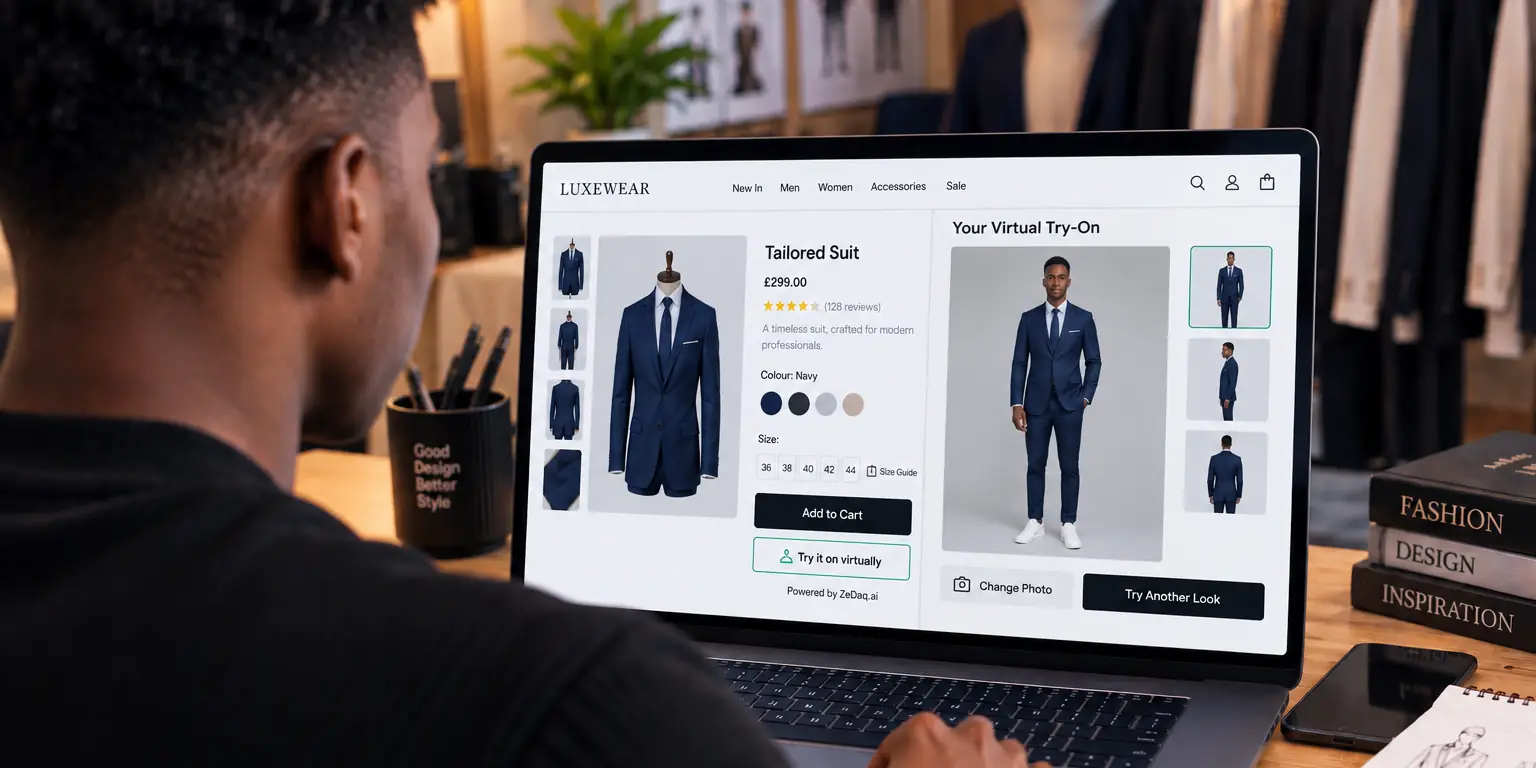
To use virtual try-on with a seasonal lookbook, link every look in the lookbook to the product pages of its pieces, and keep the try-on button on those pages. Shoppers see the styled photo, tap through, and then see the real garment on their own body.
This article is for store owners planning a seasonal campaign. The try-on happens on product pages, which is how a virtual fitting room for clothing websites is normally set up. The lookbook is the inspiration, and the product page is where the shopper tries and decides.
What does a lookbook do that a product page does not?
A lookbook shows outfits, mood and styling. A product page shows one item with its details.
Shoppers use lookbooks to answer "how would I wear this?" Try-on answers a second question: "how would this look on me?" Together they cover both.
How do the two connect?
The link is simple. Each look has hotspots or captions that go to product pages.
- The shopper views a look.
- They tap a piece in it.
- The product page opens with the try-on button.
- They upload a photo and see the garment on themselves.
- They check their size with the size recommendation and add to cart.
Try-on is available on the product page, not inside the lookbook image itself. Plan your layout around that.
Try a garment on your own photo
Try it on yourself
Live renderUpload a photo, pick a piece, see it rendered on you.
Pick something to try on
How do you build a try-on-ready lookbook?
Step 1: Pick the hero pieces
Choose the garments you want shoppers to try. Fewer, stronger pieces beat a long list.
Step 2: Prepare clear product images
Try-on uses your garment images, so use clean, front-facing photos on a plain background where you can. Keep the lookbook photos for mood.
Step 3: Set up try-on
On Shopify, install the ZeDaq.ai app and turn on its app embed. Other platforms use the script-tag widget; see the guide for WooCommerce try-on.
Step 4: Link each look
Link each look to its product pages. Many Shopify lookbook apps do this; see best Shopify lookbook apps if you need one.
Step 5: Test on a phone
Walk through the journey from lookbook to try-on to cart on a real phone. Fix any step that takes more than a tap or two.
What about size information?
A lookbook photo shows a model, not the shopper. Add the model's height and size beside each look.
Merchants can enter their own size chart, one per garment type, in Dashboard → Size charts or in the Shopify app. The scan then recommends the store's own sizes. This helps when a styled look includes pieces cut in different ways.
What does a worked example look like?
A small brand launches a winter capsule of six pieces and shoots three looks. Each look shows two or three items.
The page under each look has a row of small product cards. Tapping a card opens that product, where the try-on button sits above the size selector. The brand adds a one-line fit note to every product, such as "cut roomy, take your usual size."
On the launch day, the team tests all six product pages on a phone. They check that the button loads, the size chart shows and the cart works. The look pages stay simple and fast, and the product pages do the hard work.
How do you write copy that prompts a try?
Short prompts work best. Place them next to the product link in the lookbook, not buried below.
- "Tap to see this coat on you."
- "Not sure of your size? Find it in 30 seconds."
- "Check the fit before you buy."
Avoid promises about outcomes. Tell shoppers what the tool does, and let them judge.
When should you launch it?
Time the lookbook with your drop, and test the try-on path before the campaign goes live. If your campaign lands in a busy period, read seasonal planning for launching try-on before Black Friday.
Can try-on work for rental or occasion wear?
Yes, in the sense that shoppers can check how a garment looks on them before they commit. For hire businesses, see whether try-on helps clothing rental.
What should you not promise?
Try-on shows how a garment looks on the shopper's photo. It does not show how fabric drapes in motion or guarantee the fit. Keep your size chart and fit notes visible alongside it.
Do not present industry figures about try-on as your own results. If you cite research, link the original source.
What does it cost to test?
The Free plan includes 3 try-ons, 3 measurements and 5 invoices a month, enough to test one look. Paid plans start with Micro at $1 for the first month, then $14 a month. The first-month price applies to monthly plans only, once per store, on its first paid plan. Every paid plan has a 3-day free trial with no card required.
Try it on a product from your next drop
FAQs
Can shoppers try items on inside the lookbook image?
No. Try-on runs on product pages. The lookbook links shoppers there.
Do I need new photos for try-on?
Not necessarily. Clear product photos of the garment work best. Keep styled photos for the lookbook.
Does this work outside Shopify?
Yes. A script-tag widget supports WooCommerce, Wix, Squarespace, BigCommerce and custom sites.
Can I use it for several garments in one look?
Each product page handles its own garment. Shoppers can open each piece in turn.
Try ZeDaq.ai free
Virtual try-on and Find my size for your store, plus client, order and invoicing tools for tailors, in one subscription.

