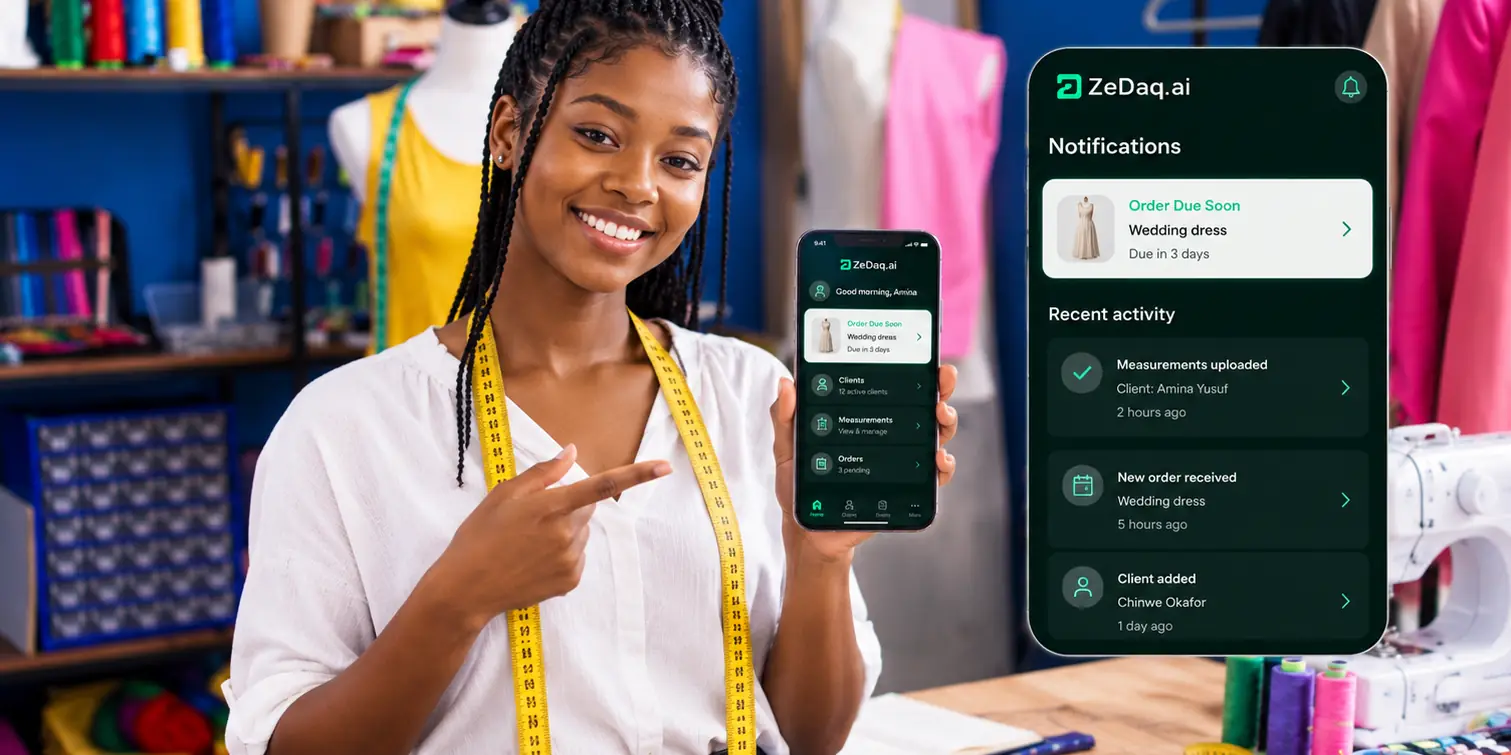
Sewing Business Software for Home Sewists
By the ZeDaq.ai team · · 6 min read
On this page
- When does a home sewing business need software?
- What features matter most for a home sewist?
- How do common options compare for a home sewing business?
- What does ZeDaq.ai offer home sewists?
- How do you switch from a notebook without losing work?
- What does a week look like with sewing software?
- What mistakes should you avoid when choosing?
- How much should a home sewist spend on software?
The best sewing business software for home sewists keeps clients, measurements, orders, due dates and invoices in one place you can open on your phone. If you sew from home, you don't need a big system. You need one that replaces the notebook, the camera roll and the scattered chat messages.
This guide covers what to look for, how to tell when you've outgrown paper, and how to switch without losing work. To see how one such tool fits a small workshop, look at ZeDaq.ai's tools for tailors and seamstresses.
When does a home sewing business need software?
Many home sewists start with a notebook and a phone. That works for a while. These signs mean it's time to change:
- You search old chats to find a client's measurements.
- You've forgotten a due date, or nearly did.
- You can't say who still owes you a balance.
- Clients ask for a proper invoice and you build one by hand each time.
- You turn down work because tracking it feels like too much.
If two or more sound familiar, a simple app will likely save you time each week.
What features matter most for a home sewist?
Home sewists need fewer features than a large workshop, but the right ones. Use this checklist when you compare tools.
Client records
One profile per client with their contact details, delivery address and fit preferences. You should find any client in seconds.
Measurements
Measurements saved against each client, with the date taken. A tool that lets clients measure themselves from a link saves you trips.
Orders and due dates
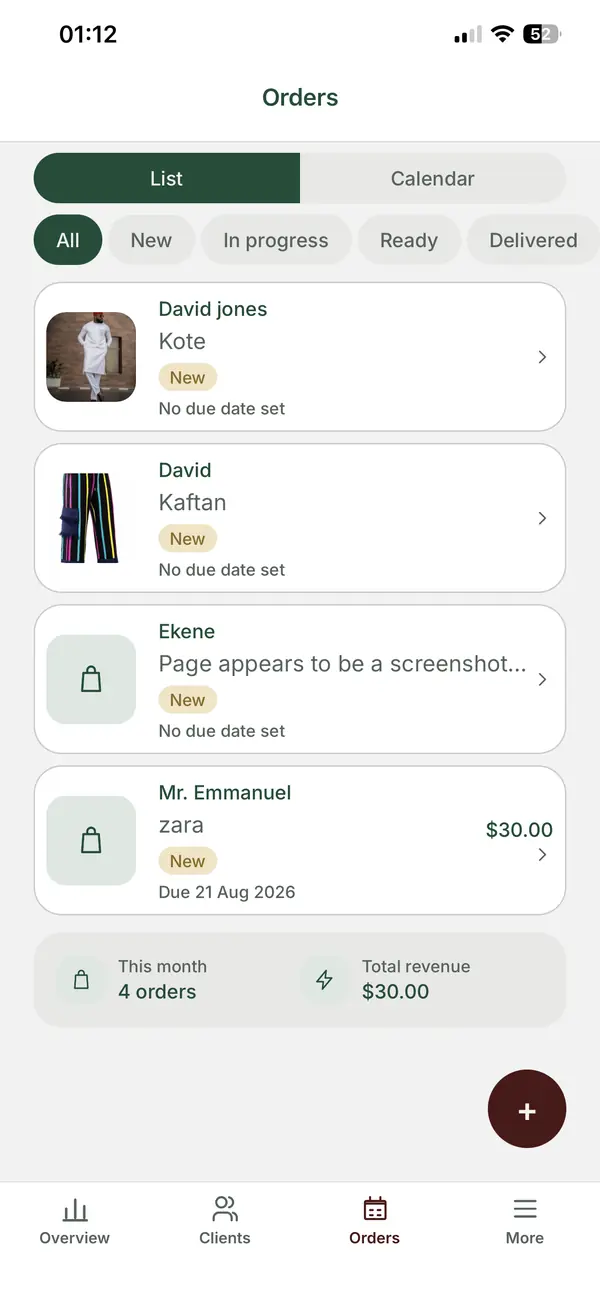
Each order should show the garment, fabric notes, price, deposit and due date. A calendar view helps you see busy weeks before they arrive.
Invoices
Invoices you can create from an order and send by WhatsApp or email. If you sew for clients abroad, look for more than one currency.
A mobile app
Most home sewists work away from a desk. A good phone app matters more than a large desktop screen.
How do common options compare for a home sewing business?
Here is how the usual choices stack up for a one-person business.
| Option | Good for | Weak spot |
|---|---|---|
| Paper notebook | Very low volume, no tech | Hard to search, easy to lose |
| Phone notes and photos | Quick capture | Measurements and orders get mixed up |
| Spreadsheet | Lists and simple totals | Clumsy on a phone, no reminders |
| General business app | Invoices and payments | No place for measurements |
| Tailor-specific software | Clients, measurements, orders and invoices together | Takes an hour or two to set up |
Spreadsheets are the most common middle step. Our guide on moving from Excel to a business suite walks through the switch.
What does ZeDaq.ai offer home sewists?
ZeDaq.ai includes tools built for tailors, seamstresses and designers. For a home sewing business, the useful parts are:
- Client CRM to keep contact details and fit preferences per client.
- Measurement links your client opens on their own phone, so they can measure at home.
- Orders and a delivery calendar so due dates are visible at a glance.
- Invoicing in multiple currencies, including NGN, GBP and USD.
- The ZeDaq Business app for iOS and Android, so you can run it all from your phone.
If you also sew school or work uniforms in batches, the needs grow a little. Our guide to uniform business management software covers bulk orders.
How do you switch from a notebook without losing work?
Move over in small steps. You don't need to copy years of history on day one.
- Start with open orders. Add every client with work in progress, plus their due dates.
- Add measurements as you need them. Copy a client's numbers when they next order.
- Send new clients a measurement link instead of booking a visit, when it suits them.
- Issue every new invoice from the app, so balances are tracked from now on.
- Keep the notebook for one month as a backup, then retire it.
After a few weeks, the app holds everything active. Old records can stay on paper.
What does a week look like with sewing software?
Here is a worked example of how one home sewist, making dresses and alterations for local and overseas clients, might run a normal week.
Monday: plan the week
Open the delivery calendar and check which orders are due in the next seven days. Move anything at risk to the top of your list, and message clients early if a date might slip.
Tuesday: take new orders
A new client messages on WhatsApp asking for a dress. Add them as a client, create the order with the fabric notes and price, and record the deposit when it arrives. Then send a measurement link so they can measure at home that evening.
Wednesday and Thursday: sew
The measurements are already on the client's profile, so you don't scroll back through chats. You check one number on your phone and keep working.
Friday: invoice and deliver
For finished pieces, create the invoice from the order and share it. The balance shows as due until the client pays. For an overseas client, issue it in their currency, such as GBP or USD.
Saturday: a quick review
Look at open balances and next week's due dates. Ten minutes here replaces the Sunday-night panic of searching through notebooks.
What mistakes should you avoid when choosing?
A few common traps waste money or time:
- Paying for features you won't use. Online store builders, stock control and staff rotas are useful for shops, not for most home sewists.
- Choosing a desktop-only tool. If you live on your phone, a desktop app will sit unused.
- Ignoring measurements. Generic invoicing apps handle money well but leave measurements in your notebook.
- Skipping the trial. Enter two or three real clients and orders before you pay. You'll know within a day whether it fits how you work.
- Moving everything at once. Bulk importing years of records delays the benefit. Start with what's active.
How much should a home sewist spend on software?
Start free and only pay once the tool proves useful. ZeDaq.ai has a Free plan at $0 that includes 3 try-ons, 3 measurements and 5 invoices a month.
Paid plans are Micro at $14 a month, Starter at $49, Growth at $129 and Scale at $299. Every paid plan has a 3-day free trial with no card required. A home business will usually look at the smaller plans first. Compare caps on the pricing page before you choose.
If you want a wider view of the market before deciding, read our guide to the best software for tailors and designers.
See how it fits a home sewing business
FAQs
Is sewing business software worth it for a side business?
If you sew for a handful of clients a month, a free plan may be enough. It mostly saves you from lost measurements and forgotten due dates.
Can I use the software only on my phone?
Yes. The ZeDaq Business app runs on iOS and Android, so you can manage clients, orders and invoices without a computer.
Can clients measure themselves at home?
Yes. You send a measurement link, and the client follows guided steps on their own phone. The numbers save to their profile.
Do I need to enter all my old clients at once?
No. Start with clients who have open orders, then add others when they come back.
Try ZeDaq.ai free
Virtual try-on and Find my size for your store, plus client, order and invoicing tools for tailors, in one subscription.

