Post-Purchase Emails That Prevent Returns
By the ZeDaq.ai team · · 5 min read
On this page
- Why can an email stop a return?
- What should the order confirmation email include?
- What should the fit tips email say?
- What should the care instructions email say?
- What should the check-in email say?
- How do you handle color and "not as described" issues?
- How do you know if your emails work?
- Where does a sizing tool fit in?
Post-purchase emails prevent returns by catching problems while the order is still in transit: confirm the size the customer picked, send fit and care tips before the parcel lands, and offer help after it arrives. These emails cost almost nothing to send and work best when each one has a single job.
This guide is for fashion store owners who already sell online. It pairs well with a good AI size recommendation for fashion stores, because an email can only reinforce a size choice that was sound to begin with.
Why can an email stop a return?
Many fashion returns come from a gap between what the shopper expected and what arrived. Some of that gap can be closed before the parcel is opened.
An email can do three things:
- Catch a wrong order early. A shopper who sees the wrong size in the confirmation can fix it before it ships.
- Reset expectations. A note about fabric, fit or color tells them what to expect.
- Offer a first step other than "return." A tip on styling, care or an exchange gives a calmer option.
An email will not fix a bad product or a poor size chart. It helps with the fixable part.
What should the order confirmation email include?
The confirmation is your most-opened post-purchase email, so use it well. Show the size, color and quantity clearly, with a photo of the item.
Add these elements:
- The size they chose, in plain words. For example, "You ordered Medium."
- A link to your size guide. Let them check it once more.
- A short fix window. Tell them how to change the order and until when, if your process allows it.
If your store uses a size recommendation, repeat it. A line such as "Your size scan suggested Medium" reassures a shopper that the choice was considered. The guide on writing size guides that reduce returns explains how to make the chart behind that line clear.
What should the fit tips email say?
Send this one between dispatch and delivery. Its job is to tell the shopper how the garment is meant to fit.
Keep it short and specific:
- Say how it fits. "This cut is relaxed through the body" is better than "great fit."
- Name the fabric behavior. Does it stretch, drape or hold its shape?
- Say what to try it with. A size chart cannot show this, but a styling tip can.
- Tell them what to do if it is off. Link to your exchange process.
This email prepares shoppers for oversized or fitted cuts. A shopper who expected a snug fit and received a relaxed one will return it, even if the garment is exactly as listed.
What should the care instructions email say?
Send care guidance after delivery or with the dispatch notice. Its job is to prevent damage that leads to complaints.
Cover the things that go wrong most often:
- Washing temperature and drying method.
- Whether to iron, and at what heat.
- Whether the fabric may shrink or fade at first.
Use the care label wording from your product, and don't add claims you cannot back up. If a garment may shrink, say so. A shopper who learns this from you is less likely to blame the size.
What should the check-in email say?
Send this a few days after the expected delivery date. Keep it friendly and offer help rather than asking for a review.
A good check-in does four things:
- Asks whether the item fits as expected.
- Links to a size exchange form.
- Links to a short sizing guide for next time.
- Gives a reply-to address that a person reads.
An exchange is often better for your margin than a refund, and many shoppers would rather swap than send back. Our guide to returns and exchange policy ideas covers how to set that up.
How do you handle color and "not as described" issues?
Two problem types come up often: color that looks different on screen and items that feel different from the listing. Emails can set honest expectations on both.
For color, a line such as "Colors may look different on different screens" is useful, and a note about the true shade helps more. The guide to fixing color mismatch returns covers the photography side.
For items that feel different from the listing, be exact in the product page and repeat key details in the email. The guide on reducing "not as described" returns goes deeper.
How do you know if your emails work?
Track outcomes you can count in your own store, not industry averages:
| Measure | Where to find it |
|---|---|
| Return rate by product | Your store's order and return reports |
| Share of returns with a "wrong size" reason | Your returns form reason codes |
| Exchange vs. refund split | Your returns log |
| Replies to the check-in email | Your support inbox |
Change one email at a time, so you know what moved the numbers. Review after a full month of orders.
Where does a sizing tool fit in?
Emails work on the order after it is placed. A sizing tool works before. The best results come from using both, with the same size language in each.
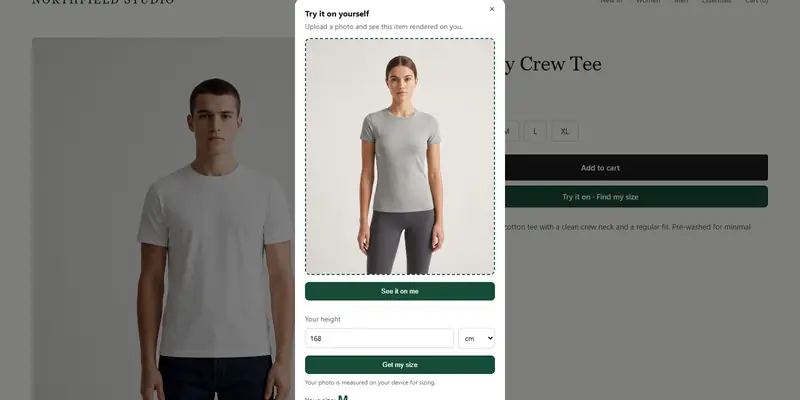
ZeDaq.ai gives shoppers a size from a 30-second body scan, matched to your own size chart. You can test it on the Free plan, which includes 3 measurements a month. See the pricing page for current plans.
Help shoppers pick the right size before they order
FAQs
How many post-purchase emails should I send?
Three is a good start: confirmation, fit and care, and a check-in. More emails can feel like noise, so add one only if it has a clear job.
Should the confirmation email repeat the size?
Yes. Showing the size in plain words lets shoppers catch a mistake before dispatch.
Is it worth sending care instructions by email?
Yes, if damage or shrinkage leads to complaints. Keep the guidance short and match your product label.
Can emails replace a good size guide?
No. Emails reinforce a choice that was made on the product page. A clear size guide or size recommendation does the main work.
Try ZeDaq.ai free
Virtual try-on and Find my size for your store, plus client, order and invoicing tools for tailors, in one subscription.