Reducing Wrong-Size Orders for Nigerian Fashion Brands
By the ZeDaq.ai team · · 4 min read
On this page
- Where do wrong-size orders actually come from?
- How do you find out which products cause the most size swaps?
- How do you fix the size chart behind the problem?
- How do you confirm size before you dispatch?
- How do you handle diaspora orders where mistakes cost the most?
- How can a size tool help on your product pages?
The fastest way to reduce wrong-size orders is to stop letting customers guess. Nigerian fashion brands get fewer size mistakes when they show real measurements, confirm size before dispatch and give shoppers a size suggestion based on their own body.
Each wrong-size order costs you twice: a second dispatch rider or courier trip, and a customer who may not order again. This guide breaks the problem into the points where size mistakes happen, from Instagram DM to delivery. For the bigger picture on tools, see our overview of try-on and sizing for African brands.
Where do wrong-size orders actually come from?
Most size mistakes start well before the order is placed. Look for these five sources in your own business:
- A chart that shows only labels. "S, M, L" with no measurements forces a guess.
- Copied charts. A UK or US chart pasted onto clothes cut from your own patterns.
- Habit sizing. The customer orders "her size" from another brand.
- WhatsApp shortcuts. A quick "I'm a medium" in chat, with no check.
- Fabric surprises. A stiff Ankara or Aso-oke piece fitted like a stretch knit.
Wrong sizes are one part of a wider returns picture. Our guide to where fit-related returns come from covers the general causes. The rest of this article focuses on what you can fix this week.
How do you find out which products cause the most size swaps?
Start with your own records, even if they live in a notebook or WhatsApp chats. For the last few months, write down every exchange and why it happened.
Use a simple log like this:
| Product | Size sent | Size needed | Customer said | Likely cause |
|---|---|---|---|---|
| Ankara peplum top | M | L | "Tight at the bust" | Bust to waist ratio |
| Adire wrap skirt | 12 | 10 | "Too loose at waist" | Chart runs large |
| Senator set | L | XL | "Shoulders too narrow" | Shoulder not on chart |
Example log entries for illustration.
After a few weeks, a pattern appears. Usually two or three products cause most of your swaps. Fix those first.
How do you fix the size chart behind the problem?
Your chart is the single biggest lever. Check it against these points:
- Every size shows bust, waist and hip (or chest, waist and shoulder for menswear).
- Each measurement is in both centimeters and inches.
- Ranges meet with no gaps between sizes.
- Each garment type has its own chart.
- The chart matches the patterns your tailors actually cut from.
Many brands find their chart was written once and never checked again. Measure a finished sample of each size, then compare it to the chart.
Fitted styles also need a note on body shape. Our guide to why bust, waist and hip ratios matter explains why two women in the same label can need different sizes.
How do you confirm size before you dispatch?
A short check before dispatch catches mistakes while they are still free to fix.
For Instagram and WhatsApp orders
- When a customer gives a size, ask for one measurement that matters for that piece, such as hip for a fitted skirt.
- Compare it to your chart in the chat.
- If it doesn't match, suggest the right size and explain why in one line.
For website orders
- Add a "Check your size" line near the order button.
- On fitted pieces, send a short confirmation message after the order with the key measurement for the chosen size.
- Hold dispatch for a few hours so customers can reply with a change.
This takes a minute per order. It is far cheaper than a second delivery across Lagos.
How do you handle diaspora orders where mistakes cost the most?
A wrong size shipped to London or Houston is the most expensive mistake you can make. The return costs more and takes longer than local delivery.
Diaspora shoppers also think in UK or US labels, which may not match yours. Our guide to sizing for diaspora shoppers covers how to present your sizes so overseas buyers choose correctly.
For overseas orders, always confirm measurements before you ship, even for ready-to-wear.
How can a size tool help on your product pages?
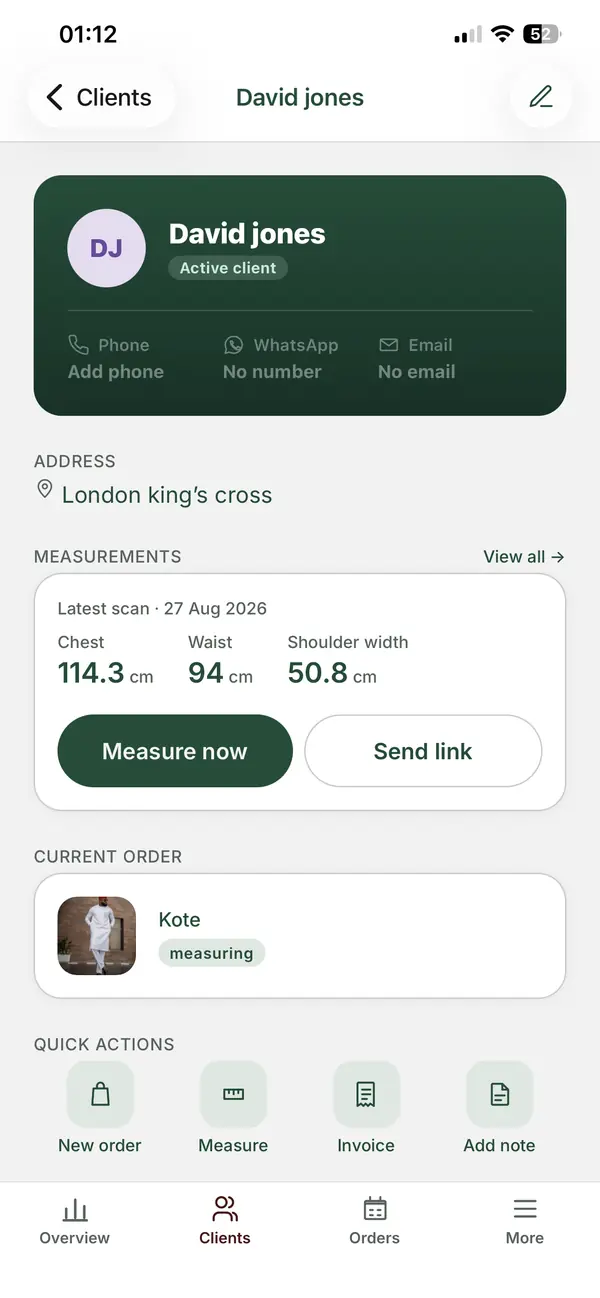
A size tool takes the guessing out of the shopper's hands. With ZeDaq.ai, the shopper taps "Find my size", uploads one photo and enters their height. A 30-second body scan estimates their measurements and matches them to your own size chart for that garment type.
The shopper sees one size from your chart, such as "M" or "12". If they fall between sizes, the scan picks the size that fits their largest relevant measurement. You add your charts in Dashboard, Size charts, or in the Shopify app.
The script-tag widget works on WooCommerce, Wix and custom sites, and there is a Shopify app for Shopify stores.
Try ZeDaq.ai free for 3 days
FAQs
Should I charge customers for a size exchange?
That is your policy choice. Whatever you decide, state it clearly on your site and in your WhatsApp catalog before people order.
How many measurements should I ask for on WhatsApp?
Ask for the one or two that decide fit for that piece. Asking for ten numbers on a chat often means the customer stops replying.
Do wrong-size orders happen more with ready-to-wear or made-to-order?
They happen in both. Ready-to-wear mistakes come from the chart, while made-to-order mistakes usually come from how the measurements were taken.
Is it worth changing my size labels?
Usually not. Keep your labels, and add the measurements behind them so shoppers can check.
Try ZeDaq.ai free
Virtual try-on and Find my size for your store, plus client, order and invoicing tools for tailors, in one subscription.

