Size Recommendation for Modest Fashion Stores
By the ZeDaq.ai team · · 6 min read
On this page
- Why do modest fashion stores need a different sizing approach?
- How does Find my size work for a modest shopper?
- How do you map a modest range to size charts?
- How should you handle length-based sizing?
- What fit notes help modest shoppers most?
- Does this approach work for modest menswear?
- How much does it cost to add size recommendation?
Size recommendation for modest fashion stores works best in two parts: a body scan that picks the right width from your size chart, and a clear length guide that picks the right length. Modest garments are often loose and long, so the shopper's two questions are "will it sit right on my shoulders and hips?" and "will the hem fall where I want it?"
This guide shows how to map a modest range to size charts, how to handle length, and how to explain it on the product page. For the visual side of selling cultural and occasion wear, see the pillar guide to virtual try-on for African fashion brands.
Why do modest fashion stores need a different sizing approach?
Most size advice assumes fitted clothing, where chest, waist and hips decide everything. Modest ranges work differently.
- Loose cuts hide body width. A flowing abaya or maxi dress can suit several body sizes, so the label often matters less than the shoulder and hip fit.
- Length matters more. A hem that is too short can defeat the purpose of the garment, and one that is too long drags.
- Layering changes fit. Many shoppers wear a modest outer layer over other clothing, so they need room to move.
A good setup answers width and length separately rather than forcing one label to do both.
How does Find my size work for a modest shopper?
The shopper taps Find my size on your product page. She uploads one photo and enters her height.
The measurement runs on her own device. Her chest, waist and hip measurements are matched to your chart for that garment type, and she sees one size label from your range. If she falls between two sizes, the scan suggests the larger one, which suits loose and layered styles.
She can also tap Try it on to see your real garment on her own photo. That helps her judge drape, sleeve length and how the outfit looks as a whole.
See a modest look on your own photo
Try it on yourself
Live renderUpload a photo, pick a piece, see it rendered on you.
Pick something to try on
How do you map a modest range to size charts?
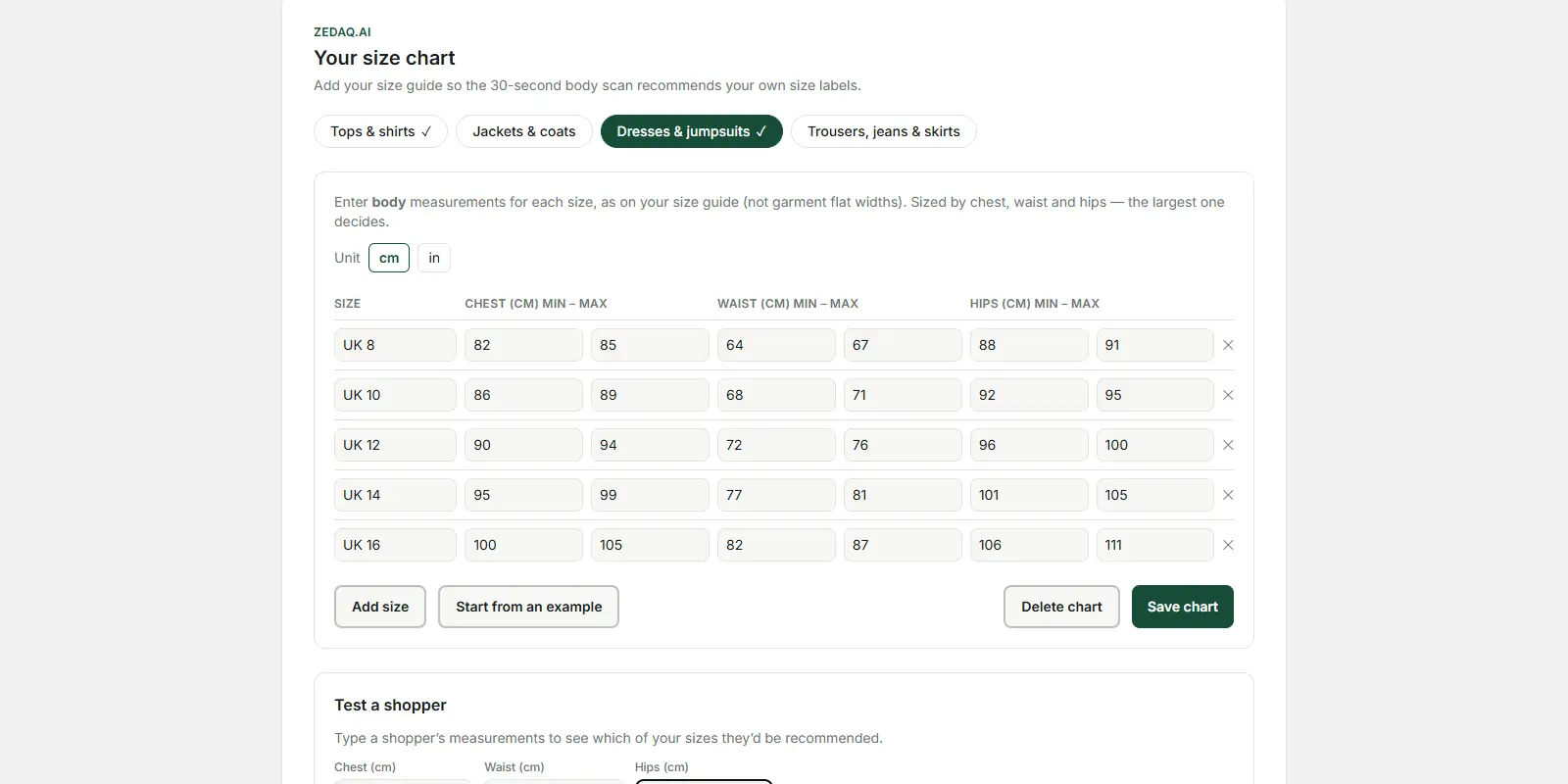
ZeDaq.ai uses one chart per garment type: tops, outerwear, dresses and bottoms. The first job is deciding where each product belongs.
| Product | Chart type | Measurements that matter most |
|---|---|---|
| Tunics and long tops | Tops | Chest |
| Open abayas, kimonos, long cardigans | Outerwear | Chest, with room for layers |
| Closed abayas, jilbabs, maxi dresses | Dresses | Chest, waist and hips |
| Wide-leg trousers, maxi skirts | Bottoms | Waist and hips |
Some stores sell an abaya that could fit two rows. Choose based on how it is worn. If it is worn open over clothes, treat it as outerwear. If it is worn closed as the main garment, use dresses.
What mapping mistakes should you avoid?
- Sorting by product name. "Abaya" can mean an open or a closed style. Sort each piece by how it is worn, not what it is called.
- Entering garment widths. Loose styles often list the garment's own width. Your chart needs body measurements, so the scan compares like with like.
- Ignoring layers. If shoppers usually wear a piece over other clothing, make sure your outerwear ranges leave room for that.
- Forgetting matching sets. If you sell a top and skirt together, decide which chart each piece uses, and say so on the page.
How should you handle length-based sizing?
The scan matches body width, not length. It doesn't pick a hem length for the shopper. Many modest brands size by length, so you need a length guide on the page as well.
Step 1: Measure length the same way every time
Choose one start point, such as the top of the shoulder, and measure to the hem. Write that start point on your chart.
Step 2: Add a height guide
Most shoppers don't know their shoulder-to-floor length. A "suits height" column lets them choose from their height instead.
| Length label | Garment length (cm) | Suits height (cm) |
|---|---|---|
| 52 | 132 | 152–157 |
| 54 | 137 | 157–163 |
| 56 | 142 | 163–168 |
| 58 | 147 | 168–173 |
Example chart only. Check your brand's own lengths, and say whether heights assume flat shoes.
Step 3: Put width and length side by side
On each product page, place the Find my size button and the length guide close together. Add one short note, such as "Use Find my size for your fit, then pick your length from the chart."
What fit notes help modest shoppers most?
One line of fit advice can answer the question a shopper would otherwise email you about. Useful notes include:
- Sleeve length. Say whether sleeves reach the wrist, and whether there is a cuff.
- Room for layers. Say if the cut leaves space for a cardigan or long-sleeve top underneath.
- Hem finish. A plain hem is easy to shorten. An embroidered or beaded hem is not, so length matters more.
- Fabric stretch. A jersey maxi dress fits differently from a crepe one, even in the same size.
- Opacity. Shoppers often ask if a fabric is see-through. Say so if a lining is needed.
Does this approach work for modest menswear?
Yes. Thobes, kurtas and long shirts follow the same idea: width from the scan, length from a guide. Chest and shoulders usually matter most for the body, and length decides how the garment looks.
The guide to size recommendation for menswear covers chest and waist charts for men's ranges.
If you sell cultural wear more broadly, see the article on sizing for African fashion brands.
Stores that carry extended sizes can also read about try-on for modest and inclusive stores.
How much does it cost to add size recommendation?
Each scan uses one measurement on your plan. The Free plan includes 3 measurements a month, which is enough to test your charts.
Paid plans are Micro at $14/mo, Starter at $49/mo, Growth at $129/mo and Scale at $299/mo. Every paid plan has a 3-day free trial with no card required. Check current details on the ZeDaq.ai pricing page.
ZeDaq.ai works through the Shopify app, or with a script tag on WooCommerce, Wix, Squarespace and custom sites.
Help shoppers choose width and length
FAQs
Will the scan pick the abaya length?
No. The scan matches chest, waist and hips to your chart. Use a length guide with a height column for length.
Which chart should an open abaya use?
Use outerwear if it is worn open over other clothes. Use dresses if it is worn closed as the main garment.
What kind of photo should the shopper use?
The photo should be full length, with her standing straight. Loose layers can make measurements less precise, so fitted clothing gives a better result.
Can I use one chart for all my abayas?
You get one chart per garment type. If some styles fit very differently, place them in the type that matches how they are worn, and add a fit note.
Should I list lengths in inches or centimeters?
Use the unit your customers know best, and keep it the same across every product. If you sell to shoppers in several countries, showing both units on the length guide avoids confusion.
How do I help shoppers who wear heels with long dresses?
Say on your length guide whether the heights assume flat shoes. A shopper who plans to wear heels may then prefer the next length up.
Try ZeDaq.ai free
Virtual try-on and Find my size for your store, plus client, order and invoicing tools for tailors, in one subscription.

