Order Notes for Fit Requests: Handling Special Requests
By the ZeDaq.ai team · · 4 min read
On this page
- What kind of fit requests show up in order notes?
- Should you accept every request?
- How do you triage a note before packing?
- How do you reply to a fit request?
- How can you reduce the number of notes?
- How do notes connect to complaints and guarantees?
- What does a worked example look like?
- What should you track?
Handle fit requests in order notes by deciding in advance which requests you accept, checking each note before you pack, and confirming the change with the customer in writing. A note that says "please make the sleeves shorter" only helps if someone reads it and acts on it.
Many stores collect notes and never build a routine around them. If you also use a tool such as AI size recommendation, notes become the exception path, which is easier to manage than the default one.
What kind of fit requests show up in order notes?
Customers write what they cannot select from a menu. Typical notes fall into a few groups:
- Length changes: shorter hem, longer sleeves, cropped length.
- Size doubt: "I'm between M and L, which do you suggest?"
- Body-specific needs: broader shoulders, a fuller bust, a longer torso.
- Custom touches: a different neckline, a changed strap, an added lining.
- Delivery context: "needed for a wedding on the 20th".
Each group needs a different response. Mixing them together is how requests get lost.
Should you accept every request?
No. Decide your limits before the first note arrives.
Ask three questions about each type of request:
- Can your team actually do it? A hem change is simple for a tailor and impossible for a store that ships from a warehouse.
- Does it change the price or the delivery date? If so, the customer must agree before you start.
- Can it be reversed? A cut cannot be undone, so confirm before you cut.
Write down the result as a short list of accepted, paid and declined requests. Staff then answer the same way every time.
How do you triage a note before packing?
Add a check to your pack routine. It takes a minute per order and prevents many problems.
- Read every note on the order. Make this a required step, not an optional one.
- Sort the note into a group from the list above.
- Check it against your policy. Accepted, needs approval, or declined.
- Reply to the customer if anything is unclear or changes the price or date.
- Record what you did on the order, so anyone can see it later.
Orders with a note that is unclear should wait for a reply. Shipping a wrong guess costs more than a short delay.
How do you reply to a fit request?
Short, specific replies work best. Here are three templates you can adapt.
Size doubt: "Thanks for your note. Based on the measurements on our size chart, we suggest size L for a relaxed fit. Reply with your chest and waist measurements if you'd like us to double-check."
Alteration you offer: "We can shorten the hem for an added fee and a longer delivery time. Reply 'yes' to confirm and we will update your order."
Request you can't do: "We can't change the neckline on this style. Here's a similar style that might suit you. You can also return this one under our policy."
Always say what happens next and when.
How can you reduce the number of notes?
Notes are often a symptom of missing information on the product page. If many customers ask the same question, answer it where they shop.
- Show body measurements on the size chart, not just labels.
- Add a fit note such as "runs small, size up if between sizes".
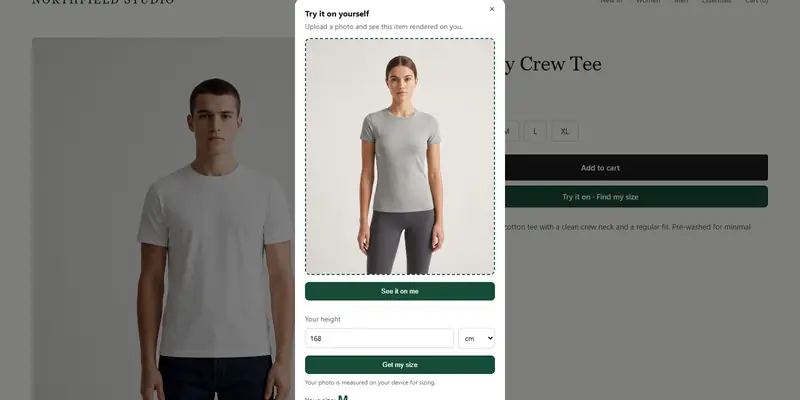
- Offer a size recommendation from the shopper's measurements. ZeDaq.ai matches a 30-second body scan to your own size chart.
- Store fit details as structured product data. The guide to Shopify metafields for fit notes shows one way.
How do notes connect to complaints and guarantees?
A note is a promise in the customer's mind once you accept it. If the finished garment does not match, you may get a complaint.
Keep your replies on record and follow your public rules. The article on handling sizing complaints on social media covers the public side, and fit guarantees covers when a promise to fix problems makes sense for your margins.
What does a worked example look like?
A customer orders a dress in size M and writes: "Can the hem be shorter? I'm petite."
You sort it as a length change. Your policy says hems are accepted for a fee and add a few days. You reply with the fee and the new date, the customer confirms, and the order gets a note: "hem shortened, customer confirmed". If the customer had not replied, the dress would wait instead of shipping untouched.
What should you track?
Keep a simple log with four columns: order, request type, outcome (done, declined, returned) and time spent. After a month, look for the request type that appears most often.
If one request dominates, change the product page, the chart or the product itself instead of handling it by hand every time.
Cut down on size questions before they reach your inbox
FAQs
Where do customers leave order notes?
It depends on your store platform and theme. Check that your cart or checkout has a notes field, and test that the note shows up on the order your team sees.
Should I charge for alterations?
If an alteration takes your time or materials, charge for it and say so before you start. Get the customer's agreement in writing.
What if a customer's note arrives after I've shipped?
Reply right away and explain what you can still do. Offer an exchange or return if the garment does not match what they asked for.
How long should I keep order notes?
Follow your own data policy and any local rules on customer data. Keep them at least as long as the return window.
Try ZeDaq.ai free
Virtual try-on and Find my size for your store, plus client, order and invoicing tools for tailors, in one subscription.