One Photo Plus Height: How a 30-Second Body Scan Works
By the ZeDaq.ai team · · 5 min read
On this page
A 30-second body scan takes one full-length photo and the shopper's height, finds the body's outline in the photo, and uses the height to turn pixel widths into real measurements. Those measurements are then matched to the store's size chart to suggest a size.
This article walks through each step of that process as ZeDaq.ai runs it, from the shopper's tap to the size label. For the bigger picture of how stores use photo-based sizing, start with our guide to AI size recommendation for fashion stores.
Why does the scan need height?
A photo has no built-in scale. A person 2 meters from the camera and a person 4 meters away can look different sizes in the same frame, even if their bodies are identical. The scan needs one known real-world length to fix the scale.
Height is the easiest one. Most people know it, and it runs the full length of the body in a full-length photo. Once the scan knows the shopper is, say, 170 cm tall and spans a set number of pixels, it can work out how many centimeters each pixel stands for.
That is why the scan asks for height and not weight. Weight doesn't give a length, so it can't set the scale of a photo.
Try the scan yourself: one photo and your height
Try it on yourself
Live renderUpload a photo, pick a piece, see it rendered on you.
Pick something to try on
What happens during the 30 seconds?
Here is the sequence, step by step.
Step 1: The shopper adds a photo
The shopper taps Try it on on a product page and uploads one full-length photo. If they already uploaded one for try-on, the scan reuses it.
Step 2: The shopper enters their height
They tap Find my size and type their height. Shoppers can use centimeters or feet and inches.
Step 3: A pose model finds the body on the device
A pose model is software that finds body landmarks, such as shoulders and hips, in an image. ZeDaq.ai runs it in the shopper's own browser. The model starts loading while the shopper types their height, so the wait is short.
Step 4: The scan measures widths in pixels
Using the landmarks and the body's outline, the scan measures:
- the shopper's height in pixels, from head to feet
- the front width of the body at the chest
- the front width at the waist
- the front width at the hips
Step 5: Only numbers leave the device
The scan sends those pixel numbers and the typed height to ZeDaq.ai. The photo itself stays on the shopper's device for sizing.
Step 6: Pixels become centimeters
On the server, the height sets the scale. A width in pixels becomes a width in centimeters.
How can a front photo give a circumference?
A front photo shows how wide the body is, but not how deep it is from front to back. Size charts list circumferences, such as a 96 cm chest, so the scan has to estimate the missing depth.
With one front photo, ZeDaq.ai estimates depth from the front width using a typical body ratio. It then treats the cross-section at the chest, waist and hips as an ellipse, an oval shape, and calculates the distance around it.
This is an estimate, not a tape-measure reading. If you want the full background on how photo-based sizing works and where it is less reliable, read our explainer on how AI estimates measurements from photos.
How do measurements become a size?
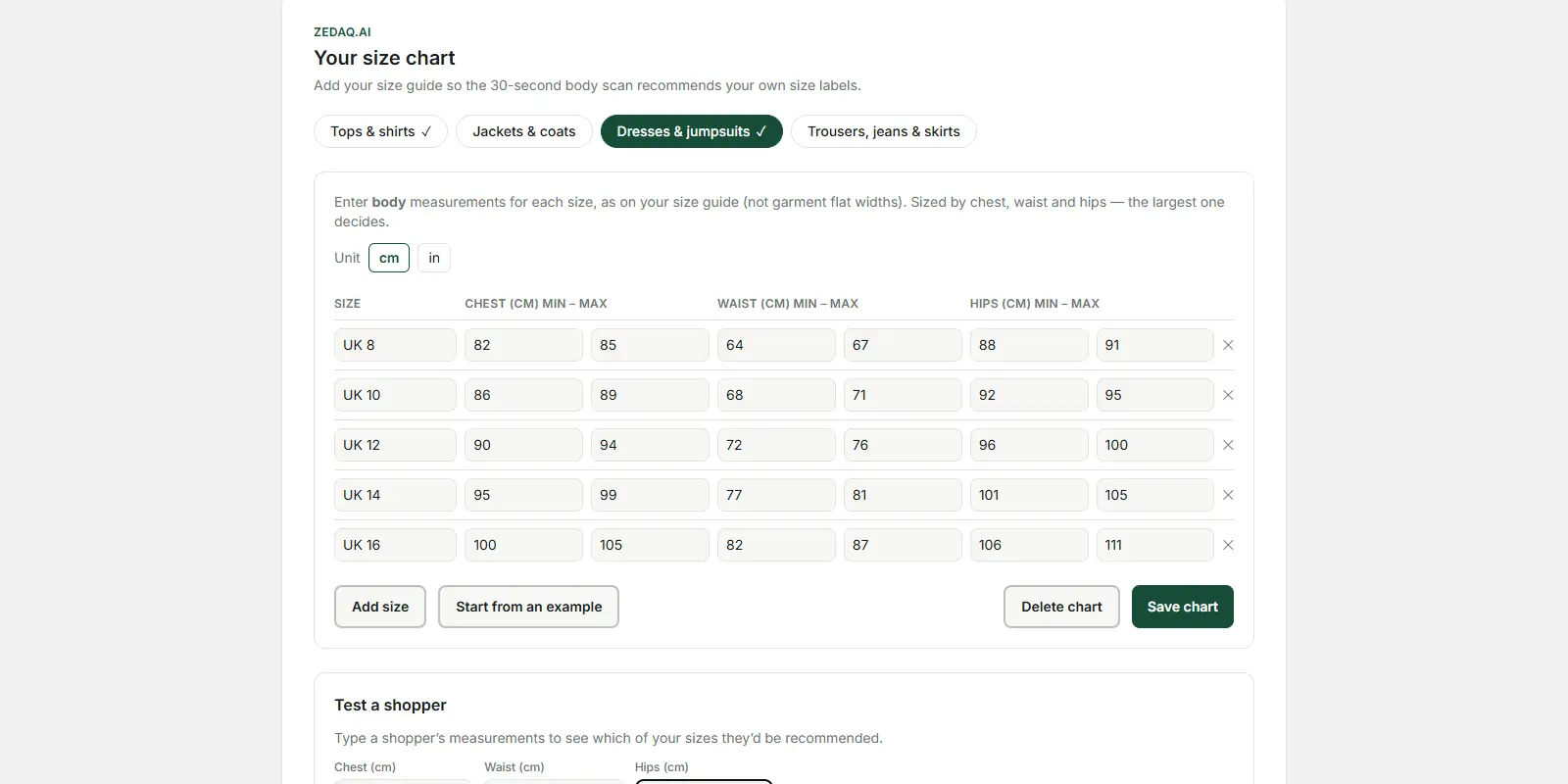
The scan compares the estimated chest, waist and hips with the store's own size chart for that garment type. Stores keep one chart each for tops, outerwear, dresses and bottoms, so a jacket is sized against the outerwear chart, not the dress chart.
A simple worked example, using an example chart (check your brand's own chart):
| Size | Chest (cm) | Waist (cm) | Hips (cm) |
|---|---|---|---|
| S | 84–89 | 66–71 | 90–95 |
| M | 89–94 | 71–76 | 95–100 |
| L | 94–99 | 76–81 | 100–105 |
Say the scan estimates chest 90 cm, waist 72 cm and hips 101 cm for a dress. Chest and waist sit in M, but hips sit in L. The scan sizes up to the largest relevant measurement, so it suggests L and tells the shopper they're between sizes and got the roomier one.
That rule exists because a slightly loose dress is wearable or easy to alter, while one that's tight at the hips often isn't. Our guide to mapping body measurements to your own size chart covers how to set ranges so fewer shoppers land between sizes.
If a store hasn't added a chart for that garment type, the scan uses a standard UK, US, EU or AU chart instead.
What makes the scan more accurate?
The photo matters most. Before shoppers scan, they should:
- Stand straight, facing the camera, with arms slightly away from the body.
- Show the whole body from head to feet, with nothing cropped.
- Wear fitted clothing. A loose coat or wide skirt hides the body's outline.
- Use a plain background and good light, so the edges are clear.
- Enter an accurate height, without shoes.
The last point is easy to miss. Because height sets the scale for every measurement, a height that's a few centimeters off shifts every estimate a little.
Accurate sizing before purchase is one part of reducing size problems later. For where fit-related returns start, see our guide to where fit-related returns come from.
What does a scan cost a store?
Each successful scan uses one measurement from your ZeDaq.ai plan. A photo the scan can't read doesn't use one.
| Plan | Price | Measurements a month |
|---|---|---|
| Free | $0 | 3 |
| Micro | $14/mo | 30 |
| Starter | $49/mo | 100 |
| Growth | $129/mo | Unlimited |
| Scale | $299/mo | Unlimited |
Measurements are counted separately from try-ons. Every paid plan has a 3-day free trial with no card required. See the live ZeDaq.ai pricing for current limits.
Run the scan against your own size chart
FAQs
Does the shopper need to download an app to scan?
No. The scan runs in the shopper's web browser on your product page. There is nothing to install and no account to create.
Can the scan work from a side photo too?
The storefront scan uses one front-facing, full-length photo. It estimates body depth from that front view.
Why did the scan suggest a bigger size than usual?
The shopper was likely between sizes on one measurement, such as hips. The scan picks the roomier size and shows a note saying so.
What if the photo is cropped?
The scan needs the full body from head to feet to measure height in pixels. If it can't find the body, the shopper sees an error and can try a new photo.
Try ZeDaq.ai free
Virtual try-on and Find my size for your store, plus client, order and invoicing tools for tailors, in one subscription.

